
Blog

Before You Monetise Your Substack, Get the Content Strategy Right
Substack is easy to launch, but paid publishing needs strategy. Shape the content, offer and member journey before adding a paywall.

TL;DR:
- Migrating your WordPress site to a better hosting environment is crucial to improve performance and prevent costly downtime for Canberra small businesses. Proper preparation, a structured process, and local support ensure a smooth transition that maintains site functionality and security. Engaging professional migration services reduces risks, saves time, and provides ongoing stability for your online presence.
Your website is often the first thing a potential customer sees when they search for a local business in Canberra. If it loads slowly, breaks on mobile, or keeps throwing errors, that first impression costs you enquiries. Migrating your WordPress site to a better hosting environment or a more capable setup can solve these problems directly, but only when the process is handled with care. This guide walks you through why migration matters, what to prepare, the steps involved, and how to verify everything works properly once you’re done.
| Point | Details |
|---|---|
| Understand migration risks | Proper planning is vital to avoid downtime, data loss, and broken functionality. |
| Follow a proven process | A clear, step-by-step migration minimises errors and disruption for your Canberra business. |
| Check everything post-migration | Testing and ongoing support ensure your site works as expected after moving. |
| Get expert local help | Working with Canberra specialists provides peace of mind and a safety net for your site. |
Not every website problem means you need to migrate. But there are clear signs that your current setup is holding your business back. Recognising these early gives you time to plan rather than react in a crisis.
Here are the most common signs a Canberra small business should consider migration:
The benefits of a well-planned migration go beyond just fixing these problems. A modern WordPress hosting environment improves page speed, which directly affects your Google rankings. Better infrastructure means more uptime, which protects your reputation and keeps bookings and enquiries flowing. You also gain access to updated tools and integrations that make your site more useful as part of your day-to-day business operations.
For Canberra businesses specifically, local support matters. When something goes wrong with your website at 8am before a busy trade day, you want to reach someone who understands your context, not wait in an overseas support queue. Staying on a hosting arrangement that lacks this support is a real risk.
“Many WordPress sites fail due to poor support or outdated systems,” as highlighted in research on WordPress sites failing without proper maintenance. That finding should give any small business owner pause before assuming their current setup is safe.
Delaying migration when the signs are clear tends to make things worse over time. Outdated systems accumulate vulnerabilities. Slow sites lose ranking positions gradually, often without you noticing until the damage is done. Taking steps to address WordPress security tips and considering migration sooner rather than later protects both your data and your customer relationships. For businesses thinking about their broader online presence, understanding the digital growth benefits of a well-maintained WordPress site puts the investment in context.
Now that you know migration is worth considering, let’s look at what you need before you start.
Preparation is where most successful migrations are won or lost. Rushing into the technical steps without gathering the right information first is one of the most common causes of preventable problems. A structured checklist prevents major migration errors, especially for businesses that cannot afford extended downtime.
Here is what you need to gather and confirm before beginning:
| Checklist item | Why it matters | Who is responsible |
|---|---|---|
| Full site backup (files + database) | Allows recovery if anything goes wrong | You or your host |
| Admin login credentials (old host) | Required to export files and database | You |
| Admin login credentials (new host) | Required to set up the new environment | You or your provider |
| FTP or SFTP access details | Needed for manual file transfers | Your hosting provider |
| Domain registrar login | Required to update DNS settings post-migration | You |
| Plugin and theme licence keys | May be needed to reactivate on new host | You |
| List of site features and forms | Confirms nothing is missed after migration | You or your developer |
| Contact for local Canberra support | Provides assistance if problems arise | Your provider |
Walk through each item on this list before you touch anything. It sounds methodical, but the discipline pays off. A business that has not taken a full backup before a migration starts is taking a serious risk. Even if the migration goes well nine times out of ten, that tenth time can mean losing months of content, customer data, or configuration work.
Plugin and theme compatibility deserves special attention. Confirm that every plugin your site depends on is compatible with the version of WordPress and PHP running on your new host. Incompatibilities between a plugin and the server environment are a frequent cause of broken functionality after migration.
Pro Tip: Before migrating, document every form, booking system, payment integration, and third-party connection your site uses. Test each one after migration to verify it still works correctly.
If your site has been built with a custom WordPress setup involving bespoke functionality or integrations, allow extra time for compatibility checking. Standard migration guides often miss this step because they assume a typical out-of-the-box installation. For businesses exploring their options before committing, reviewing affordable website solutions in Canberra can help you understand what full-service migration support looks like.
Once you have gathered everything you need, you are ready for the technical steps.
A carefully structured process is key to WordPress migration success. The steps below reflect a reliable, tested sequence that applies whether you are doing this yourself or handing it to a provider.
Manual migration vs. plugin migration: a quick comparison
| Method | Best for | Key advantage | Key risk |
|---|---|---|---|
| Manual (FTP + phpMyAdmin) | Experienced users or complex sites | Full control over every file | Time-consuming; higher chance of error if unfamiliar |
| Migration plugin (e.g. Duplicator) | Simpler sites; less technical users | Faster; automates much of the process | May struggle with very large databases |
| Managed migration (via provider) | Business-critical sites | Expert handling; minimal disruption | Costs more; requires provider availability |
Pro Tip: If your database is large (over 512MB), a migration plugin may time out during the import step. In that case, ask your new host about importing via the command line or use a split-import method.
Understanding WordPress site building principles helps you anticipate where things can go wrong during migration. Knowing how your site was originally constructed makes it easier to verify that everything has transferred correctly. If you encounter issues after migrating, there is a practical guide to common fixes after migration that addresses the most frequent problems Canberra businesses experience.
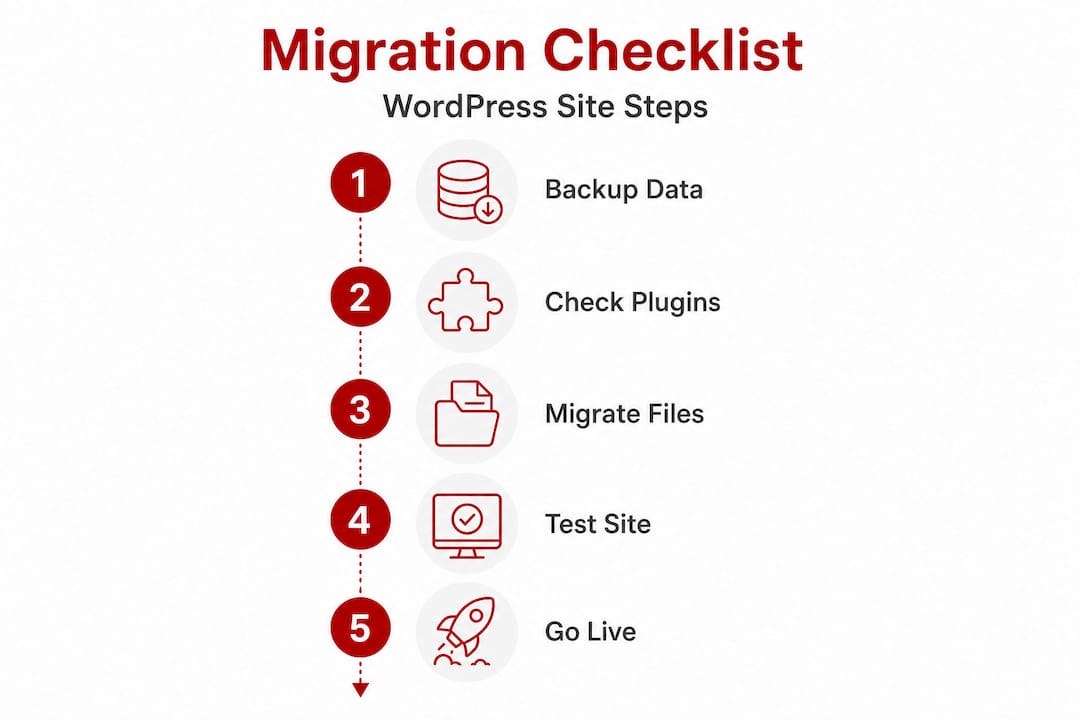
Having followed these steps, it is vital to check your migrated site and avoid common slip-ups.
Going live is not the finish line. It is the point where careful verification begins. Missing verification steps is a top cause of post-migration problems, and many of these issues only surface after real visitors start using the site.
Here is what to check methodically once your site is live on the new server:
One area that is frequently overlooked is email deliverability. Many sites rely on their hosting server to send transactional emails. When you move to a new host, the email configuration does not always carry across automatically. Verify that enquiry forms and order confirmations are actually arriving in inboxes, not disappearing silently.
“Assume something has broken until you have confirmed otherwise” is a useful mindset for post-migration verification. It is far easier to fix a problem you have found yourself than one a frustrated customer reports.
Pro Tip: Run your migrated site through a broken link checker tool before announcing any changes. Broken internal links affect both user experience and your search rankings.
Understanding why website support matters extends well beyond migration day. Ongoing monitoring, plugin updates, and security patching are what keep a migrated site stable over time. A migration without a support plan in place is simply a fresh start on the same trajectory that caused problems in the first place.

You have learned the best practices. Now, here is the bottom line from our experience helping Canberra businesses migrate and thrive.
Most website migration problems are not technical mysteries. They are the predictable result of skipping preparation steps, underestimating complexity, or assuming everything will work itself out. After working with Canberra small businesses across trades, allied health, consulting, and retail, one pattern is consistent: the businesses that struggle most are those who treated migration as a simple copy-and-paste job.
The honest truth is that a WordPress site built over several years often has more complexity than it appears. There may be custom database tables from plugins, hardcoded URLs in the database, image paths that break silently, or email configurations tied to the old server that stop working without warning. None of these issues are catastrophic on their own, but together they can produce a frustrating experience for you and your customers.
Local expertise matters here in ways that are easy to underestimate. A Canberra-based provider understands the hosting environment, the business context, and the urgency that applies when a local trade or health practice loses its booking system mid-week. Generic offshore support rarely grasps that context. The difference between a four-hour resolution and a two-day wait can have real commercial consequences for a small business.
Investing in professional support for migration is not about lacking technical skills. It is about protecting a business asset that your customers depend on. Downtime has a direct cost in lost enquiries and reduced trust. A migration handled with expertise and proper handover documentation gives you a stable foundation, not just a temporary fix.
For businesses wondering what professional migration help looks like in practice, the key markers are clear scoping, fixed pricing, and a provider who remains accountable after go-live. Migration is not finished when the files are transferred. It is finished when your site is stable, verified, and supported going forward.
Migrating your WordPress site is a significant step, and getting it right from the start saves considerable stress and cost down the track. Whether you are moving from an unreliable host, upgrading from a basic template site, or consolidating your digital presence into something more capable, local support makes the difference.

At Asporea Digital, we work with Canberra small businesses to plan, execute, and support WordPress migrations with fixed pricing and no surprises. Our team handles everything from pre-migration checks to post-launch monitoring, so you are not left troubleshooting on your own. If you are ready to grow with WordPress and want a site that performs reliably, we can help you build on a solid foundation. Reach out to get professional support from a team that understands what Canberra businesses need, or explore our ongoing Canberra website support options to keep your site running well after migration.
Most migrations take between a few hours and a full day, depending on the size and complexity of your site, plus additional time for DNS propagation to complete across the internet.
Some minimal downtime may occur, but proper planning and backup steps significantly reduce any disruption, particularly when you test thoroughly on the new host before switching DNS.
Yes, updating plugins and themes ensures site compatibility and security in your new environment, as outlined in the WordPress website design guide for Canberra businesses in 2026.
DIY migration is achievable for small, simple sites, but given that many WordPress sites fail without proper support, hiring an expert is the lower-risk choice for any business-critical website.

Substack is easy to launch, but paid publishing needs strategy. Shape the content, offer and member journey before adding a paywall.
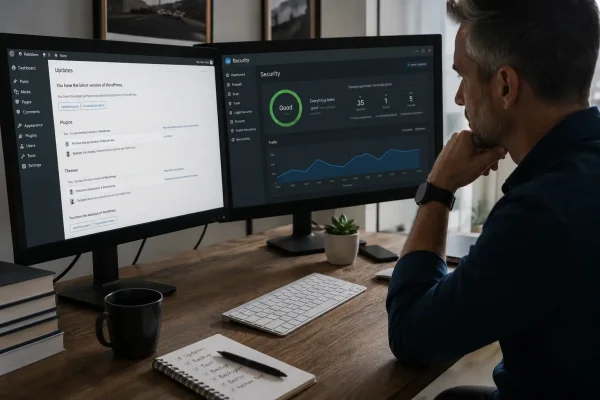
EOFY pressure? Build website resilience with WordPress updates, 2FA, offsite backups and a restore test so your site keeps selling.

Stop wasting social traffic. Send people to the offer page that explains, answers questions and helps them decide.
