

Blog

A Fresh Year, a Faster Site: Speed Tune Up for Small Business Websites
Faster sites keep customers longer. Asporea Digital helps Canberra businesses tune and maintain their websites for speed and reliability.

Many Canberra small business owners struggle to create affordable, professional websites that actually attract clients. Without an effective online presence, you’re invisible to the majority of customers searching for local services. This guide shows you how to build a WordPress website that works for your Canberra business, with practical steps, realistic budgets, and local support options that make the process straightforward and affordable.
| Point | Details |
|---|---|
| WordPress dominates with flexibility | WordPress powers 43% of all websites, offering affordable, scalable solutions perfect for Canberra small businesses. |
| Mobile performance is critical | Over 65% of web traffic comes from mobile devices, and slow sites lose nearly half their visitors immediately. |
| Planning prevents costly mistakes | Clear goals, target audience research, and content preparation before building saves time and money. |
| Professional launch takes weeks | With local support, expect your website live in 2 to 4 weeks with costs around $50 to $400 annually for essentials. |
| Ongoing maintenance ensures success | Regular updates, security checks, and fresh content keep your site performing and attracting new clients. |
Jumping straight into website building without preparation leads to confusion and wasted effort. You need a solid foundation before you touch WordPress.
Start by choosing a domain name that reflects your Canberra business and stays memorable. Your domain should be short, spell easily, and ideally include your business name or service. Register it through a reputable provider for around $12 to $20 yearly.
Next, select managed WordPress hosting. This simplifies technical requirements and provides better performance than shared hosting. Annual hosting costs range from $36 to $300, depending on features and support levels.
Define clear website goals before designing anything. Ask yourself what you want visitors to do: book appointments, purchase products, or request quotes. Understanding your target audience shapes every design and content decision.
Prepare essential content beforehand:
Budget realistically for your first year. Domain registration, hosting, and basic setup tools cost between $50 and $400 annually for most Canberra small businesses. Additional features like e-commerce or custom development increase this, but starting simple keeps costs manageable.
Pro Tip: Write your core website content in a document before building. This saves time during setup and ensures your messaging stays consistent across all pages.
With your planning complete, you’re ready to build. Follow this proven sequence to launch professionally.
Install WordPress through your hosting provider. Most managed hosts offer one-click WordPress installation that takes minutes. This eliminates technical complexity and gets you started immediately.
Choose a mobile-friendly, responsive theme. Your theme controls how your site looks and functions. Select one designed specifically for small businesses, ensuring it adapts seamlessly to phones and tablets. WordPress powers 43% of websites globally because themes provide professional design without custom coding.
Install essential plugins for functionality. Start with SEO tools like Yoast or Rank Math, security plugins such as Wordfence, and automated backup solutions. If selling online, add WooCommerce now. Keep plugins minimal to maintain site speed.
Create your core pages with strategic content. Build a homepage that clearly explains what you do and who you serve. Add an about page that builds trust through your story. Detail your services or products with benefits, not just features. Include a contact page with multiple ways to reach you. Display testimonials prominently to validate your credibility.
Test thoroughly across devices and optimise loading. Check your website on phones, tablets, and desktops. Slow loading kills conversions, so compress images and enable caching. Your site should load in under 2 seconds.
Launch and promote to Canberra customers. Once tested, make your site live and promote it through local directories, social media, and Google My Business. Focus on website design strategies that boost local traffic to maximise visibility.
Pro Tip: Create a launch checklist covering every page, form, and link. Testing prevents embarrassing errors when customers first visit your new site.
Your basic website establishes presence, but advanced features drive revenue growth and convenience.

Integrate WooCommerce to sell products or services online. This free plugin transforms WordPress into a complete e-commerce platform. You can manage inventory, process payments securely, and automate order fulfilment. Setup takes a few hours, and transaction fees depend on your payment gateway choice.
Booking systems let clients schedule appointments without phone calls. Plugins like Bookly or Amelia integrate calendars, send automated reminders, and reduce no-shows. This works brilliantly for Canberra service businesses like consultants, trades, and health practitioners.
Consider custom development as your business scales. Automation between your website and business tools saves hours weekly. Custom features might include:
These enhancements require developer expertise but deliver significant returns. Understanding WordPress hosting benefits helps you choose infrastructure that supports advanced functionality without performance issues.
Custom development costs vary widely based on complexity. Simple integrations might cost $500 to $1,500, while comprehensive systems run higher. Always discuss requirements clearly and get fixed quotes before starting.
Small businesses repeatedly make preventable errors that undermine their websites. Recognising these saves money and frustration.
Skipping planning causes the most damage. About 70% of failed websites lack clear goals or target audience definition. Without planning, your site looks generic and fails to convert visitors into customers.
Ignoring mobile responsiveness loses nearly half your potential clients. Mobile users abandon slow or awkwardly formatted sites within seconds. Always test on actual devices, not just desktop browsers.
Neglecting security creates catastrophic risks. Websites without SSL certificates appear unsafe in browsers, destroying trust. Skipping backups means losing everything if something breaks. Regular updates prevent hackers exploiting known vulnerabilities. Follow a comprehensive WordPress security guide to protect your investment.
Failing to maintain your website reduces effectiveness over time. Outdated content signals neglect. Old plugins create security holes. Search engines downrank sites that never update. Regular maintenance keeps your site competitive and visible.
Poor navigation and weak calls to action confuse visitors. Make your most important pages accessible within two clicks. Place clear, compelling calls to action on every page. Tell visitors exactly what to do next: call, book, or buy.
Websites succeed when they solve specific customer problems with clear paths to action. Every page should answer: why should I care, and what do I do now?
Many businesses try doing everything themselves to save money, then give up halfway through. Website support matters critically because technical issues arise unexpectedly. Local support prevents abandonment and ensures long-term success.
Launching your website starts the journey. Ongoing maintenance determines whether it succeeds or fails.
Regularly update WordPress core, themes, and plugins. Updates fix security vulnerabilities, improve performance, and add features. Set aside time monthly to review and apply updates, testing afterwards to ensure nothing breaks.
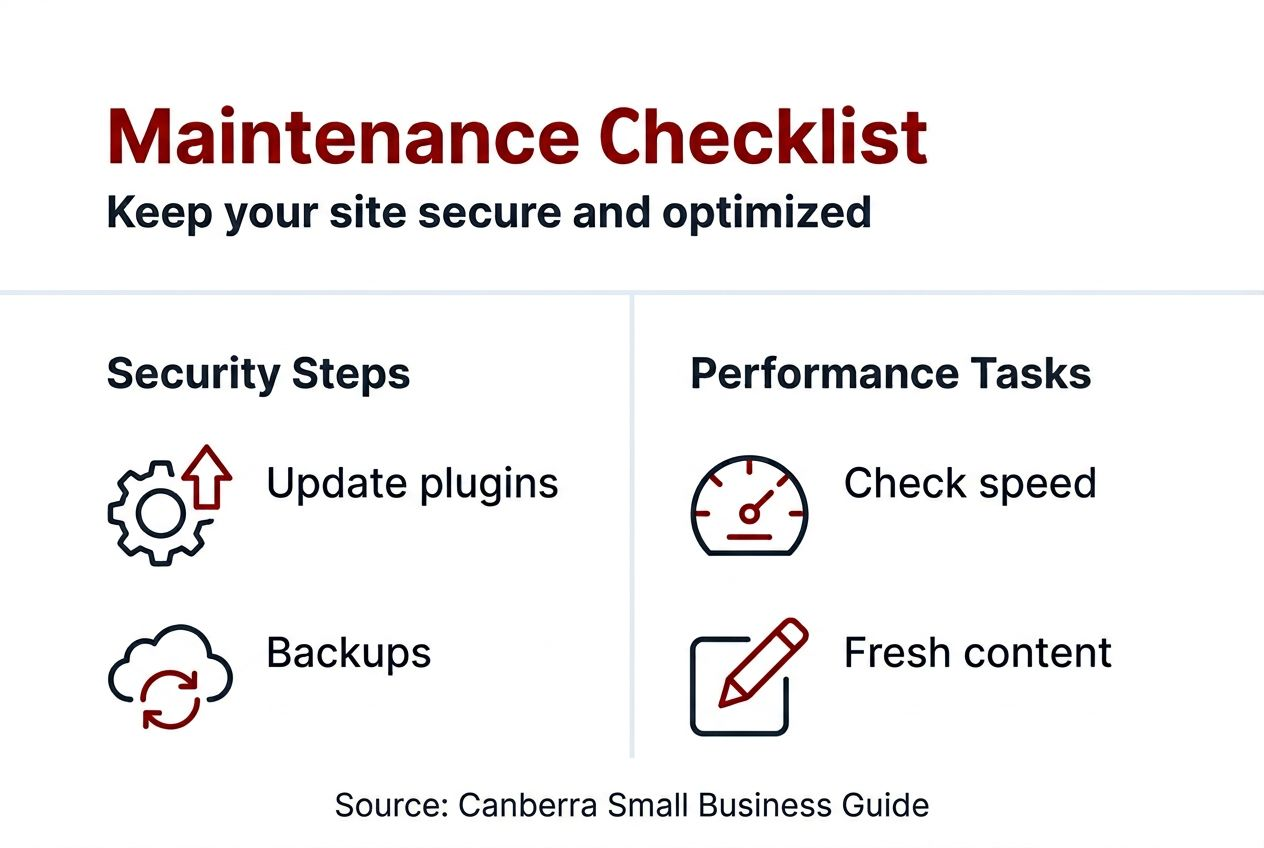
Schedule automatic backups daily or weekly. Store backups offsite so server failures don’t destroy everything. Verify your backups actually work by occasionally testing restoration. SSL certificates must remain valid, typically renewing annually.
Managed WordPress hosting improves speed and security while simplifying maintenance tasks. Many managed hosts handle updates, backups, and security monitoring automatically. This frees you to focus on business instead of technical troubleshooting.
Local support providers like Asporea Digital offer face-to-face assistance that remote services can’t match. When problems arise, speaking directly with someone who understands Canberra businesses solves issues faster. Local support also means quicker response times and personalised advice.
Keep content fresh and SEO optimised:
Fresh content signals search engines your business stays active and relevant. This steady work compounds over time, driving consistent traffic growth.
Monitor site performance weekly. Check loading speeds, test forms, and review analytics for unusual patterns. Early detection prevents small issues becoming disasters.
Pro Tip: Create a maintenance schedule with specific tasks weekly, monthly, and quarterly. Consistent small efforts prevent overwhelming technical debt.
Understanding website security essentials protects your business reputation and customer data. Security breaches cost thousands in recovery and lost trust.
Realistic expectations prevent disappointment and help you plan resources effectively.
Professional WordPress websites typically launch within 2 to 4 weeks when working with local support. DIY projects take longer, often 6 to 8 weeks, as you learn while building. Rushing creates mistakes, so allow adequate time for planning, design, content creation, and testing.
Annual costs remain modest for small businesses: domain registration runs $12 to $20, hosting ranges from $36 to $300 depending on features, and optional tools add up to $300 yearly. Initial design and development costs vary based on complexity and whether you hire professionals or build yourself.
| Cost component | Annual range | Notes |
|---|---|---|
| Domain registration | $12 to $20 | Renews yearly, shop around |
| Managed hosting | $36 to $300 | Higher tiers include better support |
| SSL certificate | $0 to $100 | Often included with hosting |
| Premium plugins | $0 to $200 | Only buy what you actually need |
| Professional development | $500 to $3,000+ | One-time or project-based |
| Ongoing support | $50 to $200 monthly | Optional but recommended |
Track success with measurable metrics. Expect 30% more local traffic within 3 months of launch if you optimise for search and promote actively. Client enquiries should increase 20 to 30% as visibility improves. Conversion rates vary by industry but aim for 2 to 5% of visitors taking desired actions.
Technical benchmarks matter too. Website load time should stay under 2 seconds to prevent visitor abandonment. Uptime should reach 99.9% or higher, meaning your site stays accessible consistently. Security measures including SSL certificates and regular backups prevent costly breaches that average thousands in recovery costs.
Monitor these metrics monthly to identify what works and what needs adjustment. Analytics tools show exactly where traffic comes from and how visitors behave, informing smarter business decisions.
Creating an effective WordPress website takes planning, execution, and ongoing care. You’ve learned the essential steps, common pitfalls, and success factors.

Asporea Digital specialises in affordable WordPress websites tailored for Canberra small businesses. We offer fixed-price packages that eliminate budget surprises and deliver professional results. Our local team provides face-to-face support, making technical challenges manageable and ensuring your site stays secure and effective.
We’ll help you launch a mobile-ready, secure website that attracts new clients and grows with your business. From initial setup to comprehensive WordPress security, we handle the technical complexity so you focus on serving customers. Explore our Canberra WordPress packages and discover how local expertise makes all the difference.
Domain registration costs $12 to $20 yearly, while hosting ranges from $36 to $300 annually. Choose managed hosting for simplicity and security without expensive ongoing developer fees. Initial setup costs vary based on whether you build yourself or hire professionals.
Typical launch timeframe runs 2 to 4 weeks with professional assistance. Initial client enquiries usually increase within 3 months after implementing SEO and local promotion strategies. Rushing creates mistakes, so plan adequately.
Use managed hosting with automatic updates and backups. Install SSL certificates and security plugins to protect customer data. Schedule regular content and plugin updates, or engage local support to handle maintenance. Understanding website security essentials prevents costly breaches.
Absolutely. WordPress scales easily with plugins like WooCommerce for online sales and booking systems for appointments. Start simple and add features as your business needs evolve. This approach keeps initial costs low while maintaining flexibility for growth.

Faster sites keep customers longer. Asporea Digital helps Canberra businesses tune and maintain their websites for speed and reliability.
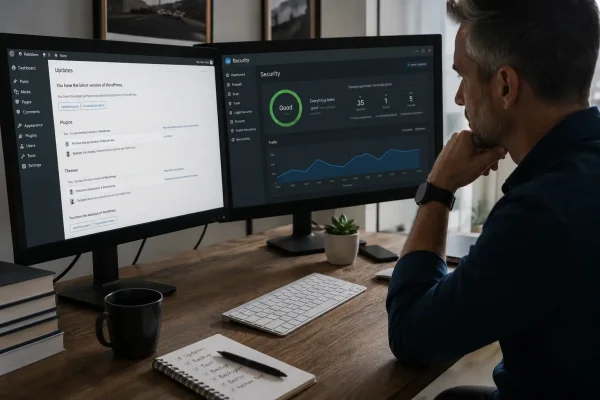
EOFY pressure? Build website resilience with WordPress updates, 2FA, offsite backups and a restore test so your site keeps selling.

Using Substack with a membership site? Learn the risks, smarter alternatives, and how to keep your website at the centre.
