

Blog

How EOFY Can Drive More WooCommerce Sales
EOFY buying has its own psychology. Learn how small businesses can use WooCommerce to turn timing, confidence and clarity into sales.

Many small business owners believe website security demands too much money or technical expertise. The truth? Up to 80% of cyber risks can be mitigated by affordable, straightforward security measures within your reach. This guide cuts through complexity to show exactly what website security means for your Canberra business, which practical measures protect you best, and how to maintain safety without breaking the bank or becoming an IT specialist.
| Point | Details |
|---|---|
| Website security protects business assets and customer data | Cyber threats targeting small businesses are growing, making protection essential for survival. |
| Technical foundations are affordable and effective | SSL certificates, secure hosting with firewalls, and timely updates prevent most attacks. |
| Human factors matter as much as technology | A majority of data breaches (90%) start with phishing attacks exploiting employees, requiring awareness training and multi-factor authentication. |
| Practical solutions balance cost with protection | Choosing hosting providers with integrated security features delivers strong defence at modest investment. |
| Ongoing maintenance adapts to evolving threats | Regular updates, monitoring, and backup testing sustain security as attack methods change. |
Website security means protecting your site, customer information, and business operations from unauthorised access, damage, or theft. For small businesses, this translates to safeguarding payment details, contact information, and the trust customers place in your brand.
Small businesses are prime targets because they often lack basic security measures that larger enterprises deploy by default. Hackers know this and actively exploit the vulnerability. Your limited IT resources and lack of dedicated security staff make you attractive to cybercriminals seeking easy wins.
Common threats facing Canberra small businesses include:
Understanding these risks helps you prioritise which security measures deliver the most protection for your investment. The importance of WordPress website support becomes clear when you realise proactive defence costs far less than recovery from a successful attack.
Recognising your vulnerability is the first step. Next comes implementing technical safeguards that form your primary defence layer.
Technical security controls provide your first line of defence against cyber attacks. These foundational measures protect your website infrastructure before threats reach your business operations.
SSL certificates enable HTTPS encryption for all data travelling between your website and visitors. This protects customer information during transmission and signals trustworthiness to both users and search engines. Modern browsers now flag non-HTTPS sites as insecure, directly impacting visitor confidence and SEO rankings.
Your hosting provider choice significantly influences security outcomes. Select WordPress hosting with security features including:
Keeping software current closes security holes before hackers exploit them. Ignoring regular software and plugin updates is the biggest single cause of website security breaches in small businesses. Every outdated plugin or theme represents a potential entry point.

| Hosting Type | Security Features | Monthly Cost | Best For |
|---|---|---|---|
| Shared with security | Firewall, malware scan, SSL, basic backup | $15-35 | Small sites, limited budget |
| Managed WordPress | All shared features plus automated updates, expert monitoring | $40-80 | Growing businesses needing reliability |
| VPS with security | Custom firewall rules, dedicated resources, advanced protection | $60-120 | High traffic or complex requirements |
Pro Tip: Enable automatic updates for minor WordPress core releases and trusted plugins, but schedule manual reviews before major version updates to catch potential compatibility issues.
Automation reduces human error and ensures consistent protection. Set up monitoring alerts so you know immediately when security events occur rather than discovering breaches weeks later.
Technical controls only work when supported by smart human behaviour and clear organisational policies. Your employees often represent the weakest link in security, making awareness and training critical.
Phishing remains the most successful attack method because it exploits human psychology rather than technical vulnerabilities. Attackers craft convincing emails impersonating banks, suppliers, or colleagues to trick recipients into revealing passwords or clicking malicious links. A majority of data breaches (90%) start with phishing attacks that exploit human vulnerabilities rather than technical weaknesses.
A majority of data breaches (90%) start with phishing attacks that exploit human vulnerabilities rather than technical weaknesses.
Multi-factor authentication adds a powerful security layer beyond passwords alone. Even if a phishing attack captures login credentials, MFA requires a second verification step like a code sent to your phone. This simple measure blocks most unauthorised access attempts.
Regular training helps staff recognise suspicious activity:
Pro Tip: Run quarterly simulated phishing tests using free tools to measure awareness and provide targeted training to employees who click suspicious links.
Establish clear policies defining who accesses what systems and when. Limit administrative privileges to only those employees requiring them for their roles. Understanding domain scams and staff awareness protects against social engineering attempts targeting your web presence.
Create an incident response plan outlining steps to take when security events occur. Quick, coordinated action minimises damage and speeds recovery.
Effective website security doesn’t require enterprise budgets or technical degrees. Practical, cost-effective strategies exist specifically for small business constraints and capabilities.
Small businesses can implement effective website security with low-cost, practical solutions like choosing secure hosting providers with built-in firewalls and automated backups. This approach delivers professional-grade protection without hiring dedicated security staff.
Hosting providers offering integrated security features handle technical complexity on your behalf. Rather than configuring firewalls or scheduling scans manually, these services run continuously in the background. You gain enterprise-level defence while focusing on running your business.
Automated backups protect against data loss from any cause. Schedule daily backups and test recovery procedures quarterly to ensure they work when needed. Cloud storage keeps backup copies separate from your primary website, protecting against ransomware encrypting both simultaneously.
Balancing plugin use with security requires careful consideration. Each additional plugin introduces potential vulnerabilities and compatibility issues. Audit installed plugins quarterly and remove any no longer serving essential functions.
| Approach | Security Level | Monthly Cost | Technical Skill Required | Best For |
|---|---|---|---|---|
| Shared hosting with built-in security | Good | $15-35 | Minimal | Startups, basic websites |
| Managed WordPress hosting | Excellent | $40-80 | None | Most small businesses |
| Custom security configuration | Variable | $100+ | High or outsourced | Complex requirements |
Immediate security improvements you can implement today:
Explore practical security measures for Canberra businesses or consider managed website security support services delivering professional protection without technical complexity.
Investing in prevention costs far less than recovering from successful attacks. A single data breach can destroy customer trust and generate legal liability exceeding years of security investment.
Misconceptions about website security prevent many small businesses from implementing necessary protections. Understanding reality versus myth helps you make informed decisions protecting your business.
Myth: Hackers only target big companies with valuable data.
Reality: Small businesses experience nearly half of all cyberattacks because attackers know you lack sophisticated defences. Your customer payment details and business banking access hold plenty of value.
Myth: Effective website security costs thousands monthly.
Reality: Up to 80% of cyber risks can be mitigated by affordable, straightforward security measures costing $50-100 monthly. Basic protections deliver disproportionate safety improvements.
Myth: Installing SSL certificates fully secures my website.
Reality: SSL encrypts data in transit but doesn’t protect against malware, outdated software, or phishing attacks. SSL is necessary but insufficient alone.
Myth: More security plugins mean better protection.
Reality: Excessive plugins introduce vulnerabilities and conflicts. Choose quality over quantity, selecting well-maintained plugins from reputable developers.
Myth: My hosting provider handles all security automatically.
Reality: Hosting providers secure their infrastructure, but you remain responsible for website software, plugins, passwords, and user behaviour.
Common misconceptions corrected:
Understanding these realities helps you implement appropriate security measures matching actual risks rather than perceived threats.
Website security demands ongoing attention as new threats emerge and software evolves. Static security measures become obsolete quickly, making continuous maintenance essential for sustained protection.
Ignoring regular software and plugin updates is the biggest single cause of website security breaches in small businesses. Developers release updates specifically addressing newly discovered vulnerabilities. Delaying updates leaves known security holes open.
Monitoring security alerts and unusual site behaviour catches threats early before major damage occurs. Watch for unexpected traffic spikes, new user accounts you didn’t create, or files modified without explanation. Early detection enables quick response limiting impact.
Backup testing verifies your recovery plan works when needed most. Monthly tests restore a backup copy to a staging environment, confirming files and databases recover correctly. Untested backups often fail during actual emergencies due to configuration errors or corruption.
Ongoing maintenance tasks for sustained security:
Pro Tip: Use automated monitoring tools providing real-time alerts for security events, failed login attempts, or file modifications so you respond immediately rather than discovering breaches days later.
Explore WordPress website maintenance tips for detailed guidance on sustaining security over time. Professional maintenance services handle ongoing tasks systematically, ensuring nothing falls through cracks during busy periods.
Schedule monthly security reviews examining recent alerts, updates applied, and backup tests completed. This regular cadence keeps security top of mind and prevents neglect during operational pressures.
Strong website security delivers tangible business benefits beyond preventing attacks. Your investment in protection directly influences customer relationships, legal standing, and online visibility.
Secure websites foster customer trust and protect your reputation in competitive markets. Visitors notice security indicators like HTTPS and trust badges, influencing purchase decisions. Data breaches destroy trust instantly, with many customers never returning after security incidents expose their information.
Compliance with data protection regulations avoids costly fines and legal liability. Australian privacy laws require businesses to protect customer information appropriately. Security failures triggering data breaches can generate regulatory penalties plus civil liability from affected customers.
Search engine rankings improve for secure websites using HTTPS encryption and fast load times. Google explicitly factors security into ranking algorithms, giving HTTPS sites preference over insecure alternatives. Security also enables performance optimisations improving user experience and search visibility.
Business advantages from prioritising website security:
Businesses with visible security measures enjoy 35% higher customer trust scores compared to those lacking security signals. This trust translates directly to sales, with secure checkout processes converting at higher rates than insecure alternatives.
Investing in website security protects your revenue, reputation, and regulatory standing simultaneously. The cost of prevention remains far below the expense of recovering from successful attacks or lost customer relationships.
Understanding website security matters, but implementation determines actual protection. Asporea Digital delivers tailored security and hosting solutions designed specifically for Canberra small businesses facing real-world cyber threats.

Our managed WordPress services reduce your risk through expert configuration, continuous monitoring, and proactive updates maintaining current security standards. You gain professional-grade protection without technical complexity or dedicated IT staff.
Secure your WordPress site with hosting infrastructure designed for small business needs and budgets. Choose secure WordPress hosting delivering firewalls, malware scanning, automated backups, and SSL certificates as standard features.
Peace of mind comes from knowing professionals monitor your website, apply security updates promptly, and respond immediately to threats. Focus on growing your Canberra business while we handle technical security details protecting your online presence. Explore managed WordPress security support services to discover how affordable professional protection can be.
Website security protects your online presence, customer data, and business operations from cyber threats like hacking, malware, and data breaches. For small businesses, this means safeguarding payment information, contact details, and the trust customers place in your brand while maintaining site availability and compliance with privacy regulations.
Common signs include unexpected site slowdowns, strange error messages, unknown user accounts, or unusual traffic patterns. Use free security scan tools like Sucuri SiteCheck and review your hosting provider’s security reports regularly to identify vulnerabilities before attackers exploit them.
Implement SSL to enable HTTPS, use strong unique passwords, and activate multi-factor authentication on all admin accounts. Choose a hosting provider with built-in firewall protection and automatic daily backups to gain professional security features at modest cost.
Update immediately when security patches are released, or at minimum monthly to reduce breach risks from known vulnerabilities. Consider using automated update tools for minor releases while manually reviewing major version updates to catch potential compatibility issues before they affect your live site.

EOFY buying has its own psychology. Learn how small businesses can use WooCommerce to turn timing, confidence and clarity into sales.
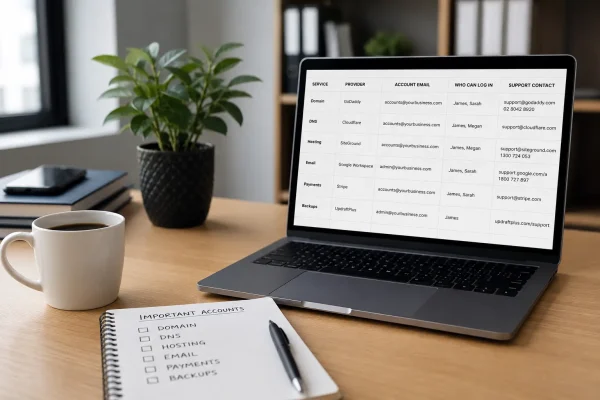
Stop scrambling when something breaks. Know who owns domain, DNS, hosting, email and payments, and keep access and support details in one place.

Using Substack with a membership site? Learn the risks, smarter alternatives, and how to keep your website at the centre.
