

Blog

Are You Ready to Build a Membership Website?
Thinking of launching a membership site? Learn the reality checks, content demands and signs you are truly ready.

Small businesses across Canberra face a persistent challenge: creating an affordable website that genuinely attracts local clients without breaking the budget. WordPress emerges as the ideal solution, offering scalable, cost-effective options that grow with your business. This comprehensive guide walks you through every step of designing a WordPress website specifically tailored for Canberra small businesses, from initial planning through security and ongoing optimisation, ensuring you build a professional online presence that converts visitors into paying customers.
| Point | Details |
|---|---|
| Affordable WordPress solutions exist | Small business owners can build effective WordPress websites without excessive costs through strategic planning and tool selection. |
| Preparation streamlines success | Defining goals, gathering assets, and understanding hosting requirements before starting prevents costly delays and redesigns. |
| Security builds client trust | Implementing recommended plugins and best practices protects your site and reassures Canberra clients about data safety. |
| Custom development enhances relevance | Tailored WordPress solutions improve local functionality and user experience for your specific business needs. |
| Regular support maintains performance | Ongoing website maintenance prevents issues that could drive potential clients away from your business. |
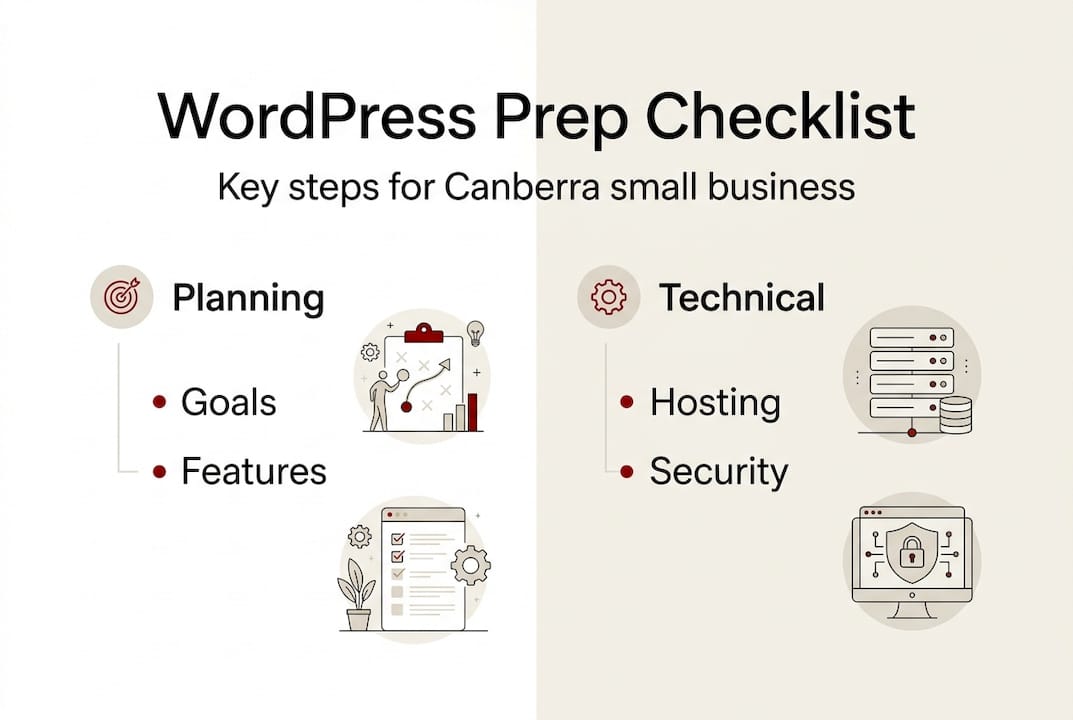
Before diving into WordPress website design, successful Canberra small businesses invest time in thorough preparation. This foundation determines whether your website becomes a client-generating asset or an expensive digital brochure that sits idle. Identifying clear business goals and target audience helps tailor your WordPress design effectively, ensuring every design choice aligns with your revenue objectives.
Start by defining your primary business goals. Are you seeking more local enquiries, showcasing your portfolio, or selling products online? Your Canberra customer base determines design priorities. A tradie targeting homeowners in Queanbeyan needs different functionality than a consultant serving corporate clients in the CBD. Write down your top three business objectives and keep them visible throughout the design process.
Next, decide on essential website features. Most Canberra small businesses require contact forms, service listings, and a blog for local SEO. Consider whether you need online booking, customer testimonials, or e-commerce capabilities. Budget and timeline constraints shape these decisions. A realistic budget includes hosting, premium themes or plugins, and potential professional assistance for complex customisations.
Understanding hosting basics proves crucial for building WordPress websites in Canberra. Select a reliable WordPress hosting provider that offers Australian servers for faster loading times to local visitors. Gather your branding assets early: logo files, brand colours with hex codes, professional photos, and any existing marketing materials. These elements ensure visual consistency across your digital presence.
| Task | Description | Importance |
|---|---|---|
| Define business goals | Identify top 3 objectives for your website | Critical for design decisions |
| List required features | Contact forms, booking systems, e-commerce needs | Determines functionality scope |
| Set budget and timeline | Allocate funds for hosting, themes, plugins, support | Prevents scope creep |
| Choose hosting provider | Select Australian-based WordPress hosting | Affects site speed and reliability |
| Gather branding assets | Logo, colours, images, existing materials | Ensures visual consistency |
Pro Tip: Start with a simple structure featuring five core pages that can scale as your business grows, rather than building a complex site that becomes difficult to maintain.
With preparation complete, executing your WordPress website design follows a logical sequence that minimises errors and maximises efficiency. The process begins with selecting and installing a WordPress theme that suits professional services while maintaining easy navigation. Your theme choice dramatically impacts user experience, so prioritise mobile responsiveness and clean layouts over flashy features that slow loading times.
Install essential plugins immediately after theme activation. SEO plugins like Yoast or Rank Math help Canberra clients find your business through local searches. Security plugins protect against threats that could damage your reputation. Contact form plugins enable enquiries without exposing your email address to spam bots. Limit yourself to 10-15 plugins maximum to maintain site speed and reduce potential conflicts.
Create structured pages following this hierarchy: Home, About, Services, Contact, and Blog. Your homepage should immediately communicate what you offer and who you serve in Canberra. The About page builds trust by sharing your local story and expertise. Services pages detail your offerings with clear pricing or package information when appropriate. Contact pages must include multiple connection methods: phone, email, and a simple form.
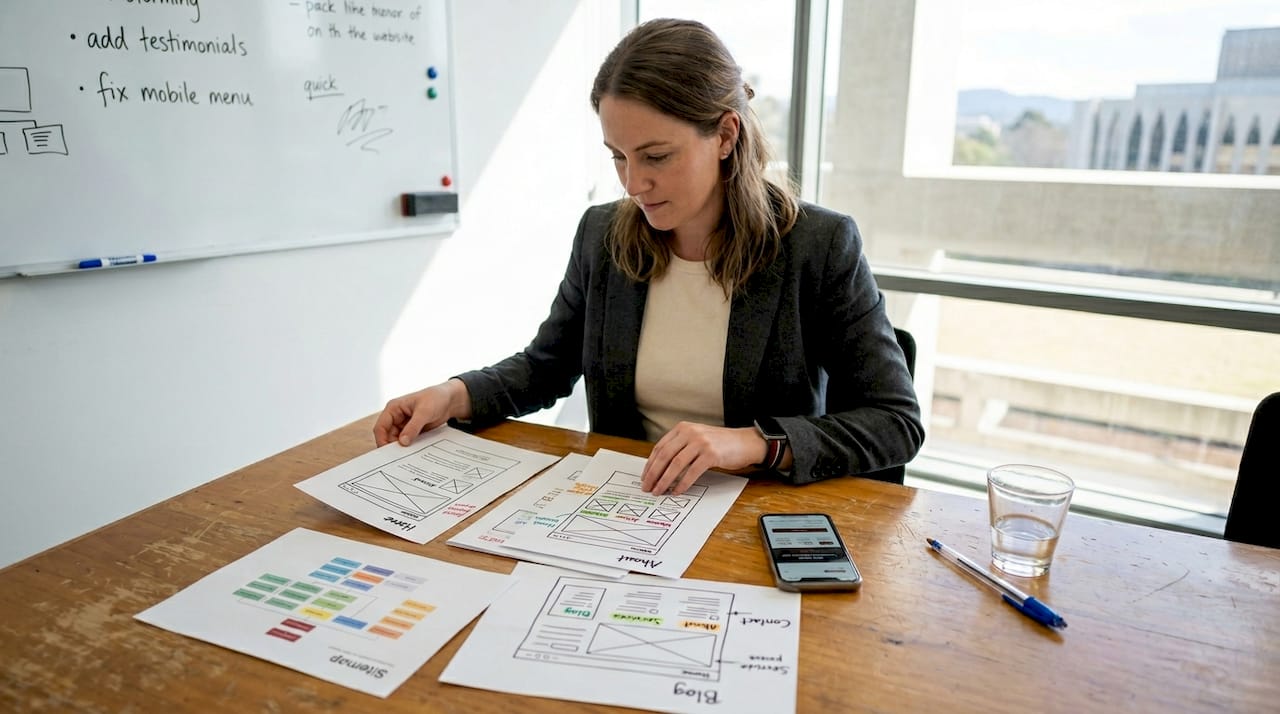
Custom WordPress development tailored for Canberra businesses improves local relevance and user experience through features like suburb-specific service pages or integration with local booking systems. Consider whether standard plugins meet your needs or if custom WordPress development for Canberra would provide competitive advantages.
Optimise for mobile responsiveness by testing your site on actual phones and tablets, not just browser simulators. Over 65% of Canberra residents browse websites on mobile devices, making responsive design non-negotiable. Fast loading times keep visitors engaged. Compress images before uploading, enable caching, and choose lightweight themes that prioritise performance over excessive animations.
| Theme | Key Features | Customisability | Typical Cost |
|---|---|---|---|
| Astra | Lightweight, fast loading, starter templates | High with page builders | Free or $59/year |
| GeneratePress | Clean code, accessibility focused, modular | Very high, developer friendly | Free or $59/year |
| Kadence | Built-in blocks, header builder, WooCommerce ready | High, visual customisation | Free or $129/year |
| OceanWP | Multiple demos, extensions available | Moderate to high | Free or $39/year |
Follow these numbered steps for installation and customisation:
Pro Tip: Use child themes to safely customise your WordPress design without losing updates, protecting your modifications when the parent theme releases new versions.
Building your WordPress website represents only half the journey. Protecting and maintaining your site ensures long-term success in attracting Canberra clients. Security breaches destroy trust instantly, while poor performance drives visitors to competitors before they even read your services. Implementing WordPress security measures can reduce breaches by up to 60% for small businesses, making security investments worthwhile.
Start with strong passwords containing at least 12 characters mixing uppercase, lowercase, numbers, and symbols. Enable two-factor authentication on your WordPress admin account and hosting control panel. These simple steps block most automated attacks targeting small business websites. Never use “admin” as your username, and change default database prefixes during installation.
Keep WordPress core, themes, and plugins updated religiously. Outdated software creates vulnerabilities that hackers exploit within hours of discovering them. Enable automatic updates for minor WordPress releases and security patches. Review major updates in a staging environment before applying them to your live site, especially if you use custom WordPress development for Canberra requiring compatibility testing.
Regularly back up your website data to multiple locations. Daily automated backups to cloud storage protect against hosting failures, hacking attempts, or accidental deletions. Test your backups quarterly by restoring them to a staging site, ensuring they actually work when needed. Many Canberra businesses discover backup failures only during emergencies.
Optimise images before uploading by compressing file sizes without visible quality loss. Large images slow page loading dramatically. Use caching plugins to serve static versions of your pages to repeat visitors, reducing server load and improving speed. Consider content delivery networks for sites with significant traffic, though most Canberra small businesses succeed with quality Australian hosting and proper caching.
Essential security plugins and optimisation tools include:
Schedule monthly site health checks to catch issues early, before they impact your Canberra clients. Review plugin updates, check backup logs, scan for malware, test contact forms, and verify all pages load correctly. This proactive approach prevents small problems from becoming expensive emergencies.
Security and performance directly influence client trust and search rankings. Google prioritises fast, secure websites in local search results, meaning your WordPress optimisation efforts compound by improving both user experience and visibility to potential Canberra customers.
Pro Tip: Schedule monthly site health checks covering security scans, backup verification, plugin updates, and performance testing to catch issues before they affect your business revenue.
Even well-planned WordPress websites encounter issues that frustrate visitors and reduce conversions. Recognising and fixing these common mistakes separates successful Canberra small business websites from abandoned digital experiments. Understanding frequent pitfalls helps you avoid them entirely or resolve them quickly when they occur.
Outdated plugins create security vulnerabilities and compatibility conflicts that break site functionality. Many small businesses install plugins during initial setup, then forget about them. Set calendar reminders to review and update plugins monthly. Remove any plugins you no longer actively use, as inactive plugins still pose security risks.
Poor mobile design remains surprisingly common despite mobile traffic dominating web usage. Test your site on actual devices, not just responsive preview tools. Check that buttons are large enough to tap accurately, text remains readable without zooming, and navigation menus work smoothly on touchscreens. Images should resize properly without horizontal scrolling.
Complex navigation confuses visitors who simply want to find your services and contact information quickly. Limit your main menu to five to seven items maximum. Use clear, descriptive labels rather than clever phrases that require interpretation. Include your phone number prominently in the header for Canberra clients who prefer calling directly.
Broken links damage credibility and SEO rankings. Install a link checker plugin to scan your site quarterly, identifying and fixing broken internal or external links. Slow loading pages drive visitors away within three seconds. Use Google PageSpeed Insights to identify specific performance issues, then address the highest impact problems first.
Many small businesses face challenges with website support, causing issues that drive potential clients away. Professional support or maintenance plans provide ongoing reliability without requiring you to become a WordPress expert. Consider whether your time is better spent serving clients or troubleshooting technical problems.
Top troubleshooting tips and when to seek expert help:
Most WordPress issues stem from plugin conflicts, outdated software, or hosting limitations. Systematic troubleshooting resolves 80% of problems without professional assistance. However, knowing when to seek expert help prevents small issues from escalating into site-breaking disasters that cost far more to fix later.
Designing an effective WordPress website requires balancing affordability with professional quality. Asporea Digital specialises in creating fixed-price WordPress websites specifically for Canberra small businesses, eliminating budget uncertainty while delivering sites that attract local clients. Our approach combines the custom WordPress development process with proven security practices that reduce breach risks significantly.

Whether you need a straightforward service website or complex custom functionality, our local team understands Canberra’s business landscape. We offer tailored solutions fitting your unique requirements without forcing you into generic templates. Security services protect your investment and client data, while ongoing support ensures your site maintains peak performance. Book a free strategy call through Asporea Digital bookings to discuss your WordPress project and receive personalised recommendations. Our WordPress security guide demonstrates our commitment to building trustworthy websites that serve Canberra businesses long term.
Pro Tip: Booking a consultation early in your planning process can save significant costs and time by identifying the most efficient approach for your specific business needs.
Costs vary based on customisation and features, but affordable fixed-price options exist specifically for Canberra small businesses. Basic professional WordPress websites typically range from $2,000 to $5,000, including design, essential plugins, and initial setup. More complex sites with custom functionality or e-commerce capabilities may cost $5,000 to $10,000. Professional guidance prevents costly mistakes that require expensive fixes later, making expert assistance worthwhile even on tight budgets.
Themes prioritising clean, mobile-responsive layouts and easy customisation perform best for professional services. Astra, GeneratePress, and Kadence consistently deliver excellent results for Canberra small businesses due to their speed, flexibility, and strong support communities. Look for themes with regular updates, good documentation, and compatibility with popular page builders if you want visual customisation control. Avoid themes packed with features you won’t use, as they slow your site unnecessarily. Check website design tips for Canberra SMBs for specific recommendations based on your industry.
Use strong passwords, keep all software updated, and install trusted security plugins like Wordfence or Sucuri. Enable two-factor authentication on your admin account and implement SSL certificates for secure connections. Regular backups to cloud storage protect against data loss from attacks or technical failures. Monitor your site monthly for suspicious activity and run security scans to detect vulnerabilities before hackers exploit them. Following WordPress security best practices significantly reduces breach risks while building client trust through visible security measures.
You can build a basic WordPress website yourself if you have time to learn and follow systematic processes. DIY approaches work well for simple sites with standard functionality and tight budgets. However, professional assistance becomes valuable when you need custom features, want to avoid common mistakes, or prefer focusing your time on serving clients rather than troubleshooting technical issues. Many successful Canberra small businesses start with professional setup, then manage ongoing content updates themselves. This hybrid approach balances cost control with technical expertise.
Timeline depends on complexity and content readiness, but most small business WordPress websites launch within two to six weeks. Simple sites using pre-designed themes and standard plugins can go live in two to three weeks if content and branding assets are prepared. Custom designs or complex functionality extend timelines to four to eight weeks. The largest time factor is usually content creation and revision cycles rather than technical development. Starting with clear goals and prepared materials significantly accelerates the process.

Thinking of launching a membership site? Learn the reality checks, content demands and signs you are truly ready.

Fix your newsletter signup fast. A 2 minute reader test that makes your promise clearer, builds trust, and helps your list grow.

If your site leaves strangers unsure, they leave. Learn the simple tweaks that make enquiries feel easy and natural.
