

Blog

Website Handover: What You Should Receive Before You Call It “Done”
A handover document gives you access to your site to update, protect, measure and get support without needing anyone else.

TL;DR:
- Small Canberra businesses can add affordable online booking for less than $2,000.
- Booking systems improve efficiency, customer experience, and reduce admin time.
- Many businesses delay adoption due to cost misconceptions but see quick ROI.
Online booking is not just for large hotels or national chains. If you run a small business in Canberra, whether you are a physio, a consultant, a trades operator or a beauty therapist, you can add booking functionality to your WordPress website for less than $2,000. Many business owners assume the process is complicated or expensive. It is neither. WordPress packages with booking integration start from $990 and go up to $1,890 for a complete setup. This article walks you through what booking functionality involves, how to choose the right solution, what it costs, and how to get it working properly from day one.
| Point | Details |
|---|---|
| Booking is affordable | WordPress booking systems for Canberra SMBs typically cost $990-$1890 with all essentials included. |
| Universal compatibility | Global booking plugins work seamlessly with Australian WordPress sites for easy integration. |
| Improved efficiency | Booking functionality saves time and reduces errors, boosting customer satisfaction and business productivity. |
| Scalable solutions | WordPress allows you to expand your booking functionality as your business grows without costly overhauls. |
Booking functionality is the ability for your customers to schedule appointments, sessions or services directly through your website, without needing to call you or send an email. It works by connecting a booking form or calendar to your website so that customers can see your availability and confirm a time that suits them. You receive a notification, and the appointment is locked in automatically.
For Canberra small businesses, this matters more than many owners realise. Every phone call you take to confirm an appointment is time you are not spending on the work itself. Every back-and-forth email exchange is a friction point that can cause a potential customer to give up and go elsewhere.
Here are the core benefits booking functionality brings to a small business:
A practical example: a physiotherapy clinic that moves to online booking for physiotherapy typically sees a measurable drop in missed appointments and a lift in new patient enquiries, simply because the barrier to booking has been removed.
Once you understand what setting up a booking system involves, it becomes clear why so many Canberra businesses are making the switch. And streamlining your booking workflow does not require a technical background.
Local agencies consistently recommend WordPress for its scalability and flexibility, making it the practical choice for small businesses that want to grow without rebuilding their website from scratch.
WordPress gives you the foundation to start simple and add features over time, which is exactly what a growing Canberra business needs.
Understanding what booking functionality can do, the next step is knowing how Canberra businesses can actually implement it on their WordPress site. There are two main paths: using an off-the-shelf plugin or commissioning a custom-built solution.
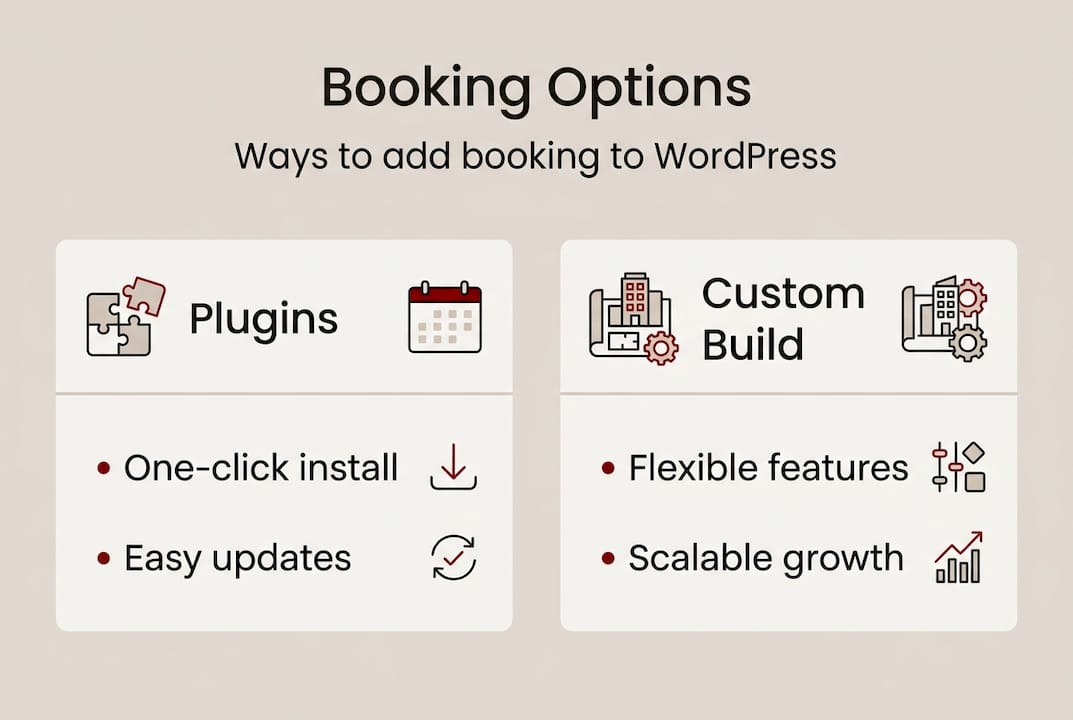
Off-the-shelf booking plugins are ready-made tools that install directly into your WordPress site. They are designed to work across a wide range of business types and global plugins work universally with Australian WordPress installations. Popular options include Amelia, Simply Schedule Appointments and BookingPress. These plugins handle appointment scheduling, payment collection, automated reminders and calendar syncing.
Custom plugin development suits businesses with specific requirements that off-the-shelf tools cannot meet. If you run a multi-location business, need complex staff rostering or want deep integration with your existing CRM or practice management software, custom plugin solutions are worth considering.
Here is a comparison to help you decide:
| Feature | Off-the-shelf plugin | Custom build |
|---|---|---|
| Setup time | Fast (hours to days) | Longer (weeks) |
| Upfront cost | Lower ($0 to $300 for premium) | Higher (project-based) |
| Flexibility | Moderate | High |
| Maintenance | Plugin updates required | Developer-managed |
| Best for | Most small businesses | Complex or unique needs |
To choose the right solution, work through these steps:
Pro Tip: Do not choose a booking solution based on today’s needs alone. Think about where your business will be in two years. A plugin that works now but cannot handle multiple staff members or service categories will cost you more to replace later than it would have to choose the right one from the start.
Once you have chosen your booking solution, it is important to understand both the cost and how your business can scale up with WordPress as it grows. The good news is that booking functionality does not have to be a major capital outlay.

Affordable WordPress packages for Canberra small businesses typically range from $990 to $1,890 and include booking integration as part of a complete website build. That means you are not just paying for a booking form. You are getting a professionally designed, mobile-ready website with hosting, security and support included.
Here is a breakdown of what to expect at different investment levels:
| Package level | Typical cost | What is included |
|---|---|---|
| Starter | $990 | Basic booking form, mobile-ready design, hosting |
| Standard | $1,390 | Booking plugin, payment integration, automated reminders |
| Advanced | $1,890 | Custom booking workflow, CRM integration, care plan |
WordPress is particularly well suited to growth because you can add features progressively. Start with a simple appointment form and expand to include staff calendars, online payments, client portals or membership areas as your business develops. You are not locked into a rigid platform.
Key things to look for in any package:
For Canberra businesses exploring their options, affordable packages for small businesses are available that cover the full scope from design through to launch. If you want to understand the build process itself, a guide to building a WordPress website for Canberra businesses is a useful starting point.
Pro Tip: Always ask for a written scope of work before any project begins. Vague agreements lead to scope creep and unexpected costs. A fixed-price quote with a clear list of deliverables protects you and keeps the project on track.
With budget and scalability in mind, here is a practical roadmap to ensure your online booking system delivers measurable results from the moment it goes live.
For a detailed walkthrough, the booking system setup guide covers each step in depth. And if you want to reduce admin further, streamlining your online bookings with automated workflows is a logical next move.
Common pitfalls to avoid:
Small, steady habits in managing your booking system create a strong foundation for customer trust. A system that works reliably is one that customers return to.
Having explored the nuts and bolts of booking functionality, it is worth addressing why so many Canberra businesses still put this off. The most common reasons are fear of technology and an assumption that it will cost far more than it actually does.
What we see in practice is different. Businesses that adopt booking functionality early, even with a simple setup, consistently report better appointment rates and higher client satisfaction. The ones that wait tend to do so because they are expecting a complicated, expensive project. When they finally move forward, the most common reaction is: “I wish I had done this two years ago.”
Most guides focus on the technical setup and skip the mindset shift. The real barrier is not the technology. It is the belief that your business is too small or too niche to benefit. That belief is almost always wrong.
“We expected the investment to be much higher. The actual cost was well within our budget, and the booking system paid for itself within the first month.”
WordPress packages with booking integration starting from $990 make this accessible to nearly every Canberra small business. The question is not whether you can afford it. It is whether you can afford to keep doing things manually. Exploring digital marketing growth alongside your booking setup helps you get more from the investment from day one.
If you have read this far, you already know more than most Canberra small business owners about what booking functionality involves and what it costs. The next step is putting it into practice.

Asporea Digital builds fixed-price WordPress websites for Canberra businesses, with booking integration included in packages from $990. You can see WordPress customisation examples from local businesses, or read more about marketing with WordPress to understand how a booking-enabled website supports your broader growth. When you are ready to move forward, visit Asporea Digital to start a conversation about your project. Clear advice, fixed pricing and local support are what we are here to provide.
Yes. WordPress packages with booking integration cost between $990 and $1,890, making it a realistic investment for most local small businesses.
Global booking plugins are fully compatible with Australian WordPress installations, so Canberra businesses can use them without technical complications.
Start by defining your service requirements, choose a plugin or custom solution, configure your settings, and test the full booking journey before going live. Local agencies recommend WordPress as the most scalable platform for this kind of setup.
It removes friction from the scheduling process, gives customers a convenient self-service option and reduces the delays that cause potential clients to look elsewhere.

A handover document gives you access to your site to update, protect, measure and get support without needing anyone else.
Outgrowing Squarespace? Learn why starting on the right platform can save you from a rebuild later and support long-term growth.
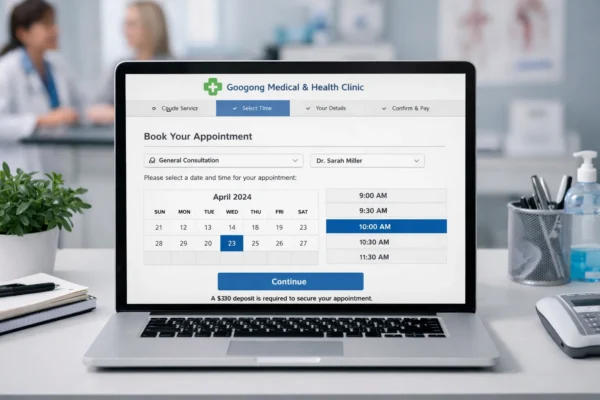
Online booking reduces calls, cuts reception pressure, improves confirmations and helps clinics secure appointments faster.
