

Blog

9 Signs You’re Ready to Build a Membership Site
9 signs you’re ready to build a membership site and turn your content into a structured, income generating online business.

TL;DR:
- An online booking system streamlines scheduling, reduces admin work, and improves customer satisfaction.
- Successful implementation requires selecting the right tool, thorough setup, and testing before going live.
- Simple solutions focused on booking confirmation, reminders, and mobile usability yield the best results.
Phone tag is exhausting. Double bookings are embarrassing. And every missed call is a potential client slipping away to a competitor who made it easier to book. If you run a small business in Canberra, whether you are a consultant, allied health provider, trades operator or service business, an online booking system can quietly transform how your business operates. It removes friction for your clients, reduces the back-and-forth for you, and keeps your calendar organised without constant manual effort. This guide walks you through exactly what you need, how to choose the right tool, and how to get it running properly.
| Point | Details |
|---|---|
| Essentials checklist | A successful booking system needs a compatible website, reliable tool, and attention to data security. |
| Tool selection matters | Choosing the right platform ensures smooth client experiences and fewer missed appointments. |
| Step-by-step setup | Following a clear process avoids common mistakes and saves time during setup. |
| Ongoing optimisation | Regularly review notifications, privacy, and user feedback to keep your system running smoothly. |
Before you install anything or sign up for a platform, it pays to understand what a booking system actually requires to function well. At its core, you need four things: a website to host or embed the booking form, a booking software solution (either a plugin or a third-party platform), reliable internet access for both you and your clients, and web hosting essentials that keep your site fast and secure.
Booking systems generally fall into two categories. The first is a plugin-based system, where software is installed directly onto your existing website, most commonly a WordPress site. The second is a third-party platform, such as Acuity Scheduling or Calendly, which operates independently and can be linked or embedded into your site. Both approaches have merit, and the right choice depends on your existing setup and how much control you want.
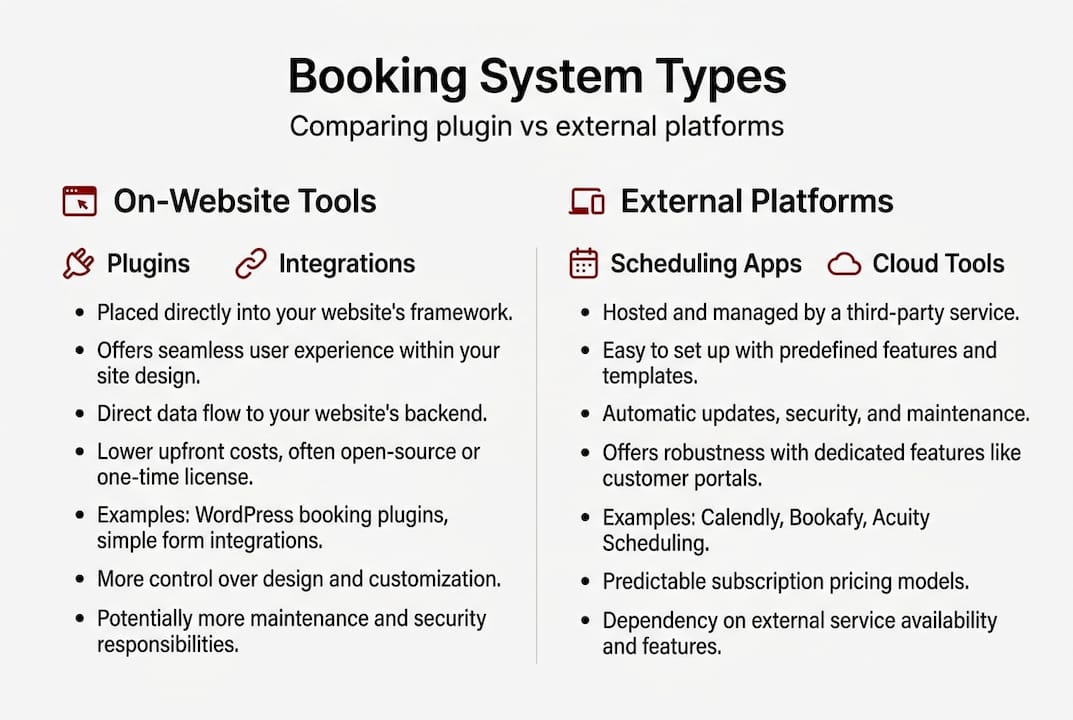
A streamlined booking workflow does more than save time. Booking systems that are properly configured reduce admin time and improve customer satisfaction in measurable ways.
Here is a quick overview of the core components you will need:
| Component | What it does | Why it matters |
|---|---|---|
| Website or landing page | Hosts the booking interface | Clients need somewhere to book |
| Booking software | Manages appointments and availability | Core of the system |
| Calendar integration | Syncs with Google or Outlook | Prevents double bookings |
| Payment gateway | Accepts deposits or full payments | Reduces no-shows |
| Automated reminders | Sends SMS or email confirmations | Keeps clients informed |
| SSL certificate | Encrypts data in transit | Protects client information |
Key functional requirements to confirm before you start:
Pro Tip: If your website runs on WordPress, prioritise booking plugins that are actively maintained and have strong reviews. Outdated plugins are a common source of security vulnerabilities and compatibility issues.
For businesses in health, legal or financial services, data handling is not optional. Australia’s Privacy Act 1988 requires that personal information collected through booking forms is stored securely and used only for its stated purpose. Confirm your chosen platform stores data on Australian or compliant international servers.
Once you understand what you need, it is time to pick the right tool. The market offers a wide range of options, from free WordPress plugins to paid platforms with advanced automation. The goal is not to find the most feature-rich tool. It is to find the one that fits your workflow, your budget and your clients’ expectations.
Factors worth weighing up include cost (monthly fees versus one-off plugin costs), ease of use for both you and your clients, calendar sync capability, automated notification options, and whether the platform supports online payments. Website automation for bookings is one of the fastest ways to reduce your admin load without hiring extra staff.
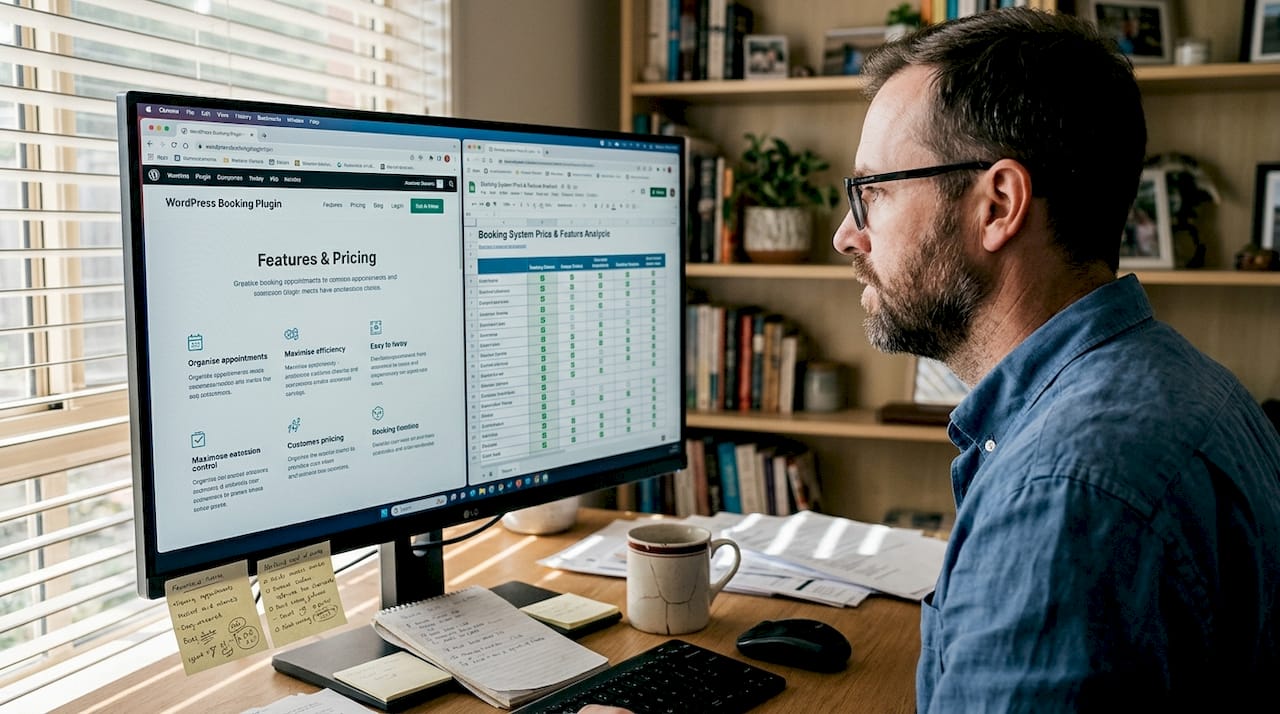
Businesses that implement proper booking tools reduce no-shows by up to 40% through automated reminders and confirmation messages alone. That is a significant operational gain for any small Canberra business.
Here is a comparison of three popular options:
| Tool | Cost | Best for | Calendar sync | Payments | Reminders |
|---|---|---|---|---|---|
| WordPress plugin (e.g. Simply Schedule) | Free to low cost | WordPress site owners | Yes | Via add-on | Yes |
| Acuity Scheduling | From ~$20/month | Service businesses, health providers | Yes | Built-in | Yes |
| Calendly | Free to ~$16/month | Consultants, solo operators | Yes | Paid plan | Yes |
Before committing to a tool, ask yourself:
Take your time here. Switching tools later is possible but disruptive. A calm, methodical review now saves frustration down the track.
With your tool selected, let us walk through setup from start to finish. A careful, step-by-step approach ensures your system works reliably from day one. Rushing this stage is where most problems begin.
Proper setup of booking tools increases customer satisfaction and builds trust in your business from the first interaction. Follow this process carefully and you will have a detailed booking implementation that works smoothly for both you and your clients.
Pro Tip: Always test your booking flow using a real email address before you go live. Broken confirmation emails are one of the most common and most easily avoided setup errors.
For businesses handling sensitive client information, particularly in health or consulting, review your data privacy practices before going live. Confirm that your platform encrypts data and that your privacy policy reflects how client information is collected and stored.
Having set up your system, here is how to ensure it works smoothly. Even a well-chosen tool can underperform if the setup is careless. Most booking system problems are avoidable with a little attention to detail.
Common mistakes to watch for:
Protecting client data is not just good practice. It is a legal obligation under Australian privacy law. A booking system security failure can damage client trust and expose your business to serious consequences. Data security lapses are a leading cause of booking system failures, and they are almost always preventable.
Quick fixes for the most common issues:
Small, steady habits in your first few weeks will create a strong foundation for long-term reliability.
We have worked with a range of Canberra small businesses on their booking setups, from allied health practices to trades operators and consultants. And the pattern is consistent. The businesses that see the best real-world booking results are not the ones using the most sophisticated tools. They are the ones who kept it simple and made sure the basics worked reliably.
The fastest route to happier clients is almost always the same: customise your notifications, enable automated reminders, and make the booking page easy to find on your website. Those three things alone will reduce no-shows and cut your admin time noticeably.
Most businesses overthink the tool selection. They spend weeks comparing platforms when a straightforward WordPress plugin or a basic Acuity account would serve them well from day one. Our advice is to focus on your core needs first. Get the system live, learn how your clients use it, and adapt from there. A working system today is worth far more than a perfect system that never launches.
If the setup process feels daunting, or you want to make sure it is done correctly from the start, you do not have to work through it alone. Getting the technical side right the first time saves significant time and frustration later.

Asporea Digital builds custom WordPress booking solutions for Canberra small businesses, including full booking integrations, automated workflows and secure hosting. Whether you need a new site built around your booking system or want to add booking functionality to an existing site, we can scope it clearly and build it to work properly. Our website design for bookings approach ensures your booking experience reflects your brand and converts visitors into confirmed appointments. Reach out to discuss your needs with a local Canberra team.
Yes, most modern booking tools support integration with popular website platforms including WordPress. Plugin-based booking tools integrate with existing websites without requiring a full rebuild.
The best tool depends on your specific needs, but options like WordPress plugins, Acuity Scheduling and Calendly are widely used by local service businesses. Multiple booking tools cater for different business types, so matching features to your workflow matters most.
Choose a platform with strong built-in security, ensure your site uses an SSL certificate, and keep all software updated regularly. Security failures are a common cause of booking system breakdowns and are largely preventable with routine maintenance.
Yes, automated reminders and confirmation messages significantly reduce missed appointments. Automated bookings lower missed appointments by giving clients timely prompts and easy options to reschedule if needed.

9 signs you’re ready to build a membership site and turn your content into a structured, income generating online business.

EOFY buying has its own psychology. Learn how small businesses can use WooCommerce to turn timing, confidence and clarity into sales.

A newsletter keeps you in touch with interested visitors. Stay useful, stay remembered, and bring people back to your website when they’re ready.
