

Blog

Email Rules That Keep You Out of Trouble
Email rules to cut mistakes: store docs outside inboxes, handle sensitive attachments safely, lock access, set limits, plan recovery.

Website analytics is the practice of collecting, analysing, and reporting data about how visitors interact with your website. It is the foundation of any informed digital marketing effort, turning raw visitor behaviour into clear signals about what is working and what is not. For small business owners and marketers, understanding website analytics means you can make decisions based on evidence rather than instinct. Done well, it connects your website directly to business outcomes like enquiries, bookings, and sales.
Web analytics relies on two primary data collection methods: server log file analysis and JavaScript page tagging. Server logs record every request made to your web server, capturing raw data about which files were accessed and when. JavaScript tagging is more common today. A small piece of code placed on each page fires in the visitor’s browser and sends data back to your analytics platform in real time.
That tracking code captures a wide range of interactions, including:
The platform then organises raw data into reports, segments, and patterns your team can act on. That transformation from raw numbers to readable insight is what makes analytics genuinely useful rather than just a data dump.
Privacy regulations like the Australian Privacy Act and the growing use of browser privacy controls have changed how data is collected. First-party tagging, where your own website collects data directly rather than relying on third-party cookies, is now the more reliable and privacy-respecting approach.
Pro Tip: Set up your analytics platform to fire conversion events for the specific actions that matter to your business, such as phone number clicks, form completions, or booking confirmations. Tracking page views alone tells you very little about whether your website is actually working.
Website performance metrics fall into a few clear categories. Knowing what each one measures stops you from drawing the wrong conclusions from your data.

| Metric | What it measures | Common use |
|---|---|---|
| Page views | Total number of pages loaded | Gauge content popularity |
| Sessions | Grouped visits from one user | Measure overall site traffic |
| Unique visitors | Individual people visiting the site | Assess audience reach |
| Bounce rate | Visitors who leave after one page | Identify weak landing pages |
| Conversion rate | Visitors who complete a goal | Measure commercial effectiveness |
| Traffic source | Where visitors came from | Evaluate marketing channel performance |
| Average session duration | Time spent on site per visit | Gauge content engagement |
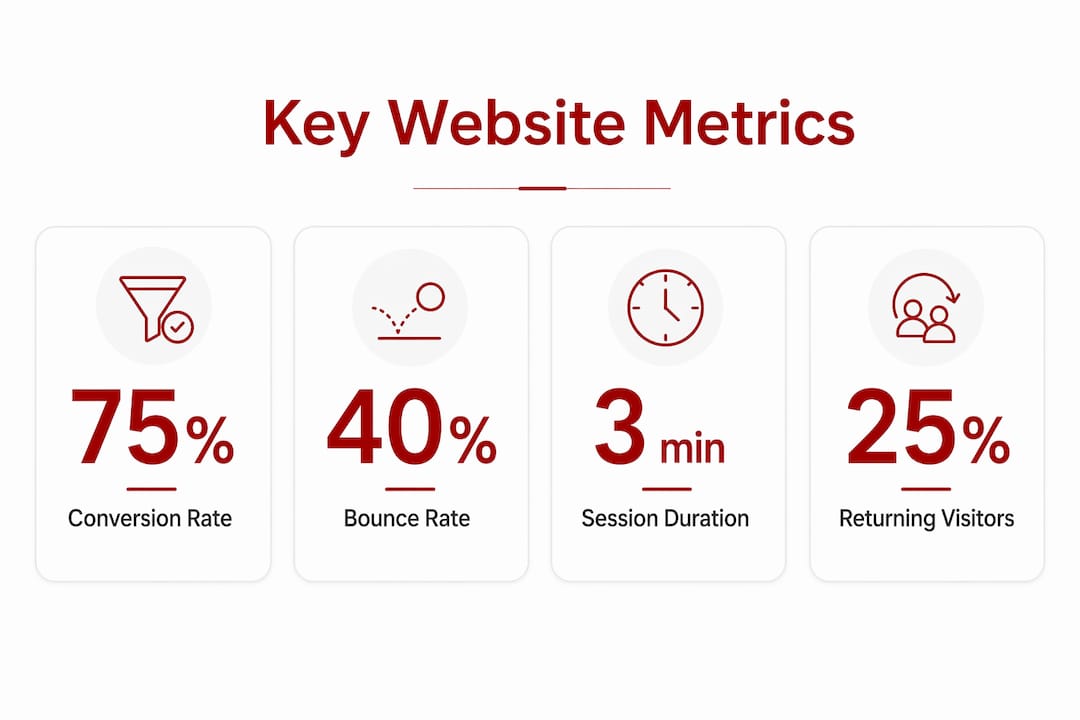
Bounce rate is often misread. A high bounce rate on a contact page where visitors find your phone number and call you is not a problem. A high bounce rate on a product page where you want visitors to browse and buy is a serious issue. Context matters every time.
Traffic sources split your visitors into groups: organic search, direct, referral, social, and paid. Knowing which channel drives the most enquiries, not just the most visits, tells you where to focus your marketing budget.
Behavioural indicators like event tracking go deeper. They show you whether visitors are watching your video, clicking your call-to-action button, or abandoning your contact form halfway through. These signals reveal friction points that raw session counts never will.
Pro Tip: Track new versus returning visitors separately. A high proportion of returning visitors on a service website often signals strong brand recall. A low proportion may mean your content or SEO is not yet building a loyal audience.
The ratio of new to returning visitors also shapes how you write content. New visitors need orientation and trust signals. Returning visitors are often closer to a decision and need clear next steps.
Nearly two-thirds of marketing leaders report landing page conversion rates under 10%. That figure is striking because it means the majority of visitors to most websites leave without taking any action. Analytics is the tool that shows you exactly where that drop-off happens and gives you a starting point for fixing it.
The practical benefits for small business owners are direct:
“Unifying website data with other channels reveals the full customer journey, beyond isolated event reporting.” — Adobe Business Blog
That last point is worth sitting with. Most small business owners look at their website analytics in isolation. But a visitor might find you through a Google search, leave without enquiring, see a social post a week later, and then come back directly to book. Single-session reporting misses that story entirely. Connecting analytics across channels gives you a far more accurate picture of how your marketing actually works.
Understanding the full client acquisition journey through your website is one of the most underused advantages available to small businesses. Most competitors are not doing it.
The most common mistake is treating analytics as a reporting task rather than a thinking tool. You pull the numbers, note that traffic went up, and move on. That approach produces very little improvement.
Raw analytics without context can mislead. A spike in traffic that comes from a single irrelevant referral source looks impressive in a report but means nothing commercially. Always ask what changed and why before drawing conclusions.
A few habits that separate effective analytics users from the rest:
Viewing analytics through the lens of human behaviour is what separates useful insight from noise. The data tells you what happened. Your judgement tells you what to do about it.
Pro Tip: Review your analytics on a fixed schedule, weekly for key metrics and monthly for deeper trend analysis. Irregular reviews make it hard to spot patterns or connect changes to specific actions you took on the site.
Technology is also shifting. Browser privacy changes and the phasing out of third-party cookies mean some historical tracking methods are becoming less reliable. Businesses that build their analytics on first-party data collection now are better positioned for the changes ahead. Quality web design that integrates analytics correctly from the start avoids costly retrofitting later.
Website analytics is the most direct way to connect your website’s performance to real business results, and the businesses that use it consistently outperform those that rely on instinct alone.
| Point | Details |
|---|---|
| Define your goals first | Set specific conversion events before reviewing data, or the numbers will not tell you anything useful. |
| Use both data types | Combine session and conversion data with heatmaps or recordings to understand why visitors behave as they do. |
| Track the right metrics | Focus on conversion rate, traffic source, and bounce rate by page rather than total visits alone. |
| Connect your channels | Unify analytics across marketing channels to see the full customer journey, not just single-session snapshots. |
| Monitor technical health | Page load speed directly affects visitor abandonment and revenue, so treat it as a core metric. |
Understanding your data is one thing. Having a website built to act on it is another.

Asporeadigital builds fixed-price WordPress websites for small businesses in Canberra and the Capital Territory, with analytics integration built in from the start. Whether you need a conversion-focused website or want to understand how your current site is performing, the team can help you set up the right tracking, read the right metrics, and make changes that actually move the needle. For small businesses ready to use their website as a genuine growth tool, the WordPress digital marketing guide is a practical place to start.
Website analytics is the process of collecting and analysing data about how visitors use your website. It shows you where visitors come from, what they do on your site, and whether they take the actions you want them to take.
Conversion rate, traffic source, bounce rate, and session duration are the metrics that matter most for small businesses. They tell you whether your website is attracting the right visitors and turning them into enquiries or sales.
Analytics platforms collect data through JavaScript tracking codes placed on each page of your website. These codes fire in the visitor’s browser and send behavioural data, such as page views, clicks, and form submissions, back to the analytics platform in real time.
Most landing pages convert under 10% of visitors, which means the majority of your traffic leaves without acting. Tracking conversion rates shows you exactly where your website is losing potential customers so you can fix it.
Yes. Modern analytics platforms present data through visual dashboards that do not require coding knowledge. Starting with a focused set of five to eight key metrics and reviewing them on a regular schedule is enough to make meaningful improvements to your website’s performance.

Email rules to cut mistakes: store docs outside inboxes, handle sensitive attachments safely, lock access, set limits, plan recovery.

Followers feel good but don’t pay bills. Use social for awareness and your website to convert into enquiries, bookings and sales.

Protect your WordPress login with Wordfence 2FA, Google Authenticator and backup codes to reduce the risk of unwanted access.
