

Blog

Novel Serialisation Helps Authors Prove Reader Interest
Serialisation can help authors prove reader interest to publishers before a novel is published by releasing serialised chapters through WordPress and PDQ, with a simple

TL;DR:
- Secure hosting involves managed environments that ensure data privacy, site uptime, and trust through encryption, monitoring, and patching. It protects customer information via SSL/TLS, facilitates rapid vulnerability remediation, and includes offsite, tested backups for business resilience. Choosing a provider that communicates transparently and prioritizes security reduces risks and fosters confidence in your small business’s online presence.
Secure hosting is defined as a managed web hosting environment that protects your website’s data and infrastructure through encryption, continuous monitoring, and rapid vulnerability remediation. For small business owners, this is not a technical nicety. It is the foundation that keeps your customer data private, your site online, and your reputation intact. Technologies like SSL/TLS encryption and proactive patch management sit at the core of any credible hosting arrangement. Understanding why secure hosting matters helps you make better decisions about who you trust with your most visible business asset.
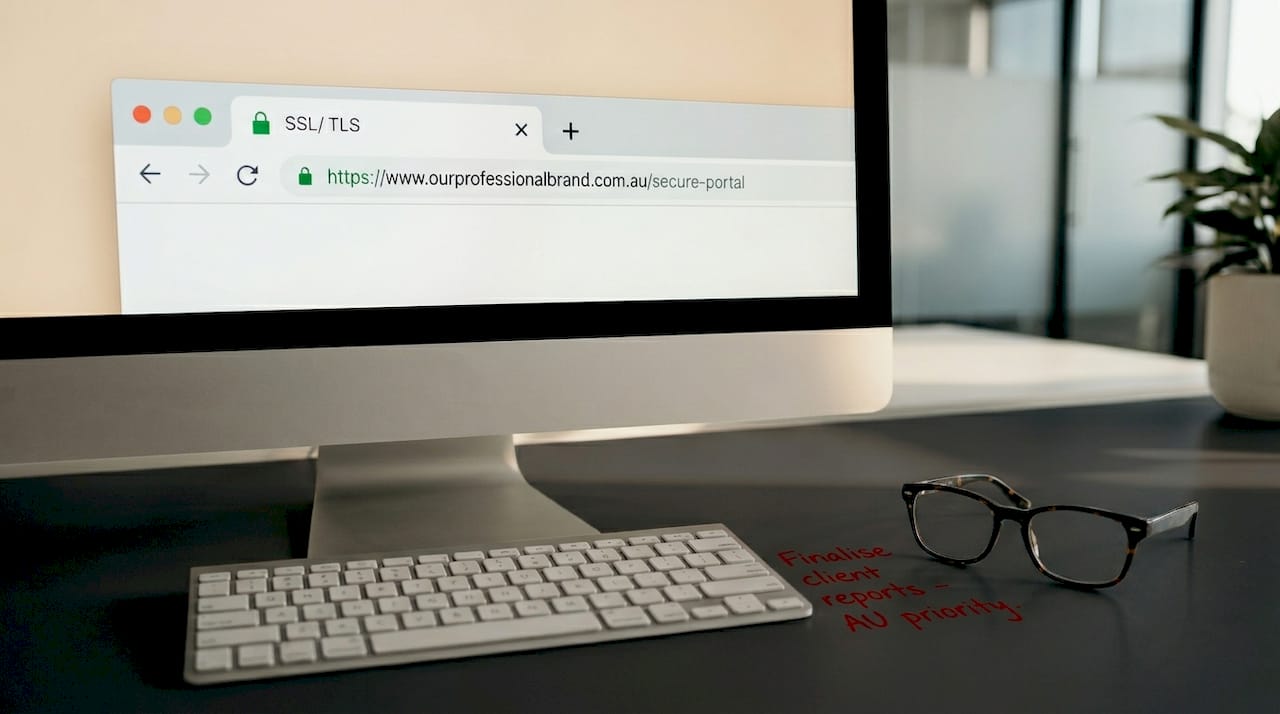
SSL/TLS encryption protects data travelling between your website and your visitors, covering everything from login credentials to payment details. Without it, that information moves across the internet in plain text, readable by anyone with the right tools. This is why every reputable hosting provider now treats HTTPS as the default, not an optional extra.
The practical implications for your business go beyond just keeping data safe. Google treats HTTPS as a ranking signal, meaning an unencrypted site is penalised in search results. Visitors also see a “Not Secure” warning in their browser, which erodes trust before they have even read a word of your content.
A well-managed host handles SSL/TLS certificate installation, renewal, and monitoring as part of the service. This matters because an expired certificate throws up the same browser warning as no certificate at all. Hosts must also prevent mixed-content vulnerabilities, which occur when a page loads some resources over HTTP even though the main page is served over HTTPS.
Pro Tip: If you are on WordPress, use a plugin like Really Simple SSL to catch mixed-content issues quickly, but confirm your host also monitors this at the server level.
Vulnerability management is the ongoing process of identifying, prioritising, and patching security weaknesses before attackers can exploit them. For hosting providers, this means staying across published threat intelligence and acting on it quickly. The US Cybersecurity and Infrastructure Security Agency (CISA) maintains a Known Exploited Vulnerabilities catalogue that guides this prioritisation, listing flaws that are actively being used in real attacks.
The window between a vulnerability being published and attackers exploiting it has shrunk considerably. A host that takes weeks to patch a known flaw leaves your site exposed during the most dangerous period. This is not a theoretical risk. In 2026, a critical zero-day vulnerability in cPanel, one of the most widely used hosting control panels in the world, put hundreds of thousands of websites at risk simultaneously.
“InMotion Hosting protected 99% of customers from the 2026 cPanel vulnerability within hours, using network port blocking and fleet-wide patching across 144,870 customers with zero service disruption.”
That result was possible because InMotion Hosting had in-house operations capable of deploying edge port blocking, automated patching, and targeted remediation at scale. The contrast with slower-moving providers was stark. Customers on less capable hosts faced extended exposure windows and, in some cases, service disruption.
Here is what you should ask any hosting provider before committing:
Rapid patching driven by evidence-based prioritisation is the single most effective way a host reduces your attack exposure. A provider that cannot answer these questions clearly is not managing security proactively.
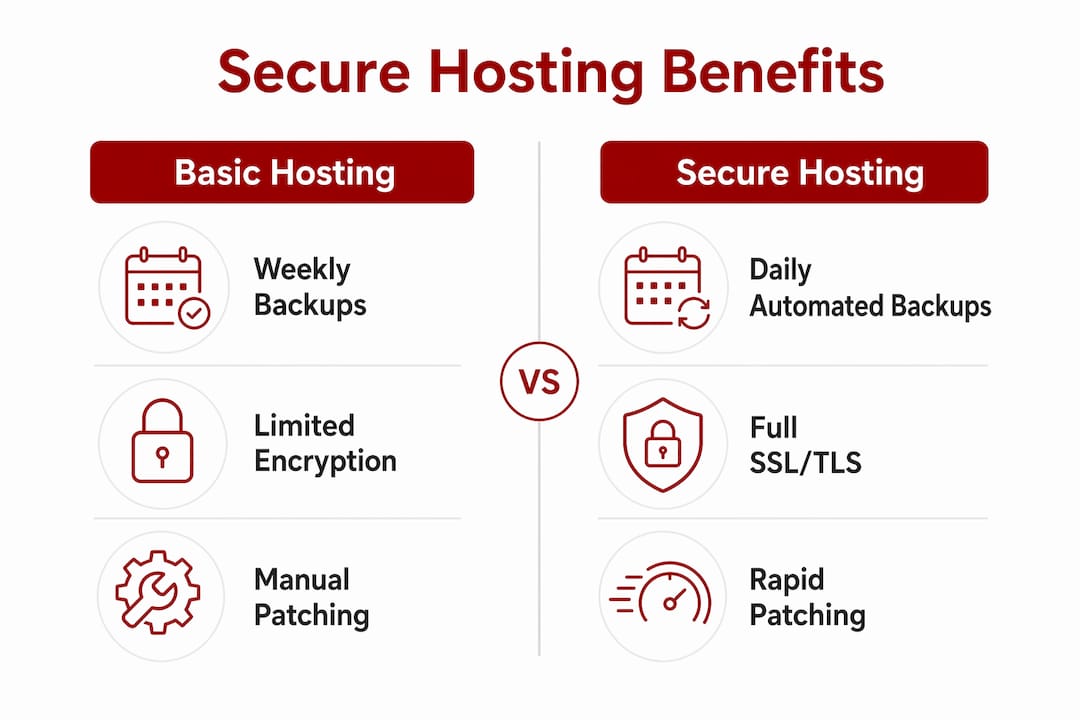
Cyber resiliency, as defined by NIST SP 800-53, focuses on limiting damage and maintaining business functions during and after a cyber incident. This means your hosting arrangement needs more than prevention. It needs tested backup and recovery controls that work when you need them most.
For a small business, the consequences of losing website data without a recovery path are severe. Consider a Canberra allied health practice whose booking system goes offline after a ransomware attack. Without a recent, tested backup, restoring the site could take days and cost thousands. With a host that runs daily automated backups and can restore a clean version within hours, the same incident becomes a manageable inconvenience rather than a crisis.
| Feature | Basic hosting | Secure hosting |
|---|---|---|
| Backup frequency | Weekly or manual | Daily automated backups |
| Backup storage | Same server | Offsite or cloud-separated storage |
| Restoration process | Manual, customer-managed | Supported or managed by host |
| Recovery testing | Rarely tested | Regularly verified for integrity |
The table above reflects a real operational difference, not just a marketing distinction. Backups stored on the same server as your website are vulnerable to the same attack that compromised the site. Offsite or cloud-separated storage means a breach does not destroy your recovery option at the same time.
Pro Tip: Ask your host to confirm where backups are stored and whether they test restoration regularly. A backup that has never been restored is an assumption, not a guarantee.
You can also read Asporea Digital’s guide on backing up your WordPress site for a practical walkthrough of what a sound recovery process looks like.
Secure hosting services provide SSL certificates, firewalls, malware scanners, DDoS protection, and automated backups as a combined layer of defence. Each feature addresses a different threat vector, and the absence of any one of them leaves a gap that attackers can find. This is what the benefits of secure hosting look like in practice.
Here is what to look for when evaluating a provider:
Beyond the feature list, pay attention to how a provider communicates about security. A host that publishes its incident response process and notifies customers proactively during events is demonstrably more trustworthy than one that stays silent. Transparency is itself a security signal.
For WordPress sites specifically, the domain hosting security layer matters as much as the site-level security. A compromised domain registration can redirect your visitors to malicious sites even if your WordPress installation is perfectly clean.
Small businesses in regulated sectors, such as allied health, financial services, or legal practices, also need to consider compliance. Secure web hosting aids compliance with regulations like the Australian Privacy Act and GDPR for businesses with international customers. Your host’s security features are part of your compliance posture, not separate from it.
Secure hosting protects your business by combining encryption, rapid vulnerability patching, and tested recovery systems into a single, managed layer of defence.
| Point | Details |
|---|---|
| Encryption is non-negotiable | SSL/TLS must cover your entire site, with automatic renewal and mixed-content monitoring. |
| Patching speed defines your exposure | Hosts that act on CISA Known Exploited Vulnerabilities quickly reduce your attack window significantly. |
| Backups must be offsite and tested | Daily backups stored separately from your server are the difference between a quick recovery and a crisis. |
| Feature depth signals provider quality | SSL, WAF, DDoS protection, and malware scanning together form a credible security baseline. |
| Transparency matters as much as features | A host that communicates clearly during incidents is more trustworthy than one that stays silent. |
I have worked with small business owners across Canberra who treat hosting as an afterthought, something to sort out quickly and cheaply so they can focus on the real work. I understand that instinct. But the businesses I have seen recover well from security incidents are almost always the ones whose hosting was set up thoughtfully from the start.
The 2026 cPanel vulnerability was a useful reminder of how quickly things can move. A fleet-wide security response that protects 144,870 customers in hours is not luck. It is the result of deliberate infrastructure investment and operational discipline. Most small businesses will never know how close they came to a serious incident because their host handled it quietly in the background.
What I find most valuable about secure hosting is the confidence it creates. When your hosting is managed well, you are not checking your site every morning hoping nothing has gone wrong. You are focused on your customers, your services, and your growth. That peace of mind has real commercial value, even if it never appears on a balance sheet.
My honest advice: treat your hosting decision with the same care you give to your accountant or your insurance. The cost of getting it wrong is not just financial. It is the trust of every customer whose data you hold.
— James

Asporea Digital works with Asporea Hosting to give Canberra small businesses a single, trusted team for website design, WordPress development, and secure website hosting. Every hosting plan includes SSL certificates, automated daily backups stored offsite, malware scanning, and proactive security monitoring. When vulnerabilities emerge, they are addressed quickly, without you needing to chase anyone or manage it yourself. Pricing is fixed and transparent, with no surprises. If you want a website that is built securely from the ground up and supported by people who understand the Canberra market, explore professional hosting options and find out what the right setup looks like for your business.
Secure hosting is a web hosting service that protects your website and customer data through SSL/TLS encryption, firewalls, malware scanning, automated backups, and proactive vulnerability management. It is the technical foundation that keeps your site online and your visitors’ information private.
Small businesses hold customer data and rely on their website for enquiries, bookings, and sales. A breach or prolonged outage damages both revenue and reputation, and recovery without proper hosting support can be slow and costly.
SSL/TLS encryption protects data in transit between your site and your visitors, covering login details, contact form submissions, and payment information. A secure host also monitors for vulnerabilities and patches them before attackers can exploit them.
NIST SP 800-53 recommends tested backup and recovery controls as part of cyber resiliency design. Look for daily automated backups stored offsite, with a clear and regularly verified restoration process.
Ask your host how quickly they patch vulnerabilities from the CISA Known Exploited Vulnerabilities catalogue, where your backups are stored, and how they communicate during security incidents. A host that cannot answer these questions clearly is not managing security proactively.

Serialisation can help authors prove reader interest to publishers before a novel is published by releasing serialised chapters through WordPress and PDQ, with a simple

EOFY buying has its own psychology. Learn how small businesses can use WooCommerce to turn timing, confidence and clarity into sales.

If your site leaves strangers unsure, they leave. Learn the simple tweaks that make enquiries feel easy and natural.
