

Blog

Why Startup Advice from Other Startups Can Hold You Back
Startup advice from other startups can sound useful, but experience is what helps shape a clearer, stronger business early.

TL;DR:
- Domain hosting security protects infrastructure but does not cover application-level vulnerabilities.
- Small business websites face rapid threats from malware, outdated software, and misconfigurations.
- Choosing a managed, local hosting provider with active security measures enhances overall website protection.
Every Canberra small business with a website is carrying more risk than it realises. In 2025, 100% of apps had misconfigurations, and nearly a third of new vulnerabilities were exploited within a single day. That is not a problem reserved for large corporations or government agencies. It affects local trades, consultants, allied health providers and every other small operator who relies on a website to win business. Domain hosting security is the foundation that either holds your online presence steady or leaves it dangerously exposed. This guide explains what it means, what threats to watch for, and how to act with confidence.
| Point | Details |
|---|---|
| Infrastructure protection is limited | Hosting security alone blocks less than 30% of real attacks; app-level safeguards are required. |
| Update and monitor regularly | Outdated software and misconfigurations are the top causes of breaches. |
| Canberra local hosting offers advantages | Reliable, responsive providers help prevent downtime and address threats promptly. |
| Avoid self-hosting for most businesses | Self-hosting increases exposure to cyber threats and legal risks; managed services are safer. |
Having established the urgency, let’s clarify what domain hosting security really means for your Canberra small business.
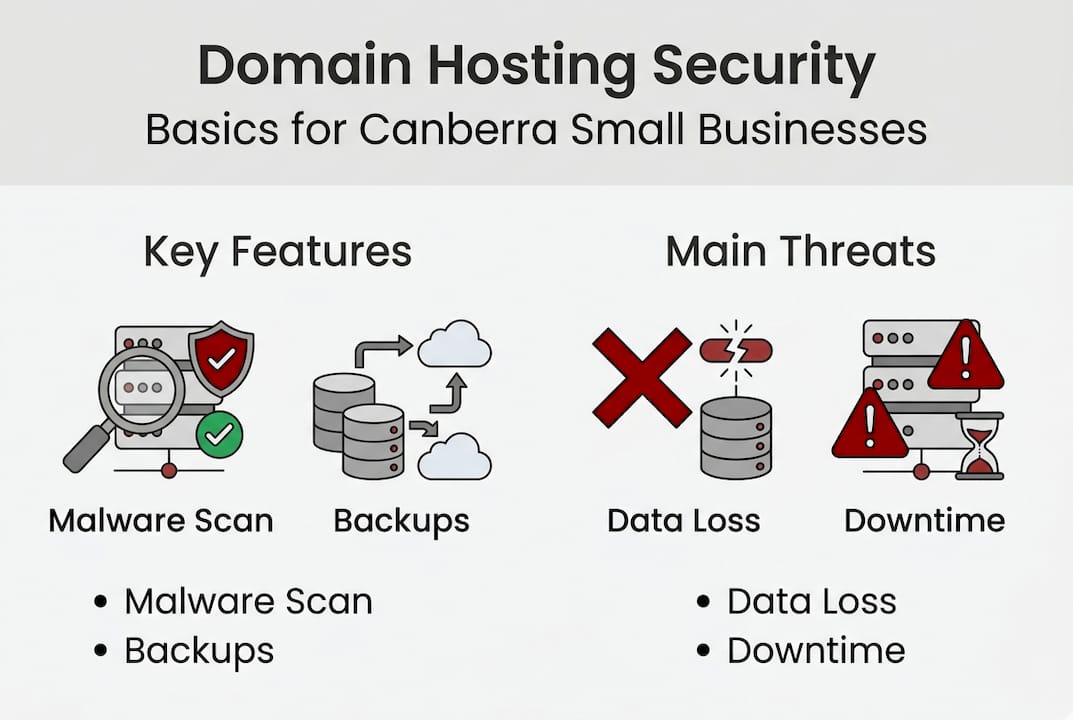
Domain hosting security refers to the protections applied at the infrastructure level where your website lives. This includes the physical or virtual server, the network surrounding it, and the systems that manage access, data storage, and connectivity. Think of it as the foundations and walls of a building. A solid structure matters, but it does not automatically make the contents inside safe.
It is important to distinguish this from web application security, which covers the code, plugins, themes, login systems, and forms that make up your actual website. Both layers need attention, but they are separate concerns. Many small business owners assume their hosting provider handles everything. In practice, there is a clear division of responsibility that you need to understand.
Here is what domain hosting security typically covers:
What hosting security does not automatically cover is your WordPress installation, your plugins, your theme, or the custom code on your site. This is where many Canberra businesses get caught off guard.
“Most hosting platforms secure the environment, not your application. The responsibility for what runs inside that environment largely sits with you.”
That distinction has real consequences. A Patchstack study found that hosting security blocks only around 26% of real WordPress exploits, meaning 74% succeed despite the server-level protections being in place. Privilege escalation attacks, where an attacker gains elevated access to your system, were blocked just 12% of the time at the infrastructure level.
This does not mean hosting security is unimportant. It means it is necessary but not sufficient. Understanding the limits helps you build a stronger overall defence. For a broader picture of what this involves, the website security essentials guide is a useful starting point. You can also get a practical overview of the foundations in our guide to hosting basics for Canberra businesses.
Now that you have a basic understanding, let’s look at the actual risks your domain hosting platform should address.
The threat landscape for small business websites in 2026 is both broader and faster-moving than most owners expect. The CloudLinux 2026 report found that 53% of hosting risks stem from outdated software, and 51% involve malware. These two risks account for the vast majority of successful attacks on small business sites.
| Threat type | % of hosting risks | Impact |
|---|---|---|
| Outdated software | 53% | Exploits via known vulnerabilities |
| Malware | 51% | Data theft, redirects, defacement |
| Misconfiguration | Affects 100% of apps | Exposed files, admin panels |
| DDoS attacks | Rising trend | Downtime, lost revenue |
| Privilege escalation | Common attack path | Full server takeover |
Here is a plain-language breakdown of the main threats you need to be aware of:
The practical impact of these threats is significant. Downtime costs small businesses not just immediate sales but also search engine ranking, customer trust, and potential legal exposure if client data is compromised.
Pro Tip: Ask your hosting provider directly what their process is when malware is detected on your site. If the answer is vague or involves passing you to a third party, that is a clear signal to look elsewhere.
Managing these risks on a WordPress site requires more than a good host. It requires regular maintenance, which is why WordPress maintenance solutions matter so much for ongoing protection. The importance of professional hosting comes into focus when you consider how much is at stake if these risks go unmanaged.
With key threats in mind, it is essential to know how to choose a provider that actively protects your business.
Not all hosting is equal. The difference between a basic shared hosting plan and a quality managed hosting provider is significant, both in terms of performance and security. Uptime benchmarks for 2026 show top providers like Kinsta achieving 99.99% uptime and Hostinger reaching 99.97%, while premium hosts handle three to five times more concurrent users than shared hosting environments. For a Canberra business depending on its website for enquiries, that reliability gap is not trivial.
Here is how the two main options compare:
| Feature | Shared hosting | Managed/premium hosting |
|---|---|---|
| Cost | Lower | Higher |
| Security monitoring | Basic or manual | Automated and proactive |
| Managed updates | Rarely included | Typically included |
| Malware removal | Usually extra cost | Included or rapid response |
| Uptime guarantee | 99.9% or less | 99.97% to 99.99% |
| Support response | Ticket-based, slow | Priority, often local |
| Server resource isolation | Shared with others | Dedicated or isolated |
When evaluating hosting providers, here is a practical checklist to guide your decision:
For Canberra businesses specifically, there is real value in working with a locally aware provider who understands Australian hosting requirements and can offer timely, direct support. Read more about what to look for in reliable hosting for Canberra, or work through the full decision process in our guide to choosing a Canberra host.
Pro Tip: Before committing to a hosting plan, test the support team. Send a pre-sales question and measure how long it takes to receive a clear, helpful reply. This tells you a great deal about what post-sale support will look like.
Selecting a provider is just the first step. Ongoing actions matter most. Here is how to turn awareness into practical security.
Good hosting creates the right environment. What you do inside that environment determines how secure your site actually is. Small, steady habits create a strong defence over time. Here are the most important steps you can take.
Self-hosting exposes home networks to serious risks including DDoS attacks, crypto mining activity, and legal liability if your connection is used in an attack on others. For small Canberra businesses, the risks of running a public-facing site from a home or office network far outweigh any cost savings.
Here are additional precautions worth building into your routine:
For detailed, step-by-step guidance on hardening a WordPress site, the securing WordPress sites guide covers each of these areas thoroughly. If you are uncertain about managing this yourself, understanding the value of WordPress site support will help you make the case for professional assistance.
Pro Tip: Set a recurring monthly calendar reminder to check your WordPress dashboard for available updates, review user accounts, and confirm your backups are running. This takes under fifteen minutes and covers most common security gaps.
Here is something most hosting providers will not say directly: calling a service “secure hosting” is often more marketing than reality.
The data is straightforward. Hosting security blocks only around 26% of real-world WordPress exploits. The remaining 74% succeed because attackers target the application layer, not the infrastructure. A locked front gate does not help when the window is open.
This is not a reason to panic, but it is a reason to be clear-eyed about what you are buying when you choose a hosting plan. Many Canberra business owners invest in a well-regarded host and assume the job is done. The real gap is at the software level, and that requires active management, not a passive subscription.
The most effective approach combines a quality hosting environment with consistent software maintenance, strong access controls, and a realistic understanding of where attacks actually come from. A layered defence, applied steadily, is far more effective than a single expensive solution. Our website security guide explains this layered model in practical terms for small businesses.
You have learned the essentials. Now discover services that deliver real protection and peace of mind.
Asporea Digital works with Canberra small businesses to provide secure, managed WordPress hosting through Asporea Hosting, backed by a local team that handles updates, monitoring, and support. There is no need to manage separate providers or piece together your own security stack.

Whether you need a new website built with security from the ground up, or you want to move an existing site to a more reliable and protected environment, we can help. Our WordPress support options cover ongoing care plans designed for busy Canberra business owners who want the security handled without the complexity. Learn more about the practical advantages of working with a local team in our guide to local hosting benefits. Fixed pricing, direct communication, and a team that understands the Canberra market.
Domain hosting security protects your website at the server and infrastructure level, guarding against attacks, downtime, and data breaches. For any Canberra small business with an online presence, it is a foundational layer of protection, though it works best when combined with application-level security. In 2025, every app tested had misconfigurations, highlighting why this baseline cannot be ignored.
Very quickly. 28.3% of new vulnerabilities are exploited within 24 hours of being publicly disclosed, which is why prompt updates and active monitoring are not optional extras but essential habits.
No. Hosting security blocks only around 26% of real WordPress exploits, meaning the majority bypass infrastructure defences by targeting your application code, plugins, or login systems. Software-level vigilance is essential alongside a good host.
Prioritise providers offering managed software updates, included malware scanning and removal, daily automated backups, a strong uptime guarantee, and responsive local or Australian-based support. Clear documentation of their breach response process is also an important sign of a trustworthy provider.
For most small businesses, no. Self-hosting exposes home networks to serious risks including DDoS attacks, unauthorised crypto mining, and potential legal liability if your connection is used in attacks on others. Managed hosting from a reputable provider offers far better protection and far less risk.

Startup advice from other startups can sound useful, but experience is what helps shape a clearer, stronger business early.

PDQ makes it easy to add subscribers from your website forms to newsletter lists without messy exports or costly platforms.

Capital and Canberra Region food businesses: take orders, payments, and pre-orders online with a food order website built to boost sales and cut wait times.
