

Blog

Why Author Websites Matter More Than Ever
Why authors need a website to build credibility, showcase books, grow readers and create a professional online presence.

TL;DR:
- Secure hosting involves layered protections beyond just a padlock, including SSL, backups, and malware scanning.
- Local hosting improves load times, SEO, support responsiveness, and compliance for Canberra businesses.
- Choosing a provider with strong security features, reliable support, and local expertise is vital for long-term business growth.
Most small business owners assume their website is secure simply because it has a padlock in the browser. That assumption is costly. Hosting security goes far deeper than a padlock icon, and the gap between basic hosting and genuinely secure hosting is where breaches, downtime, and reputational damage find their moment. For Canberra small businesses competing for local trust and visibility, your hosting choice shapes your site’s safety, speed, and long-term growth. This guide breaks down what secure hosting actually means, why it matters locally, and how to choose a provider that works as hard as you do.
| Point | Details |
|---|---|
| Security is essential | Safe hosting keeps your Canberra business reliable, trusted, and compliant. |
| Local hosts deliver speed | Australian servers and support mean faster sites and quicker help when you need it. |
| Compare provider features | Look for SSL, backups, firewalls, and 24/7 support for real peace of mind. |
| Ask the right questions | Interrogate hosting companies about certifications, backup and recovery before you buy. |
Secure website hosting is not simply a matter of setting a strong password and hoping for the best. It is a layered set of protections designed to keep your website online, your customer data safe, and your business reputation intact. Understanding the hosting basics for Canberra businesses need is the first step toward making a confident choice.
At its core, secure hosting includes several non-negotiable features:
Here is a quick comparison of what basic hosting and secure hosting actually deliver:
| Feature | Basic hosting | Secure hosting |
|---|---|---|
| SSL certificate | Sometimes included | Always included |
| Daily backups | Rarely automatic | Standard practice |
| Malware scanning | Not included | Regular and automated |
| Security patches | Manual or delayed | Managed and prompt |
| Firewall protection | Basic or none | Active and monitored |
A common myth is that security is purely a front-end concern. In reality, as outlined in the website security essentials guide, the server side is where most serious threats occur. Sanitising inputs prevents XSS and SQL injection attacks, and using HTTPS with strong passwords and two-factor authentication forms the backbone of real security.
Pro Tip: Never rely on browser-side validation alone. Always validate and sanitise data on the server. This single habit blocks the majority of common web attacks before they reach your database.
Security is not a one-off setup. It is an ongoing practice that directly supports your site’s trustworthiness, your Google rankings, and your ability to grow steadily over time.
With the basics of secure hosting covered, let’s look at why this really matters for a Canberra small business. The consequences of poor hosting security are not abstract. They are felt in lost revenue, damaged trust, and hours spent recovering from problems that could have been prevented.
A data breach does not just expose customer information. It can trigger a drop in your Google rankings, trigger compliance obligations under Australian privacy law, and send your customers straight to a competitor. For Canberra businesses, where word-of-mouth and local reputation carry real weight, the fallout from a security incident can linger far longer than the incident itself.
Here are the most common risks Canberra SMBs face with inadequate hosting:
Sanitising user input and enabling multi-factor authentication are not optional extras. They are must-haves for any business handling customer data online.
Local hosting also matters when things go wrong. A provider based in or near Canberra can respond faster, understand local compliance requirements, and communicate clearly without time zone delays. Understanding why local hosting drives Canberra business success helps frame this as a strategic decision, not just a technical one. Choosing a provider who understands why professional hosting matters for local SMBs gives you a genuine advantage when it counts most.
Understanding the stakes, it is crucial to know what features set truly secure hosting apart. Not all providers are equal, and the difference between them often shows up at the worst possible moment.
When evaluating providers, look for these core features:
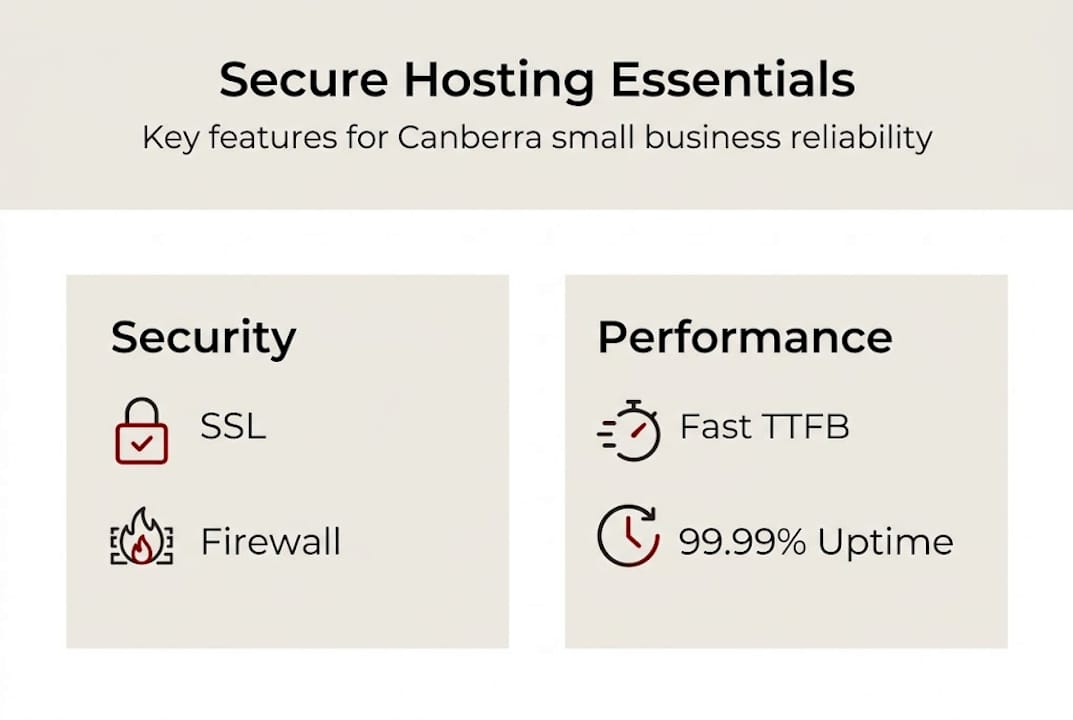
Performance and security go hand in hand. Top providers achieve a time to first byte (TTFB) of around 182ms for Kinsta and 268ms for SiteGround, with uptime at 99.99% for the best-managed options. These numbers matter because a slow or unreliable site signals untrustworthiness to both visitors and search engines.
| Provider | Avg TTFB | Uptime | Managed security |
|---|---|---|---|
| Kinsta | 182ms | 99.99% | Yes |
| SiteGround | 268ms | 99.99% | Yes |
| Shared budget hosts | 600ms+ | 99.5% or less | Rarely |
For site speed improvements that support both security and performance, managed hosting is consistently the stronger choice. It also supports the SEO outcomes Canberra SMBs need to compete locally.
Pro Tip: Shared hosting works well for sites under 50,000 visits per month. Once you are growing steadily or handling customer data, managed hosting gives you the protection and performance your business deserves.
Besides security features, choosing a provider closer to home offers Canberra businesses major benefits. Speed, support, and search visibility all improve when your hosting is aligned with your local market.
Server location affects how quickly your site loads for visitors in Canberra. A server based in Australia delivers content faster than one hosted overseas, reducing latency and improving the experience for your local customers. That speed advantage feeds directly into lower bounce rates and better engagement.
Here is what local hosting delivers for Canberra SMBs:
Stat to note: Managed hosting delivers measurable performance and reliability gains, with local providers enhancing SEO and user experience through faster load times. Kinsta’s global average TTFB of 182ms sets a useful benchmark for what speed-focused hosting should look like.
For a deeper look at the local hosting advantages available to Canberra businesses, or to understand the broader picture of what WordPress hosting involves, these resources give you the full context to make a well-informed decision.
No matter your technical skills, you need to ask the right questions before committing to a provider. The wrong choice can cost you more in recovery time and lost business than the savings ever justified.
Here are the key questions to ask any hosting provider before signing up:
Red flags to watch for include vague answers about backup policies, no clear mention of a firewall or malware scanning, and support that only operates during business hours. These gaps become serious problems during an actual incident.
For businesses reviewing their options, exploring affordable website packages that bundle hosting with ongoing support can simplify the decision and reduce the risk of choosing the wrong provider.
Pro Tip: Ask any provider for real uptime statistics from the past year and request access to a test environment before committing. A confident provider will have no hesitation sharing this information.
Most articles about secure hosting focus on features. SSL, firewalls, backups. These matter, but they are not what makes hosting truly secure for a small business. What most guides overlook is the human side.
Secure hosting is a partnership, not a product. The best firewall in the world does not help you if your provider takes three days to respond to a support request during an outage. We have seen Canberra businesses choose budget hosting based on a feature list, only to find themselves without support when it mattered most.
What actually counts is transparency, responsiveness, and local expertise. A provider who explains what they do in plain language, responds quickly when something goes wrong, and understands the Canberra business environment is worth far more than a technically impressive spec sheet.
This is why investing in ongoing website support is not an optional extra. It is the difference between a website that quietly protects your business and one that becomes a liability the moment something goes wrong. Small, steady habits and the right local partner create a strong defence that no feature list alone can replicate.
If this guide has made one thing clear, it is that secure hosting is not a set-and-forget decision. It requires the right features, the right provider, and the right ongoing support to keep your site safe and your business growing.

At Asporea Digital, we work closely with Asporea Hosting to give Canberra small businesses a single, reliable team for design, hosting, and support. No passing you between providers. No confusing technical jargon. Just clear advice and dependable service from people who understand your local market. Whether you need to support your WordPress site with ongoing care or want to secure your WordPress site from the ground up, we are ready to help you take the next step with confidence.
Secure hosting includes SSL, frequent backups, firewalls, strong passwords, and managed updates to block threats and keep your site reliably online. It also requires server-side input sanitisation to prevent common attacks like XSS and SQL injection.
Local hosting improves load times for Canberra visitors, provides locally aware support, and can strengthen your SEO through Australian-based servers aligned with your target market.
Shared hosting suits low-traffic sites, but managed hosting delivers stronger protection, faster performance, and better reliability as your business grows and customer data becomes involved.
Ask about security certifications, backup frequency and restoration speed, uptime statistics, support availability, and the physical location of their servers before making any commitment.

Why authors need a website to build credibility, showcase books, grow readers and create a professional online presence.

Build trust without sounding salesy. Add proof, clear steps, and risk reducers so visitors feel safe to enquire or buy.

Capital and Canberra Region food businesses: take orders, payments, and pre-orders online with a food order website built to boost sales and cut wait times.
