

Blog

Helping Visitors Like You So They Contact You
Web writing is about creating comfort for your visitor. When people feel comfortable and understand what you do, that’s when they choose you.

TL;DR:
- Small businesses often underestimate website security risks, leading to customer loss and reputational damage.
- Proactive measures like regular updates, backups, and firewalls prevent most attacks and build customer trust.
- Consistent security habits and quarterly audits are essential for long-term online safety and business growth.
Most Canberra small business owners assume their site is too small to attract attention from cybercriminals. That assumption is quietly costing businesses customers, revenue, and reputation. A 2025 DBIR small business snapshot shows that proactive security measures prevent more than 95% of attacks, yet breaches still erode between 65 and 70% of customer loyalty when they do occur. For a local business working hard to build trust in a competitive market, that kind of loss is not easy to recover from. This guide explains what website security actually means, why it matters to your bottom line, and what practical steps you can take right now.
| Point | Details |
|---|---|
| Security drives trust | A secure website directly boosts customer confidence and long-term loyalty. |
| Prevention beats recovery | Proactive security steps stop over 95% of attacks, saving money and reputation. |
| Actionable next steps | Regular updates, audits and expert support are practical, affordable protection measures. |
| Complacency is costly | Ignoring security leads to expensive repairs and lost business if a breach occurs. |
With the stakes set, let’s break down what website security truly involves in everyday business terms.
Website security refers to the strategies and technologies you use to protect your website, your data, and your customers’ information from online threats. It is not a single product or a one-time setup. It is an ongoing practice, much like locking your shopfront every evening and checking it each morning.
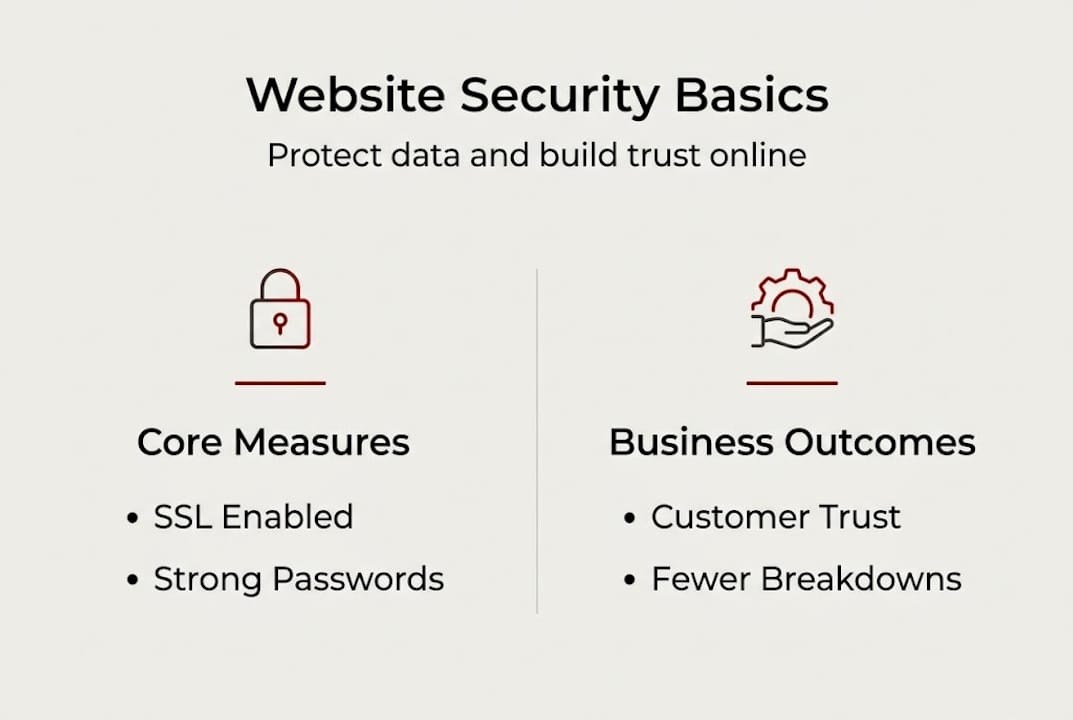
The risks are real and varied. A hacked website might redirect your visitors to scam pages, expose customer contact details, or get flagged by Google and removed from search results entirely. Any one of these outcomes can seriously damage the credibility you have built over years. Understanding the website security basics helps you see that protection is about far more than just keeping the lights on.
One of the most persistent myths is that small businesses are safe by default because they fly under the radar. Attackers rarely choose targets based on business size. They scan for vulnerabilities, and if your site has one, it becomes a target regardless of whether you run a two-person accounting firm or a national retailer.
“Small businesses are not invisible online. Attackers look for the easiest entry point, not the biggest prize.”
53% of SMB breaches involve system intrusion, meaning attackers are actively pushing through weaknesses in software, not just guessing passwords. That figure should change how you think about your website’s default settings.
Common threats your WordPress site faces include:
Each of these threats is manageable with the right habits and the right support. The first step is recognising that your website is a live, active part of your business that needs consistent care.
Now that we know what security means, let’s explore the tangible ways it drives business outcomes.
Customers make fast judgements about whether to trust a business online. A slow, broken, or flagged website sends an immediate signal that something is wrong. But the deeper issue is what happens after a breach. Customer loyalty drops by between 65 and 70% following a security incident, which means more than half your regular clients may walk away and not return.
For a Canberra trades business, allied health clinic, or consultancy that relies on repeat bookings and word-of-mouth referrals, that kind of churn is devastating. A single breach is not just a technical problem. It becomes a customer service crisis, a reputation issue, and a revenue shortfall all at once.
Trust is not just about having an SSL certificate, that padlock icon in the browser bar. It is the sum of visible and invisible signals your website sends. Reliable hosting boosts trust because a site that stays online, loads quickly, and behaves predictably reassures visitors that your business is professional and dependable. When clients see that your site is consistently maintained, they feel more confident sharing their details or making a booking.
The practical impacts of a breach extend beyond the immediate incident:
The website support benefits of a maintained, monitored site go well beyond prevention. They actively contribute to the ongoing confidence your customers place in your business.
Customers look for specific trust signals when they visit your site:
These are not just technical checkboxes. They are the visible evidence that you take your business seriously and respect your customers’ information.
Understanding the stakes, let’s see exactly how proactive steps make a difference locally.
The good news is that proactive security measures such as regular updates and web application firewalls prevent more than 95% of attacks. That is a remarkably strong return on a relatively modest investment of time and attention.
Consider a Canberra plumbing business that receives a routine alert from its hosting provider about an outdated contact form plugin. The business owner applies the update the same day. That action closes a known vulnerability that attackers had already begun scanning for across thousands of WordPress sites. No breach occurs. No customer data is exposed. The business continues operating without interruption. It is not dramatic, but that is exactly the point. Good security is mostly quiet and preventative.

Here is a comparison of common security tactics and their practical outcomes:
| Security tactic | What it does | Outcome |
|---|---|---|
| Regular plugin and theme updates | Closes known vulnerabilities | Prevents most automated attacks |
| Web application firewall (WAF) | Filters malicious traffic before it reaches your site | Blocks intrusion attempts in real time |
| Daily automated backups | Creates a restore point if something goes wrong | Reduces recovery time from days to hours |
| Malware scanning | Detects suspicious files or code changes | Catches infections before they spread |
| Strong password policies | Limits brute force success | Reduces account compromise risk |
To secure your WordPress site effectively, you do not need to become a cybersecurity expert. You need a clear system and either the time to maintain it or a support partner who does it for you.
Pro Tip: Automate your plugin updates and set up alert notifications so you are informed immediately if anything unusual happens on your site. Small, steady habits create a strong defence over time.
Understanding the value of updates is one of the clearest shifts a business owner can make. Each update is not just a technical tweak. It is a small act of protection for your business and your customers.
Even with tools available, many Canberra businesses leave gaps. Let’s pinpoint where.
SMB breaches are rising, and the most common contributing factors involve systems that are not updated or are misconfigured. These are not sophisticated failures. They are gaps that most businesses could close with straightforward action.
| Practice area | Basic approach | Advanced approach |
|---|---|---|
| Plugin management | Manual updates when remembered | Automated updates with monitoring |
| Passwords | Single password reused across accounts | Unique strong passwords with a password manager |
| Backups | No backups or infrequent manual saves | Daily automated off-site backups |
| Hosting | Shared budget hosting with no security layer | Professional web hosting with firewall and malware scanning |
| Maintenance | No regular reviews | Scheduled monthly or quarterly audits |
The most frequent mistakes we see from Canberra businesses include weak or reused passwords, no backup strategy, outdated plugins and themes left unattended, and using budget hosting without any security features built in.
Here is a numbered checklist to address the most common weaknesses:
Routine security audits are the habit that keeps everything else working. Without them, gaps quietly reappear over time.
Seeing where others struggle gives us perspective, and here is what often gets missed.
Many Canberra business owners tell us they plan to sort out their website security “soon.” The problem is that soon rarely arrives until something goes wrong. We have seen businesses spend far more recovering from a breach than they would have spent on a year of managed security support. The impact of poor support on a business is almost always larger than expected once it happens.
Security is not a set-and-forget task. Attackers adapt constantly, and a site that was reasonably protected twelve months ago may have new gaps today. The uncomfortable truth is that most breaches we encounter were entirely preventable. They happened because one update was skipped, one password was reused, or one backup was never configured.
What actually works is not complexity. It is consistency. A layered but practical approach, regular updates, good hosting, daily backups, and a quarterly review, produces far better outcomes than a one-off security overhaul that is then forgotten. Treat your security investment the way you treat business insurance. Review it regularly, keep it current, and do not wait for a claim before you check the details.
Pro Tip: Set a calendar reminder to review your website security at least once a quarter. Check updates, test your backup restore, and confirm your firewall and scanning tools are active.
Ready to act? Here is how Canberra businesses can confidently protect their online future.
Start by auditing what you have. Check your plugin versions, confirm backups are running, and review who has admin access to your site. From there, update everything that is out of date and address any obvious configuration gaps.

If that sounds like more than you want to manage alongside running your business, that is exactly where Asporea Digital can help. We work with Canberra small businesses to secure their WordPress sites from the ground up, combining professional hosting, managed updates, and ongoing support into a straightforward care plan. Our WordPress digital marketing guide can also help you see how a secure, well-maintained site supports your broader growth goals. Explore our premium site support options and find a plan that fits your business.
It prevents hackers from accessing private customer data and keeps your site operational, so visitors can trust that their information is safe. Proactive measures like updates and firewalls prevent more than 95% of attacks before they cause any harm.
Not if you approach it consistently. Managed updates, strong passwords, and reliable hosting are affordable measures that prevent the far greater cost of recovering from a breach.
Neglecting regular updates and reusing weak passwords are the two most common issues. Rising SMB breach rates consistently point to unpatched or misconfigured systems as the primary entry point.
A quarterly review is a solid baseline for most small businesses, covering updates, backup testing, and access permissions. Higher-traffic or e-commerce sites benefit from monthly checks.

Web writing is about creating comfort for your visitor. When people feel comfortable and understand what you do, that’s when they choose you.

Many Canberra businesses think they own their domain name when they don’t. Learn how to protect your brand and keep control of your website with

If your site leaves strangers unsure, they leave. Learn the simple tweaks that make enquiries feel easy and natural.
