

Blog

Launch faster, avoid rework, and know exactly what happens next
Packages or custom? See each stage from discovery to launch, what you provide, and how we keep Canberra region builds on track.

A missed appointment costs you more than just revenue. It costs trust. For small businesses in Canberra, a clunky or manual booking process means frustrated customers, double-booked slots, and a schedule that never quite runs smoothly. The good news is that a well-built online booking workflow can fix all of that, and you do not need a large budget to get it right. This guide walks you through exactly what to prepare, how to build your workflow step by step, and how to keep it running reliably so your calendar stays full and your customers stay happy.
| Point | Details |
|---|---|
| Mobile matters most | Over 60% of bookings are made on mobile, so your workflow must be mobile-friendly. |
| Sync everything | Calendar sync and regular cache clearing prevent double-bookings and unhappy customers. |
| Automate reminders | Automated reminders significantly reduce no-shows and wasted time. |
| Test and improve | Regular testing and optimisation keep your online booking system working smoothly and profitably. |
Now you understand why a good workflow matters, let’s make sure you have the essentials in place before touching a single setting.
The first decision is choosing the right booking plugin. For most Canberra small businesses, affordability and local compatibility matter. WooCommerce Bookings is a popular choice because it integrates with WordPress, supports Australian payment gateways like Stripe and PayPal, and handles complex scheduling rules without requiring a developer on call. Other solid options include Amelia and Simply Schedule Appointments, both of which offer clean mobile interfaces and reasonable pricing.
Speaking of mobile, this is not optional. Over 60% of bookings now happen on mobile devices, so your site and workflow must be built for small screens from the start. If your booking page is hard to tap through on a phone, you are losing customers before they even confirm. Check your website design tips to ensure your site is genuinely mobile-ready, not just technically responsive.

Before you activate any booking system, align your calendars, business hours, and staff schedules. This sounds obvious, but many businesses skip it and then wonder why conflicts appear. Block out public holidays, Canberra-specific events, and any known leave periods in advance.
Must-have checklist before going live:
| Requirement | Why it matters |
|---|---|
| Responsive website | Captures mobile bookings without drop-offs |
| Reliable hosting | Prevents downtime during peak booking periods |
| Secure payment gateway | Builds customer trust and protects transactions |
| Cancellation policy | Reduces disputes and sets clear expectations |
| Synced calendars | Prevents double-bookings and staff conflicts |
Pro Tip: Before you go live, test your entire booking flow on both a desktop and a smartphone. Walk through it as a customer would, from landing on the page to receiving a confirmation email. Fix anything that feels slow or confusing.
With your tools and checklist ready, let’s get hands-on.
| Setup type | Time required | Risk of errors | Best for |
|---|---|---|---|
| Manual workflow | High | High | Very simple, low-volume bookings |
| Automated workflow | Low (once set up) | Low | Growing businesses, multiple staff |
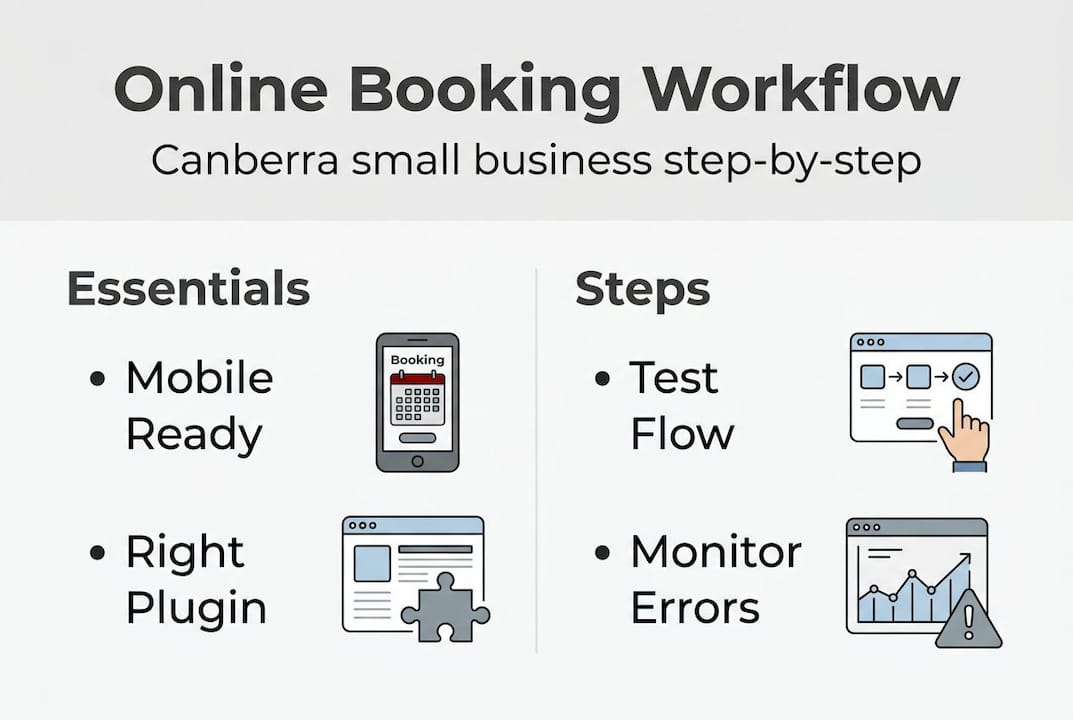
Pro Tip: Most booking plugins include a built-in test booking mode. Use it. Run several test bookings with different scenarios, including cancellations and rescheduling, before real customers interact with your system.
Once your workflow is running, be proactive about common errors rather than waiting for a customer complaint to reveal them.
Double-bookings and no-shows most often trace back to unsynced calendars and missing reminder automation. These are not random glitches. They are predictable problems with predictable fixes.
The most common booking workflow mistakes:
More than 60% of bookings now occur on mobile devices. A booking page that is difficult to navigate on a phone is not just a minor inconvenience. It is a direct business risk that quietly costs you customers every single week.
To reduce no-shows, keep your lead times short where possible. The longer the gap between booking and appointment, the more likely a customer forgets or changes their mind. Automated reminders are your best defence. Set them and confirm they actually deliver by testing them yourself.
For calendar sync issues, build a weekly check into your routine. Spend five minutes every Monday confirming that your booking system and your calendar match. It is a small, steady habit that prevents large, stressful problems.
If customers report seeing unavailable slots, clear your site cache immediately. Then investigate whether your hosting environment is configured to cache pages that should always load fresh. To optimise for mobile bookings, also verify that your booking page loads in under three seconds on a mobile connection.
After setup and troubleshooting, ongoing testing ensures you keep improving rather than assuming everything is fine.
Start with a structured test before and after every significant change to your site or booking system.
A workflow not regularly tested on mobile risks losing the majority of your bookings without you ever knowing why. This is one of the most preventable problems in online booking management.
Beyond testing, track these key metrics monthly:
Pro Tip: Schedule a quarterly workflow review in your calendar right now. Block thirty minutes every three months to test your booking flow, review your metrics, and make one small improvement. Consistent, small adjustments compound into a noticeably better experience over time.
Reflecting on how most businesses approach bookings, here is what is often missed.
Most Canberra small businesses treat their booking workflow as a one-time setup task. They install the plugin, configure the basics, and move on. The workflow then sits untouched for months, quietly degrading as the business changes around it.
The real opportunity is in ongoing optimisation. Mobile experience, in particular, gets neglected. A booking page that worked well six months ago may now load slowly or display awkwardly after a theme update. Small issues accumulate until customers quietly stop booking.
Affordable websites can absolutely outperform expensive competitors when the booking experience is smooth, fast, and reliable. The tool matters far less than how thoughtfully you implement and maintain it. Regular website upgrades and honest testing are what separate businesses that grow through their website from those that wonder why it is not working.
The real value is not in the software. It is in the discipline of reviewing, testing, and improving your workflow as your business evolves.
If this guide has shown you where your current booking workflow could be stronger, you do not have to fix it alone.

At Asporea Digital, we build affordable, fixed-price WordPress websites for Canberra small businesses, with booking systems that are properly configured, mobile-optimised, and tested before launch. Whether you need a fresh start with WordPress development Canberra, a smarter setup using WordPress plugin solutions, or simply a local team of booking system experts to review what you already have, we are here to help. Book a free strategy call and let’s make your booking workflow work properly.
The best plugin supports mobile, integrates with your calendar, and fits your budget. Many Canberra businesses find WooCommerce Bookings a flexible, affordable choice, particularly because plugin selection must factor in mobile performance and calendar integration from the start.
Set up calendar sync and priority booking rules, then regularly clear cached sessions to ensure real-time accuracy. Unsynced calendars and session cache problems are the two most common causes of double-bookings.
Reminders require proper automation setup within your booking plugin. Check your workflow automation settings and send yourself a test booking to confirm that reminder delivery is actually working, since poor reminder automation is a leading cause of no-shows.
The most common issue is a booking page that is not optimised for mobile, causing users to drop off before confirming. Since over 60% of bookings now happen on mobile, a poor mobile experience directly translates to lost revenue.

Packages or custom? See each stage from discovery to launch, what you provide, and how we keep Canberra region builds on track.

Compare Shopify and WooCommerce to see where WordPress gives your store more control, flexibility and room to grow.

Choosing a web designer is easy to do quickly and expensive to undo. Here are 15 questions to compare proposals and get the best result.
