

Performance and Systems

Give Visitors the Proof They Need to Trust You
Build trust without sounding salesy. Add proof, clear steps, and risk reducers so visitors feel safe to enquire or buy.

TL;DR:
- A slow website costs Canberra small businesses potential inquiries, bookings, and revenue due to visitor abandonment. Improving site speed through affordable optimizations like better hosting, caching, and image compression enhances credibility and local search ranking. Regular testing with local expertise ensures sustained performance and measurable business growth.
A slow website is quietly costing your Canberra business real money. Every extra second a visitor waits before your page loads increases the chance they leave, contact a competitor, and never come back. For small businesses relying on steady enquiries and bookings, that kind of loss adds up fast. The good news is that WordPress performance optimisation is not out of reach, even on a modest budget. This guide walks you through practical, affordable steps to improve your site speed, reduce bounce rates, and turn more of your website traffic into genuine leads and sales.
| Point | Details |
|---|---|
| Speed equals more sales | A fast-loading website attracts more customers and increases conversion rates. |
| Optimisation is affordable | Small businesses in Canberra can boost website performance with low-cost, proven steps. |
| Local hosting benefits | Hosting closer to Canberra customers greatly improves site responsiveness and reliability. |
| Measure and refine | Always check real-user metrics and run speed tests multiple times for accurate results. |
Website speed is not just a technical detail. It is a business outcome. When your site loads quickly, visitors stay longer, trust you more, and are far more likely to contact you or make a booking. When it drags, they leave.
The numbers are hard to ignore:
“A well-optimised WordPress site is not just faster to load. It is more credible, more findable, and more effective at turning visitors into customers.”
For Canberra small businesses, this matters at a very practical level. A tradie, allied health provider, or local consultant competing for attention in the ACT cannot afford to lose visitors at the door. Yet many small business websites are running on slow shared hosting with uncompressed images and too many poorly chosen plugins.
WordPress performance optimisation should be treated as a system: start with hosting and TTFB (Time to First Byte, the time it takes your server to respond), then set up caching, optimise images, and reduce plugin and script bloat. Validate every improvement using tools like Lighthouse, PageSpeed Insights, and Core Web Vitals.
Choosing professional web hosting is one of the fastest ways to make a measurable difference, and understanding website hosting helps you make a more informed decision when reviewing your current setup.
Optimisation does not have to be expensive. Many of the most effective steps are free or low cost, and you can see real results without rebuilding your website from scratch.
Before making any changes, it helps to gather the right tools and confirm your starting point. Jumping straight into adjustments without measuring first is like trying to improve without knowing your baseline.
Here is what you will need:
The table below gives you a quick overview of what each tool does and when to use it:
| Tool | Purpose | When to use it |
|---|---|---|
| PageSpeed Insights | Score and diagnose speed issues | Before and after changes |
| Google Lighthouse | Detailed audit including accessibility | During development or review |
| Core Web Vitals (Search Console) | Real-user performance data | Ongoing monitoring |
| UpdraftPlus | Automatic backups before changes | Before any significant update |
| Imagify or ShortPixel | Compress and convert images to WebP | During and after setup |
| WP Rocket or LiteSpeed Cache | Full-page and object caching | After installing and configuring |
Key targets to measure include TTFB, image optimisation using formats like WebP, and caching layers. These three areas alone account for the majority of performance gains on most small business WordPress sites.

When reviewing your hosting options, look at best hosting options that suit small business budgets and ACT-region requirements. Opting for secure website hosting also means your performance gains are not undermined by security vulnerabilities or unreliable uptime.
Pro Tip: Before running any speed test, clear your caching plugin’s cache and test in an incognito window. This gives you a clean result that reflects what a first-time visitor actually experiences, rather than a cached version of your page.
With your tools ready and your baseline scores recorded, you can move through improvements in a logical order. Think of this as a steady, methodical process rather than a rush to fix everything at once.
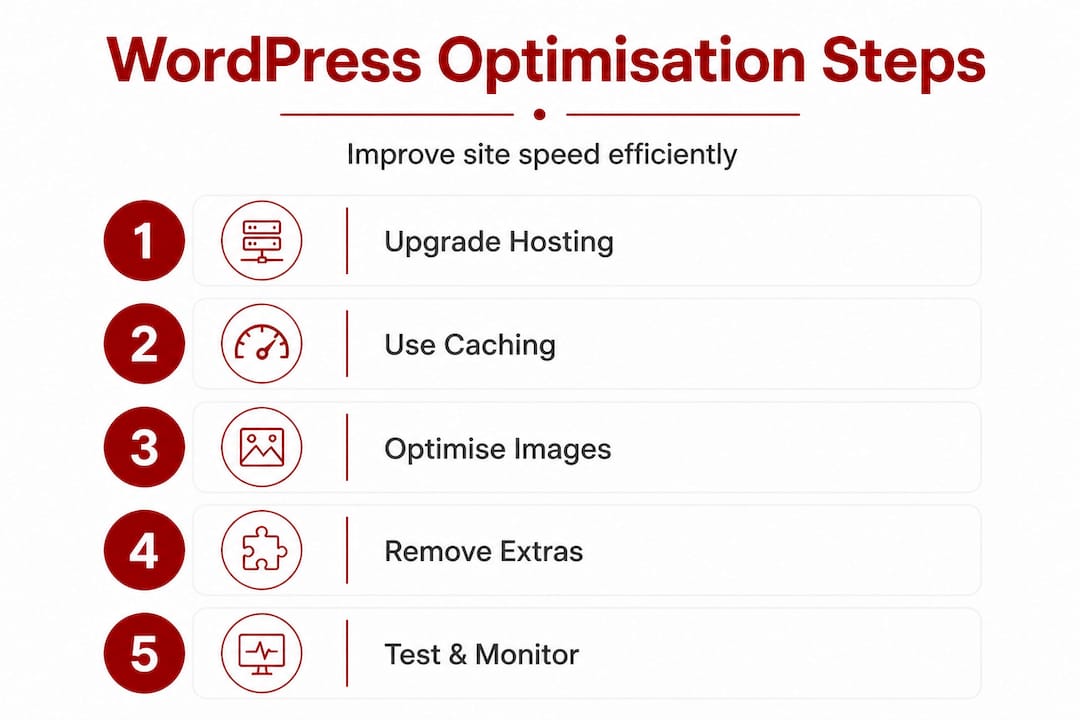
Step 1: Upgrade your hosting for a faster TTFB
TTFB is the first thing your server does when someone visits your site. On uncached WordPress running on shared hosting, TTFB can be 800 to 2000 ms, which is far too slow. Properly cached WordPress can hit TTFB under 200 ms. That is a dramatic difference in how fast your site feels.
If you are on entry-level shared hosting, this is the single biggest lever you can pull. Consider moving to a managed WordPress host or a VPS (Virtual Private Server, a dedicated slice of a server with reliable resources) with a data centre in Sydney or Melbourne for the lowest possible latency for Canberra visitors.
Local hosting benefits are significant for businesses targeting the ACT region. Australian-hosted servers deliver content faster to Australian visitors than servers based overseas, and that difference is measurable in both speed scores and real user experience.
Step 2: Install and configure a caching plugin
Caching stores a pre-built version of your web pages so the server does not have to rebuild each page for every visitor. This is one of the most effective and affordable performance improvements available to any WordPress site.
WP Rocket is the most user-friendly premium option. LiteSpeed Cache is free and excellent if your host uses LiteSpeed server technology. Both offer page caching, browser caching, and object caching in one package.
Step 3: Optimise your images
Large, uncompressed images are one of the most common reasons WordPress sites load slowly. Converting images to WebP format (a modern image format that is significantly smaller than JPEG or PNG without quality loss) and compressing them before upload can reduce image file sizes by 50 to 80 per cent.
Use a plugin like Imagify or ShortPixel to bulk compress existing images and automatically optimise new uploads. Enable lazy loading too, which means images only load when a visitor scrolls down to them, rather than all at once.
Step 4: Remove unnecessary plugins and scripts
Every plugin you add to WordPress loads extra code. Many small business sites accumulate plugins over time, with some adding significant bloat with minimal benefit. Review your installed plugins and ask: do I actually use this? If not, deactivate and delete it.
The same applies to external scripts such as fonts, trackers, and chat widgets. Each external request adds load time. Limit them to what you genuinely need and defer loading non-critical scripts so they do not block the main content.
Step 5: Validate improvements with Lighthouse and PageSpeed Insights
After each change, run your site through PageSpeed Insights and check your Core Web Vitals scores. The three Core Web Vitals to focus on are:
A comparison of before and after improvements on a typical Canberra small business site looks something like this:
| Metric | Before optimisation | After optimisation |
|---|---|---|
| TTFB | 1,400 ms | 180 ms |
| LCP | 5.2 seconds | 2.1 seconds |
| PageSpeed score (mobile) | 38 | 82 |
| Page size | 4.8 MB | 1.1 MB |
Read the full WordPress optimisation guide for detailed technical breakdowns of each metric. For help choosing a website host that supports these improvements from the ground up, take time to compare your current provider against purpose-built WordPress hosting.
Pro Tip: Do not install more than one caching plugin at a time. Multiple caching plugins conflict with each other and can cause your site to display outdated content, break forms, or even show error pages to visitors.
Once you have made your optimisation changes, you need to confirm they are working correctly. This step is where many Canberra business owners stumble. Running one test and assuming it reflects real-world performance is a common mistake.
Real-user metrics matter more than a single score. Speed scores can vary significantly depending on caching state and server load, so check multiple runs and pay close attention to the Chrome User Experience Report (CrUX) data inside Google Search Console.
“A single PageSpeed score tells you one data point. Real-user data tells you what your actual Canberra customers are experiencing every day.”
Here are the key habits to build into your testing routine:
Common pitfalls to watch for include:
Website design decisions also affect performance. Heavy page builders, decorative animations, and unnecessary sliders all add load time. Sometimes a cleaner, simpler design is not just better looking. It is faster too.
The goal is steady, consistent performance, not a single impressive score on a good day. Small, regular checks catch problems before they start costing you enquiries.
Here is something worth saying plainly: the generic WordPress optimisation advice you find online is often written for audiences with technical resources, development teams, or enterprise-scale budgets. That is not the reality for most Canberra small businesses.
A busy tradie in Belconnen or an allied health practice in Woden does not have hours to spend reading plugin documentation or debugging conflicts in the WordPress dashboard. And frankly, they should not have to. The practical reality is that performance improvements only deliver business value if they are implemented correctly, maintained over time, and matched to how the website is actually being used.
Local expertise changes the equation. Someone who understands the Canberra market knows that mobile performance matters enormously here because so many residents search on their phones while on the go. They understand that local search visibility in the ACT is competitive and that even modest speed improvements can push a business up in local rankings. They also know that affordable does not mean cutting corners. It means being precise about where effort delivers real return.
Testing on real devices, under real conditions, in real Canberra network environments tells you far more than a synthetic laboratory score ever will. Theoretical benchmarks are useful starting points. But what counts is how your site performs for someone loading it on a phone in Civic during their lunch break.
Choosing affordable website solutions from a provider who understands these local nuances means you are not just buying a service. You are building a working relationship with someone who can translate technical improvements into business outcomes you can actually measure.
If reading this guide has prompted you to take a closer look at your website’s performance, that is a good first step. But knowing what to do and having the confidence to do it well are two different things.

At Asporea Digital, we build and optimise WordPress websites for Canberra small businesses at fixed, transparent prices. Whether you need a fresh site built for speed from the start, or you want your existing site reviewed and improved, we can help. Our approach connects digital marketing growth with strong technical foundations, so your site does not just look good. It performs. We also consider how website design shapes branding and work to ensure your site reflects your business credibly. Explore what modern website design can do for your business and reach out to start a straightforward conversation about where your site stands and what it could be doing better.
Local hosting places your server physically closer to your Canberra visitors, reducing the distance data has to travel and delivering measurably faster load times and a better overall experience.
Google PageSpeed Insights and Lighthouse are free and give you instant, detailed results. Use these tools to validate with Lighthouse or PageSpeed before and after any optimisation work.
Image optimisation using WebP often delivers the largest single speed improvement for image-heavy sites, reducing file sizes by up to 80 per cent without visible quality loss.
Yes. A quality caching plugin can bring TTFB under 200 ms compared to 800 to 2000 ms on uncached shared hosting, which is a transformation in how quickly your site responds to visitors.
Run speed tests after every major update and at different times of day, because results vary with caching and server load. Regular monitoring catches performance regressions before they affect your enquiry rate.

Build trust without sounding salesy. Add proof, clear steps, and risk reducers so visitors feel safe to enquire or buy.

Count your last 10 enquiries. Spot where spam is leaking in, and see if real customers are getting buried.

Find the only Google Analytics numbers that matter, connect Site Kit, and see traffic, top pages, and whether visitors take the intended action.
