

Blog

Contact Form Replies That Stop Leads Going Cold
Stop getting silence after you hit send. Use an AI Assisted Automated Response that reflects the enquiry and buys time properly.

TL;DR:
- A professional WordPress website is essential to attract Canberra customers and build trust.
- Proper planning, local hosting, and ongoing maintenance are key to a successful launch.
- Working with a local expert ensures a secure, fast, and credible site tailored to Canberra small businesses.
Every day without a credible website is a day Canberra customers are choosing your competitors instead. A slow, outdated, or non-existent site quietly costs you enquiries, bookings, and trust. The good news is that launching a professional WordPress website does not have to be complicated or expensive. This guide walks you through every practical step, from registering your domain to going live and beyond. Whether you are a tradie, consultant, allied health provider, or local retailer, you will find a clear, affordable roadmap built around the real needs of Canberra small businesses.
| Point | Details |
|---|---|
| Affordable foundations | You can launch a credible WordPress site in Canberra for under $300 with the right steps. |
| Step-by-step clarity | A clear process from setup to launching reduces hassle and prevents costly mistakes. |
| Optimise for local growth | Speed, SEO, and local trust signals are essential for winning more Canberra customers. |
| Ongoing maintenance | Backups, updates, and regular reviews keep your site secure and performing well. |
Before you build anything, it pays to pause and confirm you have the right foundations in place. Skipping this stage is one of the most common reasons websites stall halfway through or cost more than expected.
The core ingredients every site needs
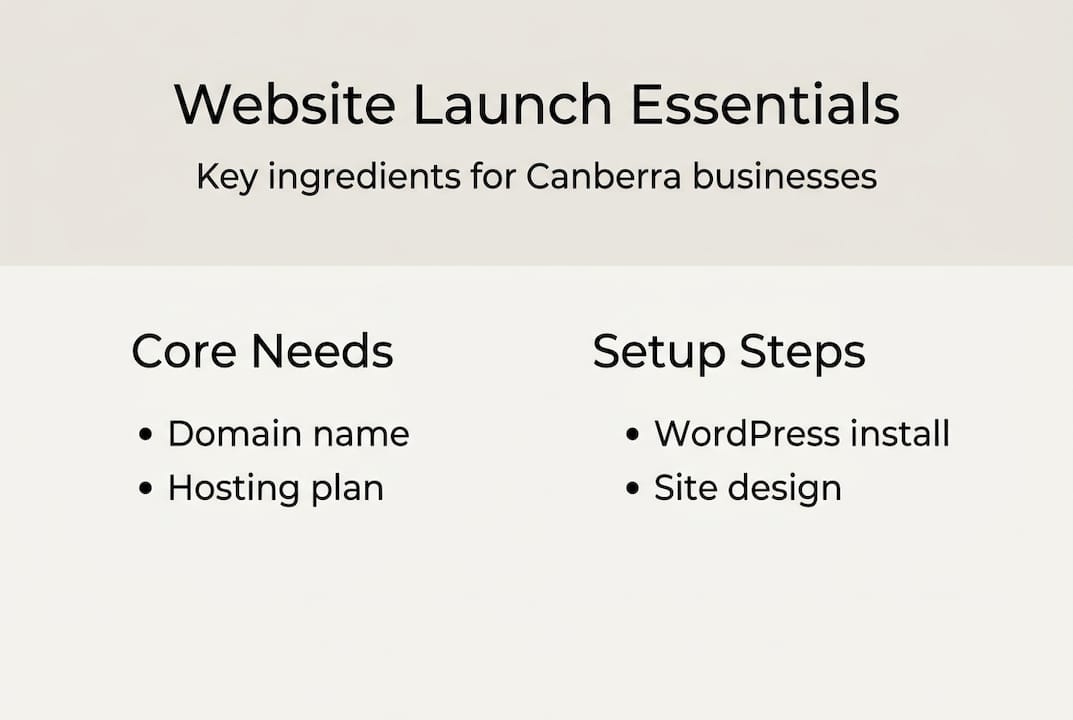
Three things sit at the heart of every WordPress website: a domain name, a hosting plan, and a WordPress installation. Your domain is your web address (for example, ). Hosting is the server that stores your site and delivers it to visitors. WordPress is the free software that powers the site itself.
According to a first-year cost breakdown, you can expect to spend roughly $130 to $260 in your first year, covering a domain at $10 to $15 per year, hosting at $5 to $15 per month, and a theme between $49 and $79. That is genuinely affordable for most small businesses.
Budget snapshot: basic vs. advanced sites
| Item | Basic site | Advanced site |
|---|---|---|
| Domain (per year) | $10 to $15 | $10 to $15 |
| Hosting (per month) | $5 to $10 | $10 to $15 |
| Theme | $0 to $49 | $49 to $79 |
| Plugins | Free to $30 | $50 to $200+ |
| Total (year one) | ~$130 | ~$260+ |
What to prepare before you start
Having these items ready before you begin will save you significant time:
Local hosting matters more than many people realise. A Canberra-based or Australian hosting provider means faster load times for local visitors, easier support conversations, and data stored within Australian jurisdiction. You can explore affordable website packages that bundle hosting, design, and support in one fixed price.
Pro Tip: Register your domain with a reputable Australian registrar and keep your login credentials somewhere safe. Losing access to your domain can be a serious problem down the track.
If you want to compare what different business website package options include, reviewing a few side by side before committing will help you avoid paying for features you do not need. Understanding the website package benefits for your specific business type also helps you make a more confident decision.
With your tools and requirements ready, follow this practical roadmap to build your site.
The core steps for a WordPress launch follow a logical sequence: register your domain, set up hosting, install WordPress, choose a theme, install essential plugins, create your key pages, optimise the content, test everything, go live, and then handle post-launch tasks. Each step builds on the last.
DIY vs. professional support: a quick comparison
| Approach | Best for | Typical cost | Key risk |
|---|---|---|---|
| DIY | Simple brochure sites | Under $300/yr | Time investment, limited polish |
| Local expert | Credibility-focused sites | Fixed project fee | Choosing the wrong provider |
For straightforward sites, DIY is a reasonable starting point. For businesses that need custom WordPress development Canberra style support, working with a local expert reduces risk and delivers a more polished result faster. A useful resource for Canberra operators is this Canberra small business website guide, which covers local considerations in more detail.
Pro Tip: Build your site on a staging environment first. This is a private copy of your site where you can test changes without affecting what visitors see. Many hosts offer this as a standard feature.
If your site needs specific functionality, exploring affordable custom plugins can extend what WordPress does without requiring a full custom build.
After launching the basics, focus on fine-tuning your site for maximum online impact. A site that loads slowly or looks broken on a phone will quietly turn visitors away before they ever read a word.

Speed and performance essentials
Site speed directly affects your bottom line. Every extra second of load time drops conversions by roughly 7%, and more than half of all web traffic now comes from mobile devices. A site that is not built for mobile is not built for 2026.
Here is what to address:
SEO and trust signals
Install an SEO plugin such as Yoast SEO or Rank Math. These tools guide you through setting page titles, meta descriptions, and image alt text, all of which help Google understand what your site is about.
SSL (the padlock icon in your browser) is non-negotiable. Without it, browsers flag your site as “not secure,” which damages trust and hurts your search ranking. Most hosts include a free SSL certificate.
For a deeper look at how your hosting choices affect performance, the Canberra hosting essentials guide is worth reading. You can also find practical inspiration in these Canberra website success stories from local businesses.
Accessibility basics
Check that your site meets basic accessibility standards. This means adding descriptive alt text to images, ensuring sufficient colour contrast between text and backgrounds, and confirming that the site can be navigated using a keyboard. These steps improve usability for everyone and are increasingly expected by search engines.
Pro Tip: Run your site through Google PageSpeed Insights before and after making optimisations. It gives you a clear score and specific suggestions, so you know exactly where to focus your effort.
Once optimised, make these final checks before going live, and build the habits that will keep your site working well long after launch day.
Pre-launch checklist
A thorough pre-launch checklist helps you avoid 90% of common issues. Work through these before you remove maintenance mode:
“Small, steady habits create a strong defence. Keeping your site updated and backed up is not optional maintenance, it is basic business hygiene.”
Post-launch must-dos
Launching is not the finish line. These tasks matter just as much:
Regular efficient WordPress maintenance removes the burden of remembering these tasks yourself. A care plan means someone is watching your site so you can focus on running your business.
Updates and backups are your first line of defence against security vulnerabilities. An unpatched plugin is one of the most common entry points for malicious attacks on small business websites.
Checklists are useful. But in practice, the businesses that struggle most after launch are not the ones who missed a technical step. They are the ones who underestimated what comes after.
We see it regularly. A business owner invests in a clean, well-built site, then goes quiet on updates for six months. A plugin goes unpatched, a backup is never configured, and one day the site is down or compromised. Recovering from that situation costs far more than prevention would have.
There is also a credibility dimension that is easy to overlook. Canberra buyers are a discerning audience. A site that feels generic, loads slowly, or lacks local signals (suburb mentions, local phone numbers, Australian spellings) quietly signals that a business may not be the right fit. These winning Canberra website case studies show what local optimisation actually looks like in practice.
The honest advice is this: spend a little more time on the foundations, and a little less time chasing the perfect design. A fast, secure, locally-relevant site that is properly maintained will outperform a beautiful site that nobody can find or trust.
If this guide has given you a clearer picture of what is involved, you are already ahead of most. Taking that next step is easier when you have a local partner who understands the Canberra market and can handle the technical side for you.

Asporea Digital builds fixed-price WordPress websites for Canberra small businesses, covering everything from design and development to hosting, maintenance, and local SEO. Whether you need a clean brochure site or something more tailored, we scope projects clearly so there are no surprises. Explore our WordPress growth strategies for Canberra businesses, learn more about our website support services, or see how branding through smart web design can strengthen your local presence. Get in touch to discuss your project.
A basic site can go live in a day to a weekend for straightforward builds, while more detailed sites with custom features typically take two to four weeks.
First-year costs typically range from $130 to $260, covering your domain, hosting, and a theme, with ongoing annual costs depending on your hosting plan and any premium plugins.
DIY suits simple sites costing under $300 per year, but a local Canberra expert adds credibility, handles technical complexity, and delivers results that are harder to achieve alone.
Every extra second of load time drops conversions by roughly 7%, meaning a slow site is actively costing you leads and eroding visitor trust before they even read your content.
Avoiding plugin bloat, skipping backups, forgetting SSL, and not testing forms or mobile views are the errors that cause the most problems, and a proper checklist prevents nearly all of them.

Stop getting silence after you hit send. Use an AI Assisted Automated Response that reflects the enquiry and buys time properly.

If your site leaves strangers unsure, they leave. Learn the simple tweaks that make enquiries feel easy and natural.

Protect your business accounts with two-factor authentication. Learn how to add 2FA to your email, website, hosting, and WordPress logins.
