
Blog

Are You Ready to Build a Membership Website?
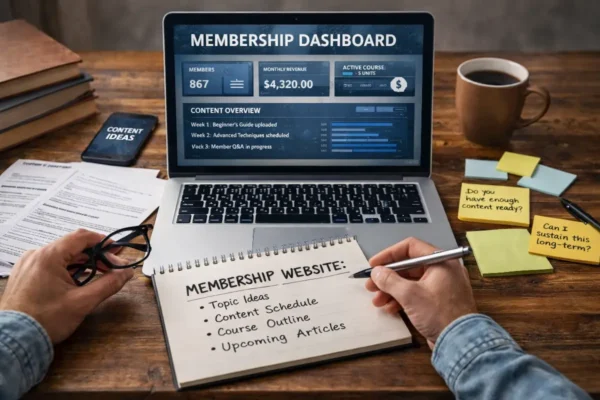
Thinking of launching a membership site? Learn the reality checks, content demands and signs you are truly ready.

Every few weeks someone calls with a story that sounds familiar.
A staff email was compromised. A Facebook page went missing. A payment gateway locked them out after “suspicious activity.” Each time, the owner says, “We thought our passwords were strong.”
They usually are. But passwords are fragile. They are only one piece of the lock. What keeps a business truly safe is two-factor authentication, or 2FA. It is the small extra step that stops an intruder even when a password leaks.
Two-factor authentication asks for something you know (your password) and something you have (a one-time code). That second step is what makes it powerful. Even if a password leaks, the code changes every thirty seconds and only your device can see it.
It is one of those rare security habits that is simple, free, and quietly effective. It takes less time to set up than brewing a coffee, and once it is on, you hardly notice it.

The trick is knowing where to begin.
We suggest turning it on for the accounts that hold the keys to everything else.
Email — your recovery path for every login.
Domain and hosting — where your website and email live.
Website admin — WordPress, Shopify or your CMS.
If your site runs on WordPress, it is worth adding 2FA for anyone who can make changes. Administrator, Editor or Store Manager accounts should all have 2FA switched on. You can do this easily with a plugin such as Wordfence Login Security, WP 2FA, or MiniOrange Two Factor Authentication. Each integrates with common authenticator apps and takes only a few minutes to configure. It is not needed for every user, but it is essential for those who manage content, orders or site settings.
Payments and banking — anything that handles transactions.
Those four cover the heart of your business. Once they are protected, you can add 2FA to social media, advertising and other tools you use every day.
Choose an authenticator app.
Microsoft Authenticator, Google Authenticator or Authy work well. Install one on your phone.
Turn on 2FA for your main account.
Go to the security page for your email provider, hosting or website, and look for “Two-Factor Authentication” or “Multi-Factor Authentication.” Scan the QR code with your app.
Save the backup codes.
Most systems give single-use codes for emergencies. Save them in your password manager or print and store them with your business records.
Repeat for your key accounts.
Once you do one, the rest are easier.
At first, it might feel like an extra step. After a week, it becomes automatic.
If you trust your device, most systems will not ask every time. Keep a second device or a hardware key registered so you are never locked out.
When someone leaves your team, remove their access the same day you disable their email. That single habit protects more than you can see.
A not-for-profit in Canberra reached out after a volunteer’s personal email was compromised. Their Facebook Page ownership sat with that volunteer’s profile. We helped them move it to Business Manager, turn on 2FA for the main admin account, and store the backup codes with their governance documents. It took less than an hour and they left knowing it would not happen again.
You can start right now.
Turn on 2FA for your email accounts
Add it to your domain and hosting logins
Protect your website admin account, including WordPress if you use it
Store backup codes safely
If you finish those four, you will have done more for your security than any complex software could.
Two-factor authentication is the simplest way to protect your business from the everyday risks of the internet. It keeps your digital keys in your hands.
If you would like a hand setting it up, Asporea Digital can help you add 2FA across your core accounts, record backup codes, and make sure everything is secure.
Contact Asporea Digital to book a 2FA setup session, or subscribe to Release Notes for practical website care you can do in under an hour.

Thinking of launching a membership site? Learn the reality checks, content demands and signs you are truly ready.

Startup advice from other startups can sound useful, but experience is what helps shape a clearer, stronger business early.

Jane Teresa Anderson is a dream analyst, author and mentor based in Tasmania. Her website, JaneTeresa.com, has long been home to her podcasts, books and
