
Blog

Maintaining Website resilience when EOFY distracts
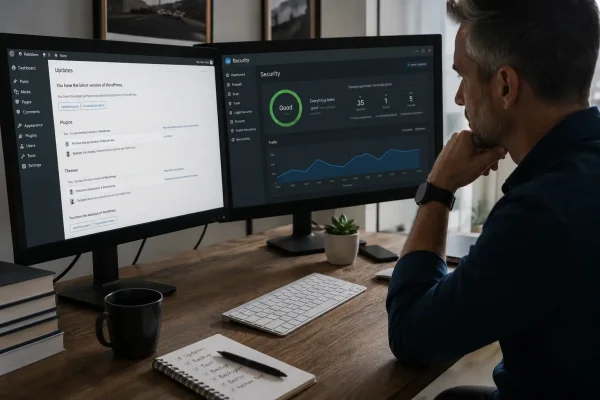
EOFY pressure? Build website resilience with WordPress updates, 2FA, offsite backups and a restore test so your site keeps selling.

Looking at website metrics is easy.
But it can all feel a bit like vanity if you’re not doing anything with the data. So what do you do next?
When you login to Google Analytics you see a few numbers, and you’re left with the same question: so what? What should I change on my website because of this?
Let’s look together at the action that sits between “I checked Google Analytics” and “my website got better this week”.
Because this is our one quick action, it’s deliberately small.
One page, one change, then you check again next week.

Let’s recap, before we start interpreting anything.
Using a notepad, write down three lines from Google Analytics in plain English.
Visitors: up, down, or steady
Top page: the page people viewed most
Intended action: happening, low, or not tracked
This turns your metrics into a something you can respond to.
A drop in visitors means fewer people reached your site this week. That’s the fact.
First, decide whether the drop is normal for your business. Some weeks are simply quieter, and there’s nothing to “fix”.
As yourself it it makes sense. If it doesn’t make sense, work through this in order:
Check the site was reachable (it loaded normally, no major outage).
Check tracking still works (Analytics is still connected and collecting data).
Tighten one page for search so it matches the phrase a real customer would type.
That third step is where SEO stops being black box. You’re not trying to rank for everything.
You’re making one important page clearer and easier for Google to understand, and easier for a human to choose.
When people arrive, and then nothing happens, it usually comes down to one of these two things:
Start with the page most people are landing on and make sure the action you want them to take is findable, clear and working.
Do this:
Obstacles are often niggly, but they matter: too many form fields, too many options, unclear wording, no reassurance, or a page that talks around the point instead of naming it plainly.
Pick one. Fix it.
Leave everything else alone for a week.
Sometimes Google Analytics reveals something mildly annoying: the page getting the most attention is not the page you’d send people to.
That page is still your front door for many visitors. Treat it like one.
Read the first screen only and ask four direct questions:
Now do one upgrade:
The goal is to make sure the page people see does its job properly.
If you can’t see outcomes, you’ll keep guessing. So decide what “working” means on your website. Choose one thing, not five.
Then make that outcome traceable. In Google Analytics this is called a ‘conversion’ and you can watch a short tutorial that will show you how to do this.
If the action ends on a thank you page or confirmation screen, that’s your tracking moment.
Once you can see it, you can improve it.
People can get stuck because they try to fix everything. Or they fix nothing because it feels too big.
So use this three step rule:
That is how website metrics become progress.
Visitors down: improve visibility.
Visitors steady, actions low: remove friction.
Top page unexpected: upgrade that page.
No actions tracked: track one outcome.
That’s it.

EOFY pressure? Build website resilience with WordPress updates, 2FA, offsite backups and a restore test so your site keeps selling.

Squarespace site not pulling its weight? A Tune Up can sharpen copy, layout, SEO and enquiry paths without starting again.
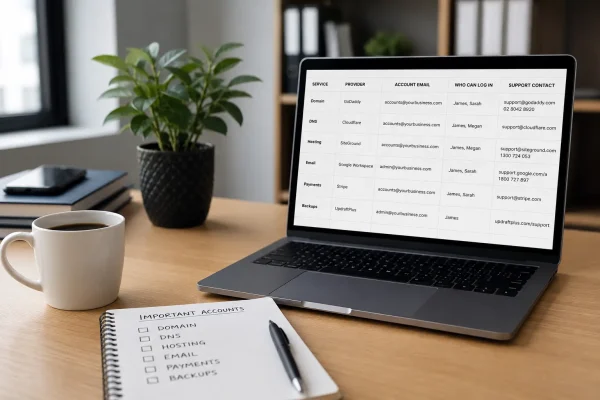
Stop scrambling when something breaks. Know who owns domain, DNS, hosting, email and payments, and keep access and support details in one place.
