

Blog

WordPress Security Basics Every Small Business Website Should Get Right
Practical WordPress security basics for Australian small businesses, covering logins, updates, backups, plugins, hosting and monitoring.

When any website goes live, nearly without fail, the owner will check for their website in Google.
They open Google, type their business name, and see it appear. Job done, apparently.
Or perhaps not.
Because that search only works for people who already know you… it’s not how new customers find you.
New customers start with a need, not a business name. They type the thing they want into search, and add a location if it matters.
SEO is not the dark art that many would have you believe.
The real test of SEO is to search like a customer, not a business owner.
When you do this, you’ll usually see one of three things:
It helps to think of these as a starting point, not a criticism of effort. It’s a clear picture of what Google currently understands about your site.
Just what appears on the screen when a stranger searches, and whether it makes enough sense for them to click.
And that, in plain English, is SEO.
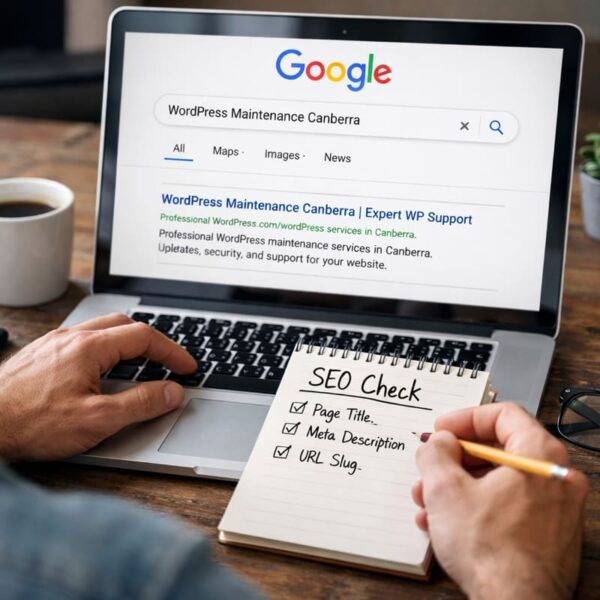
Think about one service you provide to customers.
Open Google and search for that service and your location, using the words you’d expect a customer to use when they search for you.
If you serve a local area, include the city or suburb. If you sell online, use the product or category people would shop for.
Then look for your website result and how far down it appears in the search results.
If you do appear, read your listing as if you’ve never heard of you.
If you don’t appear, that’s still useful. It means your website is not doing much heavy lifting in search right now, and you can stop guessing and start fixing the basics.
Google wants to be the #1 in search, which means being able to deliver the right search results.
Put simply, the whole reason Google search exists is to get a user to find the most relevant page for the search term they enter.
Google is trying to match a search to the best page, not necessarily to your business.
That’s why your homepage often struggles.
Someone searching “WordPress maintenance Canberra” does not want to land on a homepage that makes them hunt for the answer. They want a page that is plainly about WordPress maintenance in Canberra, with enough information to feel confident they’re in the right place.
To make SEO work for you, your site must have pages that match the terms people are using to find you.
Not every term, just the important ones.
This could be different depending on the size and location/s of your business.
An air-conditioning installer business might need a clear page for its installation service, and another for the after installation support and service.
A fast food business with different locations might need a page for each location.
A business that sells product, needs SEO considered for botht heir category pages, as well as their individual product pages.
All of this is not some magic formula to gamify your relationship with Google to get better results, it’s about helping Google understand more about you and what you do (so that Google can present the most relevant search results to it’s users).
Pick one search you care about. The one that would genuinely bring you good enquiries or good customers.
Now ask yourself, honestly: which page on my site should show up for that search.
If your conclusion is “I don’t really have a page for that”, you’ve found an SEO problem. The fix is creating a page that matches the search, with the right keywords and content that makes it really relevant.
If you do have the right page, the next step is to make sure WordPress is presenting it clearly, because Google often builds your search listing from what WordPress gives it. Fixing keywords, excerpts and building in structured headings can all help.
The search result a customer sees is mostly made up of three key elements: The title, the description and the slug.
The title is that clickable line you see linked in your search results. If that title says something generic like “Home”, you’re honestly wasting your best real estate. The best title you can have is direct and precise. It can be as simple as the service, the location, and your name.
The next go-to is the short description underneath. This is where people assess what you do, who it’s for and what happens next. Google does not always use the description you write, sometimes it pulls a line from the page instead, but giving it a strong description still helps because it gives Google a clean option and it improves previews in other places. Sometimes you need to turn on your WordPress excerpt field to define this description for your pages and posts.
Not every site uses excerpts well, but when it does, it influences summaries across your site and sometimes what gets pulled into previews. Think of it as the short paragraph you’d want a stranger to read if they only read one.
Third is the slug. In most cases your slug is the bit of the page’s web address after your domain name. If you have clean slugs like “wordpress-maintenance-canberra” it reassures humans and search engines like Google, that the page is exactly what it claims to be.
If you’re using an SEO plugin like Yoast, you have specific places to define the title and description properly. If you’re not using a plugin, you can still do most of this by being careful with page titles, headings, excerpts and slugs. Using a plugin like Yoast just makes the “what Google gets” part easier to control.
Tags and categories are mainly for organising blog posts. They help humans browse. They can help your site feel tidy if you publish regularly because it allows people to click a tag and see all relevant posts on that specific topic. Keywords and tags are not a substitute for a clear service page that matches what people search.
Use them if they help you stay organised. Don’t rely on them to do the job of proper pages.
Stuffing “meta keywords” is actually going to hinder rather than help. Google is hot on the tail of anyone who does that.
It is old thinking and not how modern search works.
Here’s what some people overlook.
You can have a good business and a decent website, and still look vague on Google.
When people are trying to choose between you and fifteen competitors what won’t win them over is vague language that could describe anyone. Language like “Tailored solutions”, “quality outcomes”, “trusted service” doesn’t say anything. It may sound professional but it doesn’t reflect who you are or the value you can deliver.
Crucially it doesn’t match what people type into Google.
Google can’t confidently connect it to “WordPress maintenance Canberra” or “cake shop Kingston” because the straight-shooting words aren’t there.
Meanwhile your competitor will show up because their page is clearer, not because they’re necessarily better.
SEO is about clarity and structure.
It’s easier to think about SEO as a website-improvement journey rather than a task. Start with a search phrase you care about, and find or build a page that matches that phrase.
On your page make these things true:
1) Your opening page title says what it is about
2) The page title and slug make sense to a stranger
3) The excerpt reads like a person wrote it for another human being.
That’s the basis of SEO and it is the fastest way to ensure your website stops feeling vague, and starts bringing you customers who need your business.
Do a Google search now, not on your business name, but what you sell.

Practical WordPress security basics for Australian small businesses, covering logins, updates, backups, plugins, hosting and monitoring.
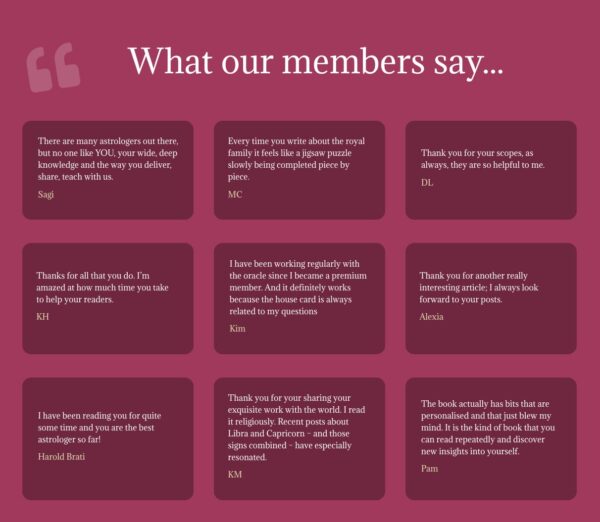
Long-term online success depends on visible trust. See how an established astrology membership site improved conversions by showing real proof and credibility with help from
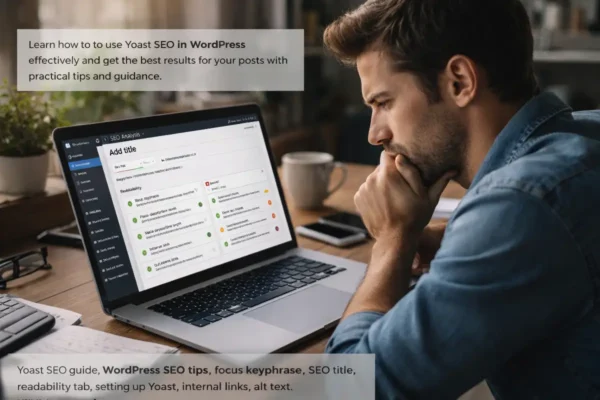
A practical Yoast SEO guide for WordPress users who want clearer posts, stronger search signals and better Google results.
