
Blog

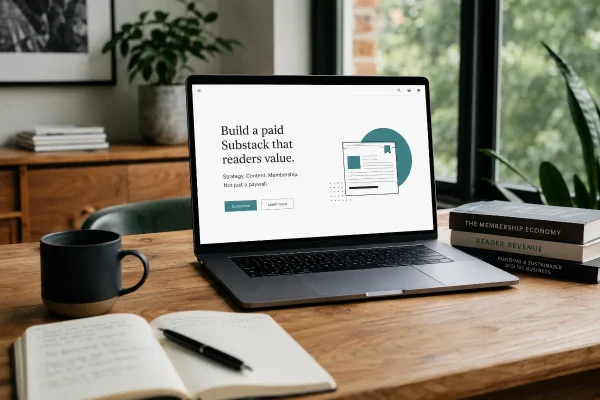
Before You Monetise Your Substack, Get the Content Strategy Right
Substack is easy to launch, but paid publishing needs strategy. Shape the content, offer and member journey before adding a paywall.

WordPress is a secure platform, but it still needs regular care. Most website security problems do not start with a highly technical attack. They usually start with something ordinary: an old plugin, a weak password, a forgotten admin account, or a contact form being hammered by spam.
For a small business, the website is often tied directly to enquiries, bookings, sales, or reputation. If it goes down, gets blacklisted, or starts sending visitors to the wrong place, it becomes more than a technical problem.
Good WordPress security is not about making the site hard to use. It is about removing obvious risks and keeping the basics under control.
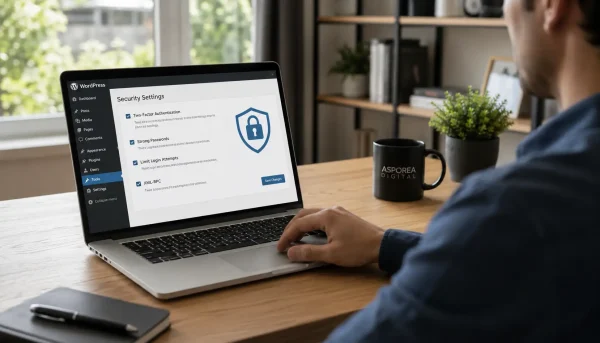
Weak passwords remain one of the easiest ways into a WordPress website. The issue is not always that the password is simple. Often it is reused.
A password used for WordPress may also have been used for email, social media, an old supplier account, or a service that was later caught in a data breach. Once that password is known, automated tools can try it across thousands of websites.
Avoid passwords based on your business name, suburb, year, or anything visible on your website. A password like Canberra2026! looks stronger than it really is because it follows a common pattern.
Use a password manager and create long, unique passwords for WordPress, hosting, email, and other important services. That one change removes a lot of unnecessary risk.
Two factor authentication is also worth enabling, especially for administrator accounts. If someone gets hold of a password, they still need the second code or approval method to log in. It is a simple layer, but a useful one.
Many business websites have more administrator accounts than they need.
A developer may have created one during a rebuild. A marketing contractor may have been given access for a short campaign. A staff member may have left the business, but their account is still sitting there.
Every administrator account is another possible security issue.
The cleaner approach is to give people the access they actually need. A copywriter does not usually need administrator access. Someone updating blog articles may only need an editor role. A business owner should not have three unused admin accounts because nobody remembers which one is current.
This is important.
WordPress can expose useful clues through usernames, author pages, page slugs, plugin paths, old test pages, and staging links.
For example, an author page such as /author/james/ may reveal a valid username. That gives an attacker part of the login puzzle before they have done any real work.
This does not mean your website needs to become secretive or difficult to manage. It just means cleaning up what does not need to be public. Use display names that are different from login usernames. Remove old test content. Avoid obvious staging links. Check whether author archives are exposing information that has no business value.
Small details like this do not replace stronger security, but they reduce easy targets.
Outdated plugins are a common source of WordPress security problems. So are rushed updates.
Clicking “update everything” without checking the site afterwards can break layouts, forms, payment tools, booking systems, membership areas, or custom functionality. That is especially true for older websites or sites that have been changed by several developers over time.
A better approach is to back up the site first, run updates regularly, then check the parts of the website that matter. For a local service business, that usually means enquiry forms, phone links, key landing pages, quote forms, and any booking or payment steps.
Plugin choice also matters. A poorly maintained plugin can become a liability. If a plugin is no longer used, remove it properly rather than leaving it inactive on the site.
Security is not only about the WordPress login. Contact forms, enquiry forms, newsletter sign-ups, booking forms, and comment areas are common targets for spam bots.
A contact form filled with junk is annoying. A form that silently fails is worse, because the business may not realise enquiries are being lost.
Good form protection should reduce spam without making genuine customers work too hard. Heavy-handed CAPTCHA settings can stop bots, but they can also frustrate real users. The right setup depends on how the form is used and how much spam the site attracts.
For service businesses, enquiry forms often carry the commercial weight of the website. They deserve proper testing and monitoring.
A backup is only useful if it can be restored.
Many website owners assume they are protected because a backup plugin is installed. That is not enough. The backup needs to include the right files and database, be stored somewhere separate from the website, and have enough restore points to recover from a problem.
The timing matters too. A simple brochure website may be fine with daily backups. A WooCommerce store, booking site, membership site, or course platform may need more frequent backups because the content and customer data change during the day.
Here’s a practical test: if the site broke this afternoon, how much data would you lose, and how quickly could it be restored?
Cheap hosting can become expensive when something goes wrong.
A business WordPress website needs hosting that is maintained properly, performs well for Australian visitors, supports SSL, includes sensible backup options, and gives you access to support when needed.
Security and performance are connected. A slow or overloaded server makes updates harder, increases the chance of timeouts, and can create avoidable maintenance problems.
Websites should always load quickly for local visitors and be backed by hosting that takes WordPress seriously.
You do not need to stare at your website every day, but someone should be paying attention.
Monitoring can show when the site is offline, when malware is detected, when updates are overdue, or when forms stop working. These small alerts help catch problems early.
A hacked website that has been infected for weeks is harder to clean than one where the issue is found quickly. The same applies to broken forms, failed backups, and expired licences.
Asporea Digital helps small businesses keep WordPress websites secure, maintained, and working properly.
That might include reviewing administrator access, setting up two factor authentication, cleaning up old accounts and exposed usernames, checking plugins, improving backups, configuring security tools, reviewing hosting, and monitoring the website over time.
The aim is practical protection. The right maintenance rhythm for a business website that needs to stay online and keep generating enquiries.
Start with the security basics: stronger passwords, fewer administrator accounts, two factor authentication, regular updates, and proper backups.
Once those are in place, review the less obvious issues such as exposed usernames, risky plugins, form protection, hosting quality, and monitoring.
Security does not need to become a major project, but it does need regular attention.
For help securing and maintaining your WordPress website, contact Asporea Digital, supporting small businesses across Canberra, Queanbeyan, Googong and the region.

Substack is easy to launch, but paid publishing needs strategy. Shape the content, offer and member journey before adding a paywall.
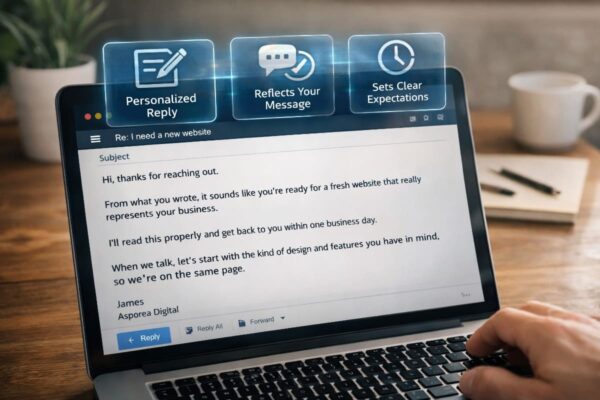
Stop getting silence after you hit send. Use an AI Assisted Automated Response that reflects the enquiry and buys time properly.

Your product page should work like a quiet salesperson that builds trust and converts visitors into buyers. Learn how to write a page that sells
