

Blog

Web Experience Matters for Growing an Online Business
Asporea Digital builds websites that do more than look good, with strategy, custom solutions and nearly 30 years of experience.

TL;DR:
- Many Queanbeyan small businesses mistakenly believe WordPress support involves only basic updates each month. Professional support includes security hardening, tested backups, uptime monitoring, and urgent incident response to protect your online reputation. Choosing a provider with clear testing, fixed pricing, and emergency support ensures your site remains reliable and business-ready long-term.
Many Queanbeyan small business owners assume WordPress support is little more than clicking “update all” once a month. It is not. WordPress support Queanbeyan professionals understand that a live website carrying your business reputation needs security hardening, tested backups, uptime monitoring, and a clear plan for when things go wrong. This guide walks you through exactly what professional support covers, how to compare your options, what to do in an emergency, and how to choose a provider who will protect your site and your business credibility for the long term.
| Point | Details |
|---|---|
| WordPress support is comprehensive | Professional support includes updates, security, backups, monitoring, and emergency fix services beyond simple plugin updates. |
| Pricing varies by site needs | Small business WordPress support plans in Australia commonly range from $100 to $700 monthly depending on features and site complexity. |
| Backups must be tested | Daily backups with quarterly restore tests ensure your site can be reliably recovered when things go wrong. |
| Emergency workflow is critical | Fixing a downed site involves verifying outages, inspecting logs, and using WordPress recovery mode for targeted troubleshooting. |
| Choose support wisely | Select providers who use staging for updates, test backups regularly, and offer clear, prompt support to avoid costly downtime. |
Your WordPress site is not a static brochure. It is a living system that interacts with plugins, themes, databases, and a hosting environment that changes constantly. WordPress maintenance is an ongoing operational layer that combines staged testing of updates, security controls, backup readiness, uptime monitoring, and incident response. Miss any one of those and you are exposed.
For a Queanbeyan business, a website outage is not just an inconvenience. It is a missed booking, a lost enquiry, or a potential customer who quietly chose someone else. The reputational cost often outlasts the downtime itself.
Here is what genuine ongoing support covers:
Pro Tip: Ask any support provider whether they test updates on a staging site before pushing changes live. If they do not have a clear answer, that is a warning sign worth taking seriously.
Learning how to secure your WordPress site is a practical starting point, but ongoing professional support is what keeps those protections current and effective over time.
Not every support plan is equal, and the price difference between tiers reflects real differences in what you receive. WordPress maintenance pricing for small business sites in Australia typically starts around AUD $100 to $500 per month, with higher tiers for more complex needs.
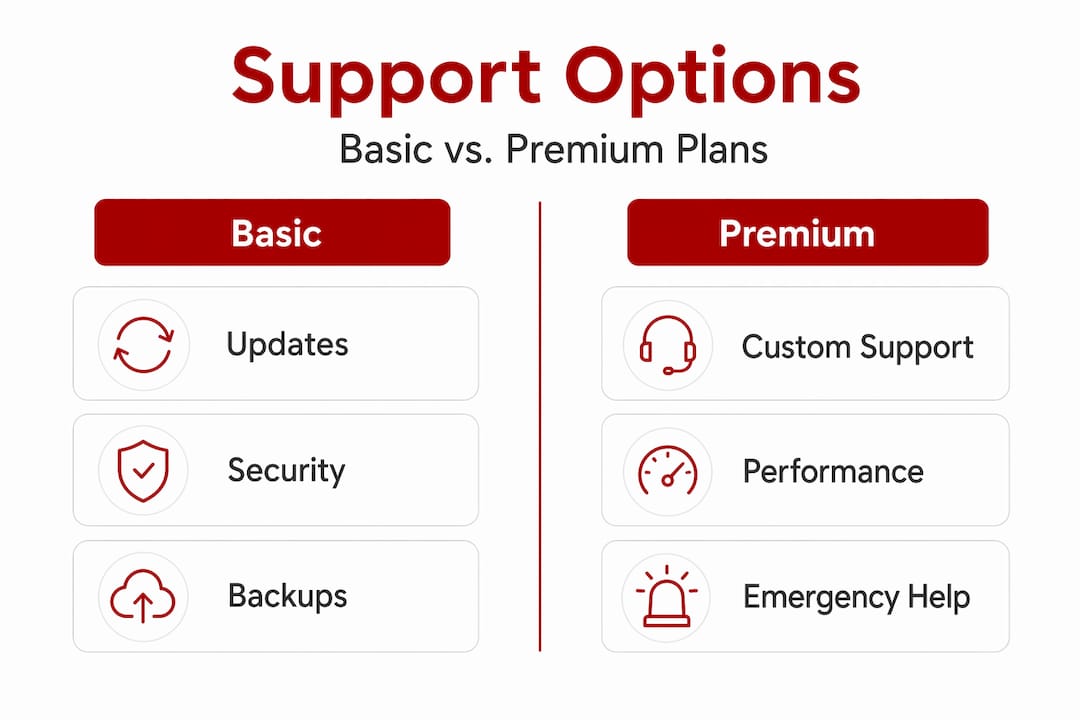
Here is a general breakdown of what different price bands include:
| Plan level | Typical monthly cost | What is usually included |
|---|---|---|
| Basic | $100 to $200 | Plugin and core updates, daily backups, uptime monitoring |
| Standard | $200 to $400 | All basic features plus security scanning, performance checks, priority support |
| Advanced | $400 to $700+ | All standard features plus staging environment, WooCommerce support, emergency response |
A few things worth knowing as you compare plans:
Reviewing Australian WordPress support pricing in more detail will help you understand exactly what you should be asking for at each price point before you commit to a provider.
Even well-maintained sites can run into trouble. A plugin update conflicts with your theme, a server configuration changes, or a security incident takes the site offline. Knowing the correct first steps saves you time and prevents well-meaning fixes from making things worse.
Follow these steps when your site goes down:
andWP_DEBUG_LOG` to your wp-config.php file, then check wp-content/debug.log and your server error logs. Most outages leave a clear trace.Pro Tip: Keep a record of the last plugin updated before the outage. It is almost always the starting point for diagnosis, and it saves your support provider significant time.
For businesses in the region, dedicated WordPress emergency fixes can get your site back online quickly, with clear communication throughout rather than leaving you in the dark.
A backup you have never tested is a promise you have never verified. Many businesses discover their backup system was misconfigured only at the moment they need it most. That is too late.
Daily backups combined with quarterly restore testing is best practice, and it is the standard you should expect from any provider you trust with your site. Here is what a solid backup process looks like:
Managing this yourself is possible but time-consuming. A professional support plan handles the entire cycle for you, so you can be confident your data is protected without needing to check it manually each week.
Reviewing your WordPress backup and restore process is a practical first step, and one that is often overlooked until after a problem occurs.
The right provider does not just keep your site running. They treat your website as a business asset and make decisions accordingly. Before you sign anything, verify the following.
| What to check | Why it matters |
|---|---|
| Staging environment in use | Confirms updates are tested before going live |
| Backup frequency and testing schedule | Verifies your data can actually be recovered |
| Response time SLA for emergencies | Sets clear expectations when something breaks |
| Fixed versus hourly pricing | Protects your budget from unpredictable bills |
| Local knowledge and communication style | Ensures you get clear answers, not jargon |
When assessing providers, ask them to explain their change control process including staging environments, backups, and rollback plans before updates. A provider who cannot explain this clearly likely does not have a consistent process in place.
Also confirm that restore testing is part of their routine, not something they do only when a client asks. Providers who skip this step are often the ones whose clients discover backup failures at the worst possible time.
Here is a quick checklist to bring to any provider conversation:
For a broader look at how to evaluate your options, the website support guide for Canberra small businesses covers the full decision-making process in practical terms.
Pro Tip: A provider who offers a free initial audit of your current site setup is showing you something important: they are prepared to understand your situation before charging you, which is a good indicator of how they will treat you as a client.
Here is an honest observation from working with small businesses across the region. The business owners who call in a panic after their site goes down usually had some version of the same story. They thought updating plugins was manageable on their own. They did it without a backup. One update caused a conflict and the site went blank on a Friday afternoon.
The problem is not carelessness. The problem is that WordPress looks deceptively simple from the outside. WordPress sites typically run 20 to 30 plugins that each require compatibility checks, and skipping staging or backups can cause outages and lost sales. When you update five plugins at once on a live site without testing, you are not saving time. You are borrowing trouble.
There is also a subtler cost that rarely gets discussed. A site that goes down during business hours does not just lose the sale in that moment. It signals unreliability to anyone who visits during the outage, and that impression lingers. Customers who find a broken site often do not come back to check again. They simply move on.
Professional managed support does more than prevent disasters. It keeps your site performing well between crises. Load times, security alerts, broken links, and plugin conflicts are all caught and resolved before they affect a single customer. That steady, behind-the-scenes reliability is what turns a website from a cost into a genuine business asset.
If you are currently handling WordPress management yourself, reviewing what goes into building and maintaining a WordPress site for a Canberra business will give you a clearer picture of how much is actually involved and where the gaps in a DIY approach tend to appear.
Your WordPress site works hardest for your business when someone qualified is looking after it consistently. Asporea Digital provides complete WordPress support plans for Queanbeyan and Canberra small businesses, covering updates, security, backups, performance, and emergency response under fixed monthly pricing. There are no surprise bills and no being passed between different providers.

Whether you need a WordPress digital marketing growth plan to bring in more local enquiries, a full review of your current setup through a Canberra small business website support guide, or a modern website design that builds credibility from the first visit, Asporea Digital can help you move forward with confidence. Reach out today to talk through what your site actually needs.
Professional WordPress maintenance includes updates, security scanning, backups, uptime monitoring, performance checks, and emergency troubleshooting. The exact scope varies by plan, so confirm each element in writing before you commit.
WordPress maintenance pricing typically ranges from AUD $100 to $700 per month for small business sites, with WooCommerce and more complex setups sitting at the higher end of that range.
Confirm the outage externally, check your error logs, and use the WordPress recovery mode email link to safely isolate the faulty plugin or theme before making any other changes.
Daily backups plus quarterly restore testing is the accepted best practice, ensuring your backup files are complete and that your site can actually be recovered reliably when needed.
Staging environments let you validate updates on a private copy of your site first, so plugin conflicts or incompatible changes are caught before they affect your live site and your customers.

Asporea Digital builds websites that do more than look good, with strategy, custom solutions and nearly 30 years of experience.

A writer’s website builds credibility before the book deal. Build your writer website to intentionally to grow with your audience.

Buying a domain is only step one. This plain English guide explains hosting, why builders like Wix can become limiting, and the smarter way to
