

Blog

What an Easy Checkout Feels Like for Your Customers
Keep your checkout fast, simple and reassuring so every click counts. A practical guide for Australian small businesses

Squarespace sells speed. Pick a template, add your text, upload your images, connect your domain and publish.
When you are starting a business, that can feel like the sensible move. Your site looks polished, the monthly fee is clear, and you avoid a larger upfront design cost. For a very simple website, that may be enough.
If you only need a basic portfolio, side project or one-page presence, Squarespace can do the job. The problem is that most businesses need more than that. When your website needs to bring in enquiries, support your marketing or grow with your business, that’s when you really need to consider other options.
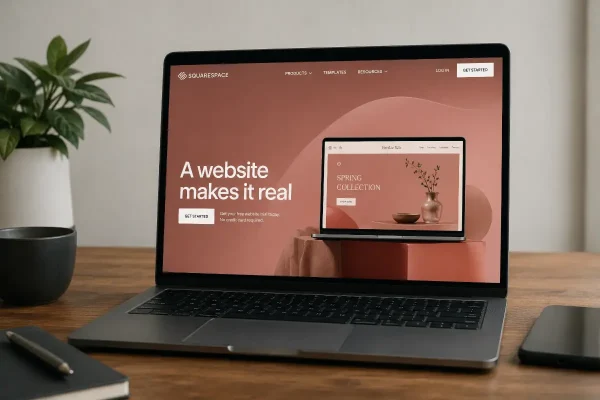
Your website needs to explain what you do, why it matters, who you help and what someone should do next. It needs service pages that are clear enough for your customers and structured enough for Google. It needs contact forms that work, tracking that makes sense, and room to add content as your business changes.
A DIY Squarespace site can be finished but still be comercially weak.
The design is tidy, but the pages are thin. You have a website, but not a strong marketing asset.
Squarespace’s current website plans are Basic, Core, Plus and Advanced. Features vary by plan, including commerce tools, transaction fees, digital product fees, video storage and payment features. The Basic plan has a 2% commerce transaction fee and a 7% digital product fee. Higher plans reduce or remove some of those platform fees, depending on what you sell.
The plan price is only the start.
A realistic DIY Squarespace site might start with a subscription of about $300 to $800 a year, depending on the plan, billing cycle and currency conversion.
Then come the other costs.
Your domain may add $20 to $60 a year after any first-year inclusion. Business email might add $100 to $250 per user per year. Scheduling, email marketing, paid extensions, stock images, premium templates, forms, analytics tools or booking software can add another $200 to $1,500 or more each year.
That means your DIY Squarespace site can quickly move from a few hundred dollars to $700 to $2,500 in first-year cash cost, before counting your own time.
That figure still assumes you do the strategy, writing, image selection, SEO setup and troubleshooting yourself.
You can easily spend 40 to 80 hours building a DIY website. That opportunity cost (the cost of actually doing paid work) includes writing pages, choosing images, adjusting layouts, checking the mobile version, setting up forms, connecting the domain, learning the editor and dealing with small problems that take longer than expected.
At $100 per hour, that time is worth $4,000 to $8,000.
At $150 per hour, it is worth $6,000 to $12,000.
That time does not appear on the invoice, but it still comes from somewhere. If you are a consultant, trade business owner, clinic owner, creative studio owner or professional service provider, those hours usually come from billable work, sales follow-up, admin catch-up or your weekends.
Your DIY Squarespace site can therefore carry a first-year business cost of $4,700 to $14,500, once cash spend and your time are combined.
That is a very different cost from the subscription price.
Squarespace can be a good choice when your website only needs to prove your business exists.
For a simple brochure site, early-stage idea or small portfolio, it may be enough. You get online quickly, avoid a bigger upfront investment and have a clean-looking website.
That is the right use case.
The problems start when your website needs to play a bigger part in attracting sales and selling your products and services.
As your business grows, your website usually needs more than a homepage, about page and contact page.
You may need separate pages for each service, location, industry or customer type. You may need campaign landing pages, email capture, booking tools, ecommerce, digital products, client resources, online courses, CRM integration, stronger analytics or more control over SEO.
Some of this can be done in Squarespace, but a higher costs. Some of it needs another paid tool. Some of it becomes a workaround.
That is where the platform can start to feel restrictive. When your business changes, but your website does not flex with that change.
Inflexibility is rarely obvious on day one when you just need to get the ‘new website’ ticked-off your to-do list.
You discover it after you’ve significantly invested in your site: At the point your site has content, customers, enquiry forms, blog posts, service pages and links pointing to it. By then, you have already spent time learning the platform and shaping your website around its limits.
You may need stronger SEO, lead magnets or course content. You may want better product filtering, shipping rules, abandoned cart emails or reporting. You may want custom landing pages, faster performance or better integration with other systems.
On Squarespace, you can only go as far as the platform allows. If the feature works the way you need, fine. If it does not, your options are limited: compromise, add another tool, or the cost of rebuild somewhere else on a more flexible platform.
That is the real inflexibility cost.
It is not just technical. It is the cost of delay, workarounds, duplicated effort and eventually moving a website that has already become part of your business.
WordPress is not effortless. Of course, it needs proper setup, hosting, updates, security and care. But it gives your business more options.
Your WordPress site can be built around your business structure, not around a template system. It can support detailed service pages, local SEO pages, landing pages, advanced forms, ecommerce, bookings, memberships, learning content, integrations and more flexible content layouts.
You are not limited to the Squarespace feature set.
That matters when your want to ramp up your marketing activity.
For a small business, a professionally designed WordPress website is usually made up of several costs: the initial design and build, hosting, security, backups, software updates, plugin licences, small improvements and occasional support.
A well-planned service business website might cost $4,000 to $8,000 upfront, then $100 to $250 per month for ongoing care.
Over five years, that puts your total investment at roughly $10,000 to $20,000, depending on the size of your site and the level of support included.
For example, a $6,000 website build plus $180 per month for hosting, maintenance, backups, security monitoring, updates and support comes to $16,800 over five years.
Spread across the full period, that is $280 per month.
That is more than the Squarespace subscription. It includes the work most small business owners do not want to handle themselves: technical upkeep, platform management, updates, troubleshooting, support and small improvements over time.
It is not just the cost of having a website. It is the cost of keeping your business website working properly.
A professionally designed WordPress site costs more at the start because more decisions are made before launch.
Your services are structured properly. Your pages are planned around how customers search and decide. Your site is built with future content in mind. Forms, tracking, technical setup and navigation are handled with your business model in view.
That work is easy to underestimate until it is missing.
A cheaper website is not cheaper if it fails to bring in the right enquiries. A site with thin service pages, vague messaging and poor search structure may cost less to launch, but it can quietly limit your business for years.
You save money upfront, then pay through fewer enquiries, weaker visibility, poor conversion and an earlier rebuild.
Squarespace often looks cheaper because more of the work is pushed onto you.
WordPress often looks more expensive because the costs are visible: design, development, hosting, maintenance and support.
That visibility can feel uncomfortable, but it is usually more honest. You know what you are paying for. You are not quietly absorbing the cost through lost time, workarounds and platform limits.
For a simple website, Squarespace may still be the right choice.
For a business that relies on trust, local search, service pages and lead generation, WordPress is usually the stronger long-term investment.
Squarespace suits you if you need a clean, simple website and are comfortable staying inside a controlled platform. It can be useful when your budget is tight, speed matters and your website does not need to do much heavy lifting.
WordPress suits you if your website is part of your marketing and sales. It is the stronger option when you need better SEO foundations, clearer service pages, flexible content, integrations, lead generation, ecommerce or room to grow.
The risk with DIY Squarespace is not that you will fail to produce a website. You probably will.
The risk is that your website looks finished before it is useful enough.
Asporea Digital designs WordPress websites for businesses across the region, including Canberra, Queanbeyan, Googong and surrounding areas.
We build sites with clearer structure, stronger service pages and room to grow, so your website does not become something your business has to work around later.

Keep your checkout fast, simple and reassuring so every click counts. A practical guide for Australian small businesses

A writer’s website builds credibility before the book deal. Build your writer website to intentionally to grow with your audience.

Know exactly what’s included in a professional website build, what costs extra, and how to avoid surprise fees, and vague promises.
