

Blog

Stop Sending Customers to Social Media
Stop leaking visitors to social media. Make your website hold attention, build confidence, and guide people to enquire, book, or buy.

EOFY adds additional workload and distraction for small business owners.
Tax work sits there in the background, some businesses are doing stocktakes, and clients push last minute requests because they want things wrapped up before 30 June. The website ends up in the middle of it. A quick change. A new page. A plugin to solve something fast. An update because the warning is annoying.
If you are changing anything this month, your task is simple: make sure the site keeps working, and make sure you can recover quickly if it doesn’t.
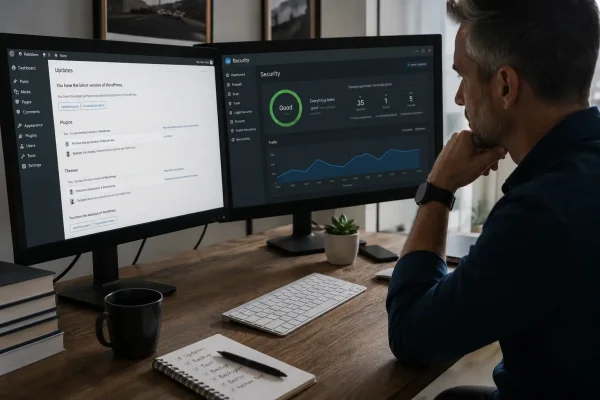
Update WordPress core, plugins, and your theme on a regular cadence. Don’t let updates stack up for months, then clear them in one hit when you’re already flat out.
Before you update, take a restore point. After the update, check the parts of the site that matter. Submit your main contact form. Run through your booking flow if you have one. If you sell online, do a test checkout. You’re not testing every page, you’re checking the paths that keep the business moving.
Also, remove anything you’re not using. Old plugins aren’t harmless. They’re extra code sitting on your site, and they’re one of the easiest ways for trouble to creep in.
Busy months are when logins get shared and old accounts get reused. Someone needs to access WordPress “just once”. You need a hosting invoice. A DNS tweak becomes urgent. Under pressure, it’s easy to do whatever works and move on.
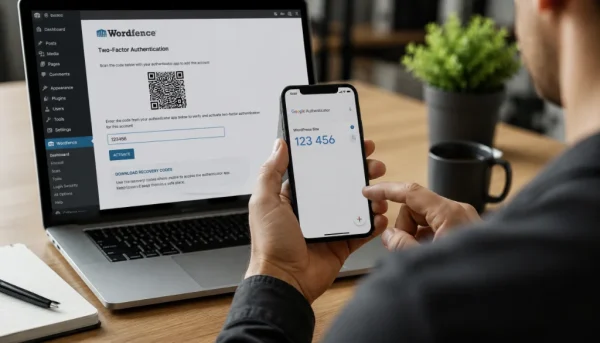
Build better website resilience by implementing two factor authentication on the logins that matter:
Start with WordPress admin accounts. Then cover hosting, your domain and DNS provider, and payment gateway admin accounts if you run a store.
Once 2FA is on, cut admin access back to the minimum. Admin should be rare. Most people don’t need it, and you don’t want extra admin users hanging around after the job is done.
Read our Wordfence 2FA setup guide
A basic brochure site that rarely changes can often tolerate daily backups.
A store usually can’t.
Ecommerce sites change constantly: orders, customer accounts, stock, refunds, fulfilment updates. If you restore to yesterday, you can lose real transactions and spend hours reconciling what’s missing.
If you run ecommerce, aim for real time or near real time backups, or at minimum frequent snapshots that keep data loss small. And make sure backups are stored off site. If your backups sit on the same server as the website, you don’t have website resilience, you have a single point of failure.
Most businesses can say “we have backups”. Far fewer can say “we tested a restore and it worked”.
Do one restore test to a staging website. Log in. Check the key functions. Submit a form. Complete a booking. Run a test checkout for a store. Time how long it takes from “we need to restore” to “it’s working again”.
If restoring takes longer than you expected, or you don’t know where the backups are, you’ve just found the real problem. Building in website resilience is about fixing problems while you have time, not when you’re stretched.
If you want the short version, follow this order when you’re working under EOFY pressure.
Turn on 2FA first. Reduce admin access. Take a restore point. Update WordPress. Test the critical functions. Confirm backups are off site. Then do one restore test to staging if you haven’t done one in a while.
That sequence keeps your site from becoming another EOFY drama, and it means you can say yes to last minute requests without rolling the dice.

Stop leaking visitors to social media. Make your website hold attention, build confidence, and guide people to enquire, book, or buy.
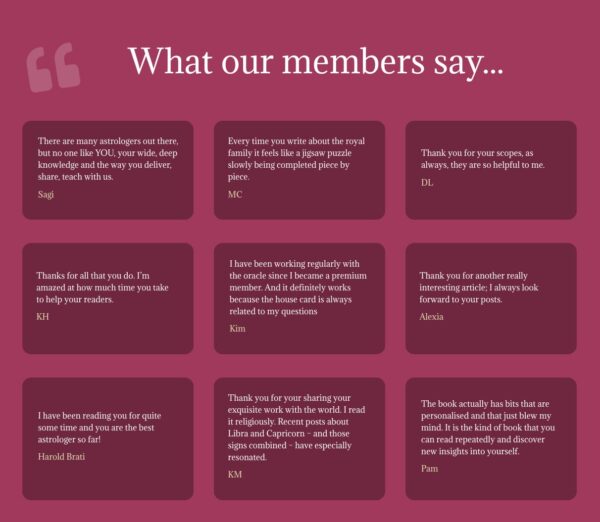
Long-term online success depends on visible trust. See how an established astrology membership site improved conversions by showing real proof and credibility with help from

Fix your newsletter signup fast. A 2 minute reader test that makes your promise clearer, builds trust, and helps your list grow.
