

Blog

Why Author Websites Matter More Than Ever
Why authors need a website to build credibility, showcase books, grow readers and create a professional online presence.

Website uptime is the percentage of time a website is accessible and fully functioning for visitors, calculated as ((Total Time minus Downtime) divided by Total Time) multiplied by 100. For small business owners, this single metric determines whether customers can find you, trust you, and buy from you. Tools like UptimeRobot, Uptrends, and Visual Sentinel exist precisely because most business owners never know their site is down until a customer tells them. Understanding what is website uptime is the first step toward protecting the online presence you have worked hard to build.
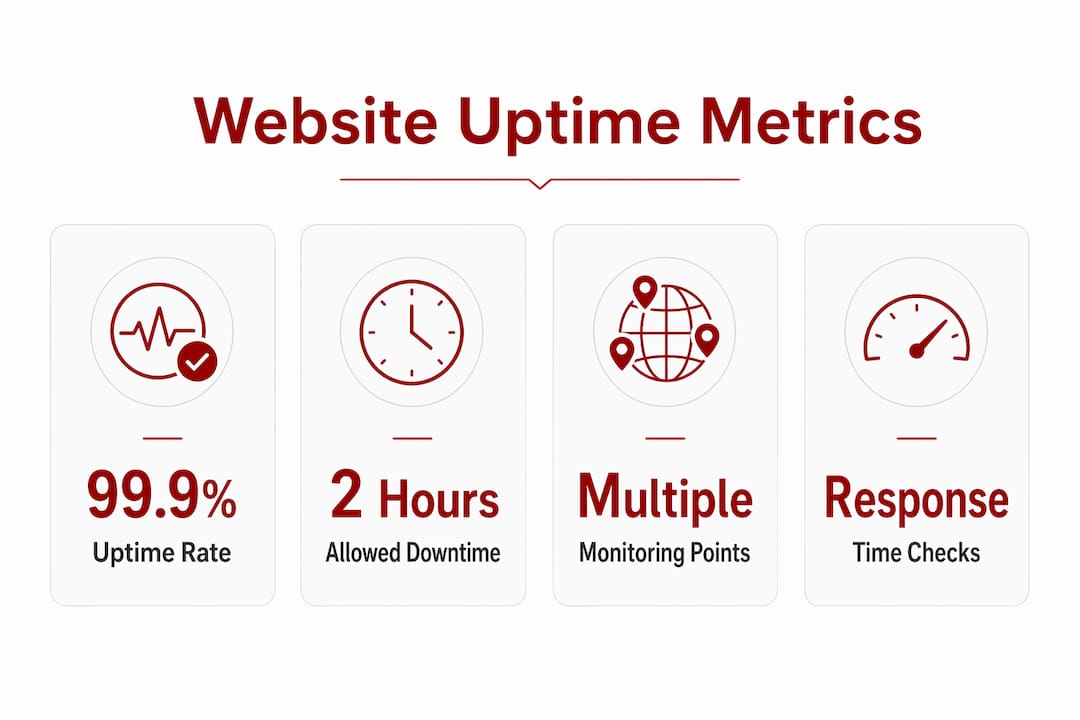
Website uptime is expressed as a percentage of total time a site remains reachable and operational. The industry shorthand for uptime targets is “nines.” Each additional nine reduces your allowed downtime by an order of magnitude.
The practical difference between these tiers is significant:
Most shared hosting providers advertise 99.9% uptime. That sounds reassuring until you realise it still permits nearly nine hours offline annually. For a Canberra trade business or allied health practice that relies on online bookings, nine hours of downtime is not a minor inconvenience. It is lost revenue and missed appointments.
The uptime calculation itself is straightforward. If your site was down for 2 hours in a 30-day month (720 hours total), your uptime is ((720 minus 2) divided by 720) multiplied by 100, which equals 99.72%. Monitoring tools like UptimeRobot and Uptrends run this calculation automatically and present it in a dashboard you can check at any time.
Downtime costs small businesses more than most owners expect. The obvious loss is direct revenue: a customer visits your site, finds it unavailable, and goes to a competitor. The less obvious costs are just as damaging.

Downtime costs extend beyond lost sales to wasted paid media spend, damaged brand trust, and time spent handling complaints. If you are running Google Ads or a Facebook campaign when your site goes down, you are paying for clicks that lead nowhere. Every dollar spent on advertising during an outage is wasted.
The reputational damage compounds over time. Customers often leave a brand after 2–3 negative downtime experiences. A single outage may be forgiven. Repeated ones signal unreliability, and that perception is difficult to reverse.
Search rankings are also at risk. Outages cause ranking fluctuations lasting 1–3 weeks after restoration. Google may drop pages from its index after persistent errors over several days. For a small business that depends on local search visibility, a two-week ranking drop can mean a significant reduction in enquiries during that period.
“Fast detection matters more than perfect uptime. Without monitoring, the average business discovers an outage through customer complaints, often hours after it began. With monitoring, the same outage is detected within minutes.”
Pro Tip: Set up uptime alerts before you need them. Waiting until a customer reports a problem means the damage is already done.
The hidden cost that catches most small business owners off guard is the time spent recovering. Diagnosing the cause of an outage, contacting a hosting provider, and restoring normal function can consume hours of your working day. That time has a real cost, even if it does not appear on an invoice.
Uptime monitoring uses automated scripts that send HTTP or HTTPS requests to your website from multiple global locations every 30 seconds to 5 minutes. When the site fails to respond or returns an error code, an alert fires immediately via email, SMS, or Slack.
The standard monitoring process works like this:
Beyond basic reachability, good monitoring also tracks SSL certificate expiry, domain validity, and page response times. These checks catch problems before they become outages.
The difference between uptime and availability matters. Uptime means the site responds to requests. Availability means users can actually complete key actions, like submitting a contact form or completing a purchase. A site can be technically “up” while its checkout is broken, its booking form fails silently, or its images refuse to load. Availability monitoring verifies user workflows, not just server response.
| Metric | What it measures | Why it matters |
|---|---|---|
| Uptime | Server responds to requests | Confirms site is reachable |
| Availability | Users can complete key actions | Confirms site is functional |
| Response time | How fast pages load | Affects user experience and SEO |
| SSL status | Certificate validity | Prevents browser security warnings |
External monitoring is essential because your hosting provider’s internal health checks cannot detect network failures, DNS outages, or infrastructure problems from the user’s perspective. A server can report itself as healthy while every visitor in Canberra is seeing a connection error.
Confirmation checks across multiple locations help avoid alert fatigue from transient network blips. A single failed request from one location might be a momentary interruption. Two consecutive failures from different locations confirm a real outage. This distinction keeps your alerts meaningful and prevents you from chasing false alarms.
Pro Tip: Monitor your booking page, contact form, and checkout separately, not just your homepage. These are the pages where downtime costs you the most.
Website downtime falls into two categories: hard downtime and soft downtime. Both cause damage, but soft downtime is often harder to detect and more costly in practice.
Hard downtime is a complete outage. Your site returns an error, loads a blank page, or simply does not respond. Visitors see nothing. This is the type of downtime most people picture when they hear the term.
Soft downtime is when the site appears to be running but key functions fail. Soft downtime frustrates users and causes lost conversions. A broken checkout on a WooCommerce store, a contact form that submits but never sends the email, or a booking system that throws an error on the final step: these failures are invisible to basic uptime checks but devastating to your conversion rate.
Common causes of both types include:
The real-world impact of downtime becomes clearer when you translate uptime percentages into time. A site running at 99% uptime loses 3.65 days per year. For a business that takes online bookings seven days a week, that is nearly four days of missed appointments annually, spread unpredictably across the calendar.
Checking your uptime starts with choosing an external monitoring tool. UptimeRobot offers a free plan that checks your site every 5 minutes and sends email alerts. Uptrends provides more detailed reporting and shorter check intervals on paid plans. Both are well-suited to small business owners who want visibility without complexity.
Beyond monitoring, these practices reduce the risk of downtime:
Hosting provider dashboards are not a substitute for external monitoring. They report server health from the inside. They cannot tell you whether a DNS failure, a CDN problem, or a network routing issue is preventing your customers from reaching you. External monitoring tools check your site the same way a visitor does, from outside your hosting environment.
A website security checklist is a practical companion to uptime monitoring. Many outages originate from security vulnerabilities, and addressing them proactively reduces the frequency of incidents that take your site offline.
Pro Tip: Pair your uptime monitor with a response time alert. A page that takes 8 seconds to load is not technically “down,” but it behaves like it is for most visitors.
Asporeadigital works with small businesses across Canberra and the Capital Territory to keep WordPress and WooCommerce sites running reliably. That means managed hosting, regular maintenance, and fast support when something goes wrong.

For business owners who do not want to manage plugins, monitor uptime dashboards, or troubleshoot server errors, Asporeadigital handles the technical side so you can focus on running your business. The website support guide for Canberra small businesses covers what to look for in a support arrangement and how to assess whether your current setup is protecting your uptime. If you run a WordPress site and want to understand the risks of going without professional support, the WordPress sites fail without it guide is a direct starting point.
Website uptime is the single most important reliability metric for any small business website, and monitoring it externally is the only way to know what your customers actually experience.
| Point | Details |
|---|---|
| Uptime definition | Uptime is the percentage of time your site is accessible and functioning, calculated from total time minus downtime. |
| Nines matter | 99.9% uptime still allows 8.76 hours of downtime per year, which is significant for booking-dependent businesses. |
| Uptime vs availability | A site can be technically up while key features like forms or checkout are broken and costing you conversions. |
| External monitoring is essential | Hosting dashboards cannot detect DNS or network failures; tools like UptimeRobot check from outside your server. |
| Fast detection beats perfect uptime | Proactive alerts reduce outage damage far more than chasing a perfect uptime percentage. |
Website uptime is the percentage of time your site is online and accessible to visitors. A site with 99.9% uptime is available for all but about 8.76 hours per year.
Website downtime means your site is unreachable or not functioning correctly, resulting in lost enquiries, wasted ad spend, and potential damage to your search rankings.
Use an external monitoring tool like UptimeRobot or Uptrends. These services send regular requests to your site and alert you by email or SMS when it goes down.
Server reliability, software updates, DNS configuration, and security vulnerabilities are the primary factors. Outdated WordPress plugins and poor-quality shared hosting are the most common culprits for small business sites.
For most small businesses, 99.9% uptime is acceptable, but the more your business depends on online bookings or sales, the more you benefit from managed hosting and proactive maintenance to stay as close to 99.99% as possible.

Why authors need a website to build credibility, showcase books, grow readers and create a professional online presence.

Build your online profile early to turn experience into coaching, courses, mentoring and new income before you need it fast.

Time-poor owners, spot fake invoices in email and online before you pay. Learn quick checks and safer habits to protect your cash flow.
