

Blog

What You Get When You Pay for a Professional Website Build
Know exactly what’s included in a professional website build, what costs extra, and how to avoid surprise fees, and vague promises.

Types of e-commerce solutions refer to the distinct categories of online selling platforms and software built for different business needs, technical capabilities, and growth stages. In 2026, five main categories define the market: website builders with commerce features, SaaS platforms, open-source self-hosted platforms, headless and composable architectures, and marketplace integration platforms. Each category carries different cost structures, control levels, and scalability ceilings. Choosing the wrong one early creates technical debt that is expensive and disruptive to fix later. This guide helps you match the right solution type to where your business actually is right now.
The five solution categories cover the full spectrum from simple drag-and-drop stores to fully custom API-driven commerce engines. SaaS pricing ranges from around $5 per month at entry level to over $300 per month for advanced tiers. Open-source self-hosted solutions carry setup costs of $500 to $5,000 or more, depending on developer involvement. Understanding where each category sits on the cost and control spectrum is the first decision you need to make.
Small business owners often make the mistake of choosing platforms based on current features rather than their business shape and growth plans. A platform that feels perfect at launch can become a ceiling six months later. The five categories described in this article are organised by increasing technical complexity and control, so you can find the right fit without overbuilding or underbuilding from the start.

Website builders like Wix and Squarespace offer integrated store features alongside general site building tools. They are the fastest way to get a product or service online, often within a day or two. Monthly plans typically sit in the $9 to $30 range, making them accessible for new businesses with tight budgets.
The trade-off is real. These platforms offer limited inventory control, restricted SEO customisation, and constrained design flexibility compared to dedicated e-commerce software options. You are working within the builder’s rules, not your own. For a business selling ten products with straightforward fulfilment, that is fine. For a business planning to scale to hundreds of SKUs or needing custom checkout logic, it becomes a problem quickly.
Who suits this category best:
Pro Tip: Check whether the builder gives you control over page title tags, meta descriptions, and URL structures before committing. Weak SEO defaults in website builders cost you organic traffic over time, and switching platforms later carries real risk to your search rankings.
SaaS platforms are hosted, subscription-based e-commerce software built specifically for online selling. They handle security, hosting, and software updates on your behalf, which removes a significant technical burden from small teams. Launch timelines for SaaS platforms are often under 60 days, making them a strong choice for businesses that need to move quickly.
Pricing varies considerably. Entry-level plans start around $5 per month, while feature-rich tiers for growing stores can exceed $300 per month. The monthly fee buys you managed infrastructure, built-in payment processing, and access to large app ecosystems. For a team of five or fewer, that trade-off is usually worth it.
Strengths of SaaS platforms:
Considerations to weigh up:
Pro Tip: Calculate your total monthly cost including apps, transaction fees, and plan tier before committing. A $29 per month base plan with six paid apps and transaction fees can easily reach $150 per month in practice. Understanding the full cost upfront avoids surprises later.
For a practical breakdown of what to weigh up when choosing e-commerce features for your business, Asporeadigital has a dedicated guide worth reading before you commit to any platform.
Open-source platforms like WooCommerce and Magento Open Source give you full ownership of your store’s code, data, and infrastructure. You host the site yourself, manage updates, and control every aspect of the technical environment. That level of control is genuinely valuable for businesses with complex product catalogues, custom pricing rules, or existing ERP integrations.
The hidden costs are where businesses get caught out. Developer hourly rates for ongoing maintenance, security patching, and performance management can match or exceed what a SaaS subscription would cost. Open-source is not free. It is a different cost structure, one that trades monthly fees for developer time and technical management.
Benefits of open-source self-hosted platforms:
Risks to plan for:
Pro Tip: If you are considering WooCommerce specifically, read about the advantages for small businesses before deciding. WooCommerce sits in a practical middle ground: open-source flexibility with a large support ecosystem and manageable complexity for the right business.
Headless commerce separates the front-end presentation layer from the commerce logic running in the backend. The two communicate via APIs, which means your storefront can be built in any technology while the commerce engine handles transactions, inventory, and fulfilment independently. Composable commerce takes this further by assembling specialised cloud services for each business function rather than relying on a single monolithic platform.
This architecture delivers genuine flexibility. You can build a custom mobile app, a voice commerce interface, or a highly tailored web experience without being constrained by a platform’s default templates. That flexibility comes at a cost. You need a skilled development team, a clear technical roadmap, and ongoing maintenance capacity. For most small businesses, this category is premature. For growing brands with custom front-end requirements and enterprise aspirations, it is the right direction.
Benefits:
Challenges:
Pro Tip: Do not adopt headless architecture because it sounds modern. Adopt it when your current platform’s front-end limitations are genuinely costing you revenue or customer experience quality. Most small businesses reach that point only after significant growth.
Marketplace integration platforms connect your existing store to external sales channels like Amazon, eBay, and TikTok Shop, syncing inventory and orders from a central dashboard. Top marketplaces like Amazon and TikTok Shop each exceed $15 billion in annual sales volume. That scale represents real opportunity for small businesses that can manage multichannel fulfilment reliably.
The core value is centralised control. Without integration tools, selling across three or four channels means manually updating stock levels, tracking orders across separate dashboards, and risking overselling. Integration platforms eliminate that friction. Multichannel sync is now a core requirement for scaling brands, not an optional add-on.
What marketplace integration platforms typically provide:
These tools work alongside your primary e-commerce platform rather than replacing it. A hybrid tech stack combining a core platform with specialised marketplace tools is the practical standard for businesses selling at volume. No single platform handles every business function internally at the level a growing brand needs.
Who benefits most: Businesses aiming for omnichannel presence, product-based businesses with consistent stock, and brands that have outgrown a single-channel approach.
Platform choice maps directly to lifecycle stage: launch, scaling, or enterprise. At launch, low barriers and fast setup matter most. At the scaling stage, multichannel support and inventory management become critical. At enterprise level, APIs and custom workflows are non-negotiable.
The practical rule is to plan for 18 to 24 months of growth when selecting a platform, not just your current situation. Platform migrations carry serious risk to SEO rankings, customer data, and order history. Getting the initial choice right is far less costly than fixing a wrong one later. Over 500 e-commerce platforms exist, which makes a clear decision framework more valuable than any feature comparison list.
The practical framework is straightforward. If you are launching with a small team and need to move fast, a SaaS platform or website builder is the right starting point. If you need full control and have developer capacity, open-source is worth the investment. If you are scaling across channels, add marketplace integration tools to your existing setup. Reserve headless architecture for when your growth genuinely demands it.
Pro Tip: Pair your platform decision with a review of your e-commerce site setup process. The platform is only one part of a successful online store. Site structure, page speed, and mobile experience determine whether traffic converts into sales.
Choosing the right e-commerce platform requires matching solution type to your business’s current stage, team size, and realistic growth plans for the next 18 to 24 months.
| Point | Details |
|---|---|
| Five solution categories exist | SaaS, website builders, open-source, headless, and marketplace integration each suit different business needs. |
| Plan for 18–24 months of growth | Migrations are costly and risky; choose a platform that fits where you are heading, not just where you are now. |
| Open-source has hidden costs | Developer maintenance and security patching often cost as much as a SaaS subscription over time. |
| Multichannel integration is standard | Scaling brands need marketplace sync tools alongside their core platform, not instead of it. |
| Match platform to lifecycle stage | Launch needs speed; scaling needs multichannel support; enterprise needs APIs and custom workflows. |
Choosing a platform is only the first step. Building a store that actually converts visitors into customers requires the right technical foundation, clear site structure, and a design that earns trust quickly.

Asporeadigital builds WooCommerce online stores for small businesses in Canberra and the surrounding region, with fixed pricing and direct local support. If you are weighing up WooCommerce against other options, the WooCommerce advantages guide covers the practical case in detail. For businesses thinking about how their website design supports credibility and local visibility, the guide on website design and branding is a useful next read. Asporeadigital also supports businesses with WordPress for digital marketing growth as part of a longer-term online strategy.
The five main types are website builders with commerce features, SaaS platforms, open-source self-hosted platforms, headless and composable architectures, and marketplace integration platforms. Each suits a different business size, budget, and technical capability.
A SaaS platform or website builder with integrated commerce is the best starting point for most small businesses. Both offer fast setup, managed hosting, and predictable costs without requiring developer resources.
SaaS platforms are hosted and managed by the provider, with monthly subscription fees covering security and updates. Open-source platforms give you full code ownership and control but require you to manage hosting, security patches, and developer maintenance yourself.
Add marketplace integration tools when you are selling across two or more channels and managing inventory manually is creating errors or consuming significant time. Centralised sync tools reduce admin and lower the risk of overselling.
Switching platforms is possible but carries real risk to SEO rankings, customer data, and order history. Planning for 18 to 24 months of growth at the point of initial selection is a far safer approach than migrating an active store later.

Know exactly what’s included in a professional website build, what costs extra, and how to avoid surprise fees, and vague promises.

Count your last 10 enquiries. Spot where spam is leaking in, and see if real customers are getting buried.
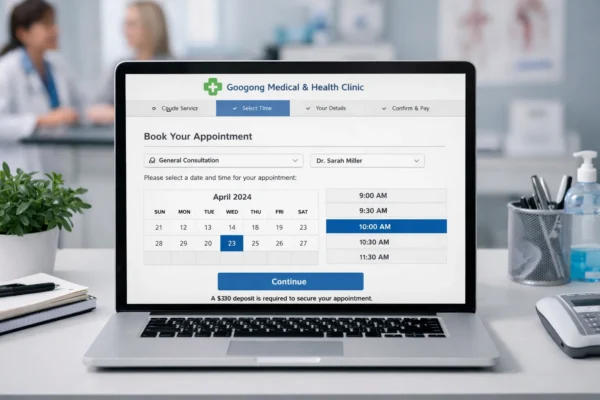
Online booking reduces calls, cuts reception pressure, improves confirmations and helps clinics secure appointments faster.
