

Blog

Set Your Direction for 2026 With a Simple Year-End Reflection
A simple year-end reflection helps you shape clear, confident business goals for 2026. Start with three questions.

TL;DR:
- Performance-optimized hosting is specifically configured to deliver websites quickly, handle traffic reliably, and reduce maintenance burdens. It employs features like caching, CDN integration, resource isolation, and server tuning to significantly improve speed and stability, especially for growing small businesses. Choosing the right hosting involves assessing traffic, resource needs, geographic location, and support level to ensure optimal performance and growth potential.
Your hosting provider is one of the most consequential decisions you make for your website, yet most small business owners give it almost no thought after the initial setup. If you have ever wondered what is performance-optimised hosting and why it matters, you are asking exactly the right question. Basic hosting stores your files. Performance-optimised hosting is built to deliver them fast, keep your site stable under pressure, and reduce the technical overhead that quietly drains your time and budget. This article explains the core concepts, compares your options, and helps you make a confident, informed choice.
| Point | Details |
|---|---|
| Not all hosting is equal | Basic shared hosting lacks the server configuration needed for reliable speed and stability. |
| TTFB is a leading indicator | Reducing Time to First Byte through better hosting directly supports faster page loads and Core Web Vitals. |
| Managed hosting reduces overhead | Handing server management to experts keeps performance consistent without demanding your time. |
| Layered optimisation matters | CDN, object caching, and database tuning must work together for meaningful performance gains. |
| Choose for your growth trajectory | Match hosting resources to your current traffic and realistic growth plans, not just your budget. |
Performance-optimised hosting is a server environment configured specifically to deliver web pages quickly, handle traffic reliably, and reduce the maintenance burden on you as the site owner. It goes well beyond simply renting space on a server. The distinction is in how the software stack is assembled and tuned.
Standard hosting environments configure server and software stacks with caching, CDN integration, object caching, and performance monitoring to reduce latency and improve reliability. Where basic hosting treats every website the same, performance hosting is built around the delivery chain from the moment a visitor types your URL to the moment content appears on their screen.
The core performance hosting features you should look for include:
Pro Tip: Ask any hosting provider whether their performance features are applied by default or require manual configuration. Many providers list CDN as a feature but leave it disabled unless you specifically request it.
Speed is not a single number. It is the result of many small delays adding up across a delivery chain. Performance-optimised hosting targets several of these delays at once, which is why the improvement can feel dramatic even when your website’s code has not changed at all.
Here is how the changes translate to real-world results:
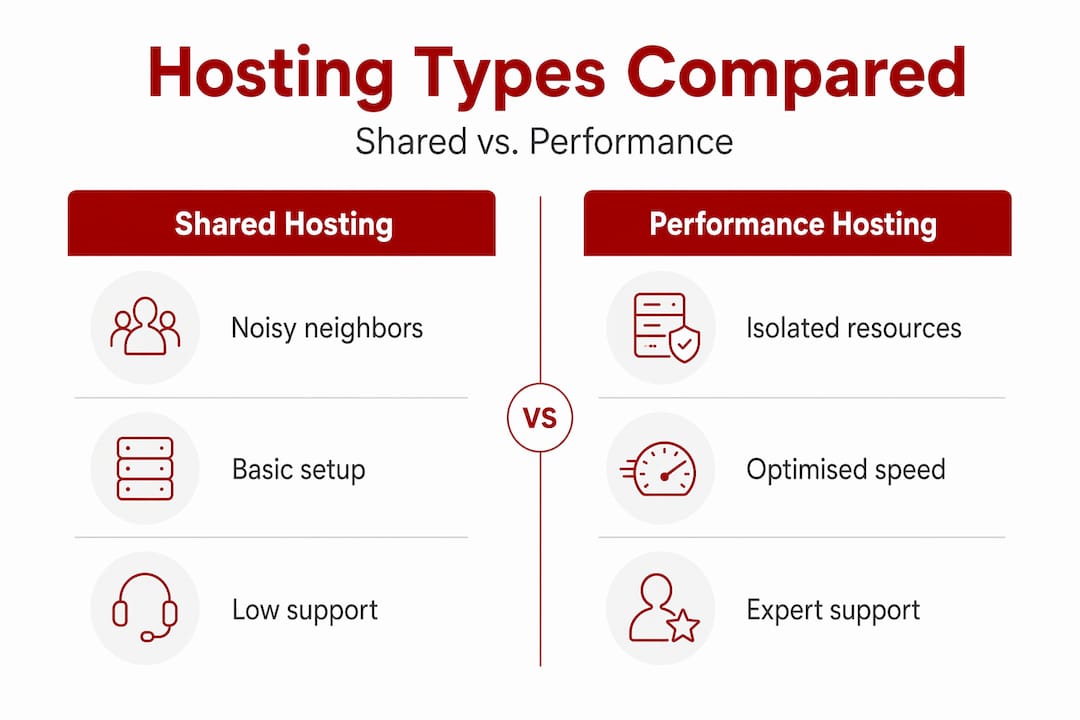
Resource isolation prevents contention. On shared hosting, hundreds of websites share the same CPU and RAM. When one site receives a traffic spike, every other site on that server slows down. VPS-based hosting isolates resources so that hypervisors or containers enforce allocation, protecting your site’s performance regardless of what your neighbours are doing.
Software optimisation reduces server processing time. For WordPress, configuring PHP-FPM pools, enabling opcode caching, and switching to NGINX or LEMP stacks can cut server processing time significantly without touching a single line of your theme or plugin code.
CDN integration shortens the path to your visitor. CDNs reduce TTFB by caching on edge servers, shortening DNS lookup, TCP connection, and SSL handshake times. A visitor in Brisbane reaching a server physically located in Sydney will always receive content faster than one routed through a data centre in the United States.
TTFB improvement unlocks faster rendering. Optimising TTFB is a practical diagnostic step because further rendering can only begin after the HTML arrives. Hosting improvements often produce the fastest wins here, before any code changes are even considered.
Managed monitoring maintains consistent uptime. Managed hosting takes responsibility for server setup, updates, security, backups, and troubleshooting. This maintains consistent performance and reduces configuration drift, which is the gradual degradation that happens when servers go unattended.
TTFB indirectly impacts Core Web Vitals like Largest Contentful Paint (LCP) because HTML must arrive before content can render. A slow server response pushes every other metric in the wrong direction.
Not every hosting product is equal, and the label alone rarely tells you whether it is built for performance. The table below summarises the main hosting types and what to expect from each.
| Hosting type | Resource isolation | Performance tuning | Managed support | Best suited to |
|---|---|---|---|---|
| Shared hosting | None | Minimal | No | Very small or new sites with low traffic |
| VPS hosting | Yes (virtualised) | Moderate to high | Optional | Growing businesses needing control |
| Dedicated server | Full hardware | High | Optional | High-traffic or resource-intensive sites |
| Managed WordPress | Yes | High (WordPress-specific) | Yes | WordPress sites needing hands-off performance |
| Cloud hosting | Scalable | Variable | Optional | Sites with unpredictable or seasonal traffic |
Shared hosting is the most common entry point for small business websites, and it is also the most limiting. The noisy neighbour problem is real. When another site on your shared server runs a large task or receives a traffic surge, your site pays the price in slower load times and occasional downtime.

VPS hosting’s performance depends on hypervisor scheduling, CPU oversubscription, RAM allocation, and guaranteed IOPS. A well-configured VPS with SSD storage and kernel tuning will outperform even a nominally higher-specification shared plan. The tradeoff is that you carry more responsibility for configuration unless you choose a managed VPS.
Managed WordPress hosting uses a specialised environment built around the CMS itself, including one-click installs, automatic updates, and support tuned for WordPress plugins and themes. It removes the need to manage server-level decisions while delivering performance that generic hosting cannot match for a WordPress site.
Pro Tip: If you are running a WordPress website and not on a managed or WordPress-optimised environment, migrating your hosting is often the single highest-impact change you can make before touching your theme or plugins.
Understanding the options is one thing. Choosing the right one for your business requires a clear-eyed look at your actual needs, not just your current budget.
Work through these considerations before committing to any hosting plan:
Many website owners make the move to better hosting and still feel disappointed. Usually, it is because of one of these avoidable mistakes.
Pro Tip: After migrating to a new host, test your TTFB from multiple geographic locations. A tool like WebPageTest lets you choose test locations and reveals whether your CDN is actually serving traffic efficiently or routing visitors back to your origin server.
I have worked with enough small business websites in Canberra to see a clear pattern. The sites that struggle to convert visitors are rarely suffering from a design problem first. More often, the bottleneck is a sluggish shared server that nobody noticed because the owner assumed hosting was fine.
What I have learned is that non-technical business owners consistently underestimate what managed hosting actually buys them. It is not just speed. It is the confidence that someone is watching the server, running updates, and catching problems before a customer does. That peace of mind has real commercial value.
I have also seen businesses fall into the trap of chasing speed hacks, adding caching plugins and image compressors, while still sitting on a server that cannot respond quickly enough to make any of it count. Layered optimisations across CDN, object caching, and database tuning are what move the needle. Single fixes applied to a poorly configured server produce marginal results.
The clients who benefit most from migrating to a performance-optimised environment are those who also have a clear, well-structured website to begin with. Fast hosting amplifies what is already working. If you want to understand how professional hosting supports growth, start by looking honestly at what your current setup is actually delivering.
— James
At Asporeadigital, we build and host WordPress websites for small businesses across Canberra and the Capital Territory on a foundation of performance. That means every site we deliver is hosted in a managed environment tuned for WordPress, with CDN, server-level caching, automated backups, and ongoing monitoring built in from day one.

We work closely with Asporea Hosting to make sure our clients never have to juggle separate providers for design, development, and server management. If your current hosting is holding your site back, we can assess the situation and manage a clean migration with minimal disruption. For businesses ready to combine strong WordPress and digital marketing growth with hosting that keeps pace, we offer fixed-price plans with transparent support. You can also explore our WordPress support for small business to see what ongoing managed care looks like in practice. Get in touch with us to discuss your hosting situation and find out what a well-configured environment could do for your site.
Performance-optimised hosting is a server environment configured with caching, CDN integration, resource isolation, and software tuning to deliver web pages faster and more reliably than standard shared hosting.
Hosting affects page speed metrics like Time to First Byte and Largest Contentful Paint, which indirectly influence how Google evaluates your site’s user experience and Core Web Vitals performance.
For most small business owners, yes. Managed WordPress hosting bundles expert support, security, backups, and performance tuning, removing the need to manage these yourself and keeping your site consistent over time.
Run a free test on Google PageSpeed Insights or GTmetrix and check your Time to First Byte score. A TTFB above 600 milliseconds is a strong indicator that your hosting environment, not your code, is the primary bottleneck.
You can make modest improvements through caching plugins, image compression, and code minification. However, switching from cheap shared hosting to an optimised VPS or managed environment often delivers faster results than any amount of plugin-level optimisation.

A simple year-end reflection helps you shape clear, confident business goals for 2026. Start with three questions.

Long-term online success depends on visible trust. See how an established astrology membership site improved conversions by showing real proof and credibility with help from

Plan for outages over Christmas. Build your holiday incident plan to manage technical, customer and content cover with tested access and clear escalation.
