

Blog

Your Website Has Grown Up, But Has Your Tech Kept Up?
Your website might look fine, but its technology could be holding it back. Learn why keeping WordPress, PHP and plugins current keeps your business faster,

Performance hosting is defined as web hosting configured to prioritise fast server response times and consistent uptime, making it the foundation of every measurable website outcome from user experience to search engine ranking. For small business owners, the choice of hosting is not a background technical decision. It directly shapes how quickly your site loads, how reliably it stays online, and whether Google considers it worth ranking. The role of performance hosting connects to concrete metrics like Time to First Byte (TTFB), Google Core Web Vitals, and uptime percentages that determine whether visitors stay or leave. Understanding these connections gives you a clear basis for choosing and managing your hosting with confidence.
Performance hosting controls the speed at which your server responds to a visitor’s browser request. That response time is measured as TTFB, the delay before the first byte of data arrives at the browser. TTFB gates when rendering can begin, which means slow hosting delays every visual element on the page, not just the first one.
Google measures TTFB through its Chrome User Experience Report (CrUX), which collects real-world data from actual visitors. The thresholds are clear: TTFB at or below 800ms is rated “Good”, 800–1,800ms “Needs improvement”, and above 1,800ms “Poor”. Sites with poor Largest Contentful Paint (LCP) scores have a median TTFB around 2,270ms, while sites with good LCP scores sit around 600ms. That gap is almost entirely a hosting and server configuration problem.

The practical implication is direct. Sites with TTFB above 800ms are 2.4 times more likely to fail Google’s Core Web Vitals “Good” threshold for LCP than sites below 200ms. Failing Core Web Vitals does not guarantee a ranking penalty, but it removes a positive ranking signal and signals to visitors that the site is slow before they have even seen the content.
Pro Tip: Measure TTFB at the 75th percentile, not the average. Google evaluates TTFB at the 75th percentile in CrUX data, so a fast average can still hide a poor experience for a significant share of your visitors.
| TTFB range | Google rating | LCP outcome |
|---|---|---|
| 0–800ms | Good | Strong LCP performance likely |
| 800–1,800ms | Needs improvement | LCP at risk |
| Above 1,800ms | Poor | LCP almost certainly failing |
Uptime is the percentage of time your site is accessible. When your site goes down, Google’s crawler encounters errors instead of pages. Those errors accumulate, and the SEO recovery is slower than most business owners expect.
A documented case shows Google recording 500 server errors during a 60-hour downtime event, with ranking recovery taking approximately three weeks. Three weeks of suppressed visibility is a meaningful cost for any small business that relies on search traffic for enquiries or bookings. The damage is not limited to complete outages either. Degraded response times that cause repeated crawl errors compound SEO losses in the same way, just more gradually.
The key habits that protect your rankings during hosting instability are:
Uptime reliability also affects visitor trust in ways that do not show up in analytics. A business whose site is intermittently unavailable loses credibility with potential clients who may not return after a failed visit.
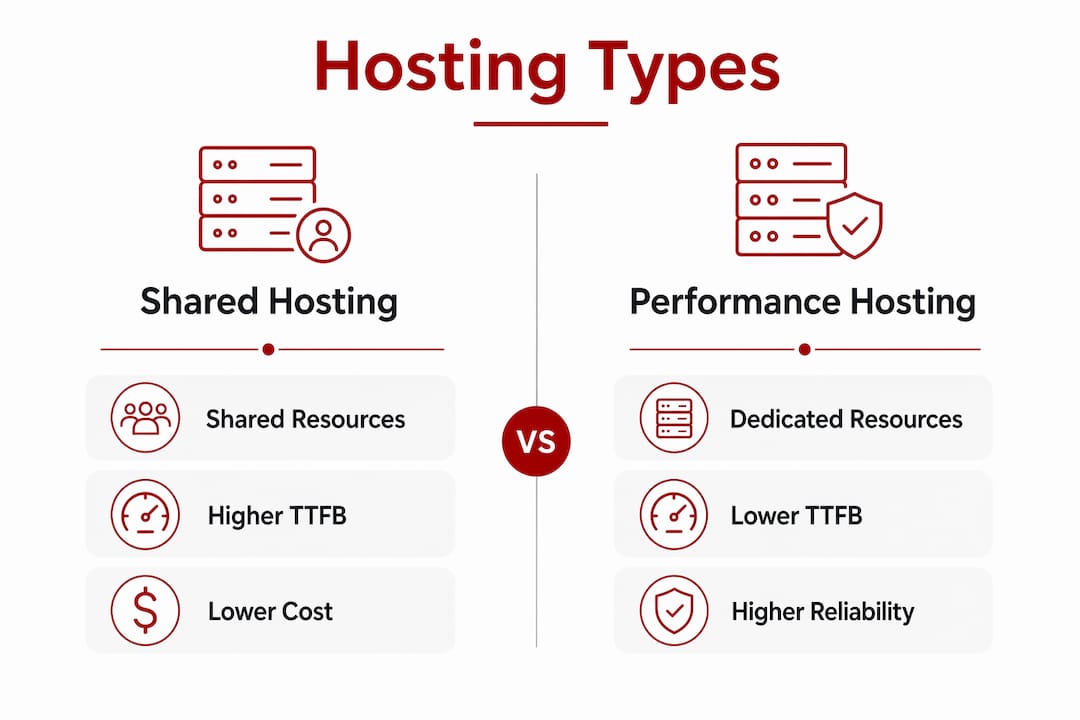
Hosting types differ significantly in how they allocate server resources, and that difference shows up directly in TTFB and reliability.
Shared hosting places your site on a server alongside hundreds or thousands of other sites. When a neighbouring site experiences a traffic spike, your site’s response time suffers. Shared hosting is the most common starting point for small business websites, and it is also the most common source of avoidable speed problems. It is adequate for very low-traffic sites with no performance requirements, but it is a poor fit for any business where the website is a primary source of leads.
VPS (Virtual Private Server) hosting allocates dedicated resources to your site within a shared physical server. You get consistent CPU and memory, which means your TTFB is not affected by other sites on the same machine. VPS hosting suits growing businesses that need predictable performance without the cost of a dedicated server.
Managed hosting goes further by handling server configuration, security updates, and performance tuning on your behalf. For WordPress sites, managed hosting typically includes server-level caching, which is the single most effective way to reduce TTFB. Server-level caching returns pre-built HTML instead of executing PHP and database queries for every request, enabling TTFB under 100ms for cached pages. That is a dramatic improvement over an uncached WordPress site on shared hosting.
Pro Tip: Before upgrading your hosting plan, check your caching configuration first. Good server-level caching on a mid-range host often outperforms expensive hosting with no caching in place.
Server location also matters more than most business owners realise. A server located in Virginia adds roughly 150ms of latency for a visitor in Tokyo. For a Canberra business serving local clients, server location affects TTFB in a way that no amount of front-end optimisation can fully compensate for. Hosting with servers in Australia, or using a Content Delivery Network (CDN) with Australian edge nodes, keeps latency low for local visitors.
| Hosting type | Resource allocation | Typical TTFB | Best suited for |
|---|---|---|---|
| Shared | Shared, variable | 800ms+ | Very low traffic, low budget |
| VPS | Dedicated, consistent | 300–800ms | Growing businesses |
| Managed WordPress | Dedicated plus caching | Under 200ms | WordPress sites needing reliability |
| Performance hosting | Optimised stack, CDN | Under 100ms cached | High-traffic or conversion-critical sites |
Web servers running LiteSpeed or Nginx handle concurrent requests more efficiently than Apache on shared hosting. This is a meaningful difference for WordPress sites under moderate traffic, where Apache’s process model can create queuing delays that inflate TTFB.
Measuring your hosting performance before making any changes gives you a baseline. Without it, you cannot tell whether an improvement actually worked.
Pro Tip: Separate your server-side delays from your front-end delays before spending money on either. A slow TTFB is a hosting or caching problem. A slow LCP after a fast TTFB is a front-end problem. Fixing the wrong layer wastes time and budget. You can read more about choosing a host for Canberra businesses to work through this systematically.
For WordPress sites specifically, the priority order is: server-level caching first, then CDN, then image optimisation, then code minification. Reversing that order is a common and costly mistake.
Performance hosting is the single most controllable factor in your website’s TTFB, and TTFB determines whether your Core Web Vitals pass or fail.
| Point | Details |
|---|---|
| TTFB is the gating metric | Server response time delays all rendering; target under 800ms at the 75th percentile. |
| Downtime has lasting SEO costs | A 60-hour outage can take three weeks of ranking recovery; monitor proactively. |
| Caching changes the equation | Server-level caching can reduce TTFB to under 100ms for WordPress sites. |
| Server location affects speed | Australian-based servers or CDN edge nodes reduce latency for local visitors. |
| Measure before you upgrade | Use Chrome DevTools and WebPageTest to identify whether the bottleneck is hosting or front-end. |
Asporeadigital works with Canberra small businesses that need a website that loads quickly, stays online reliably, and supports steady growth in local search. Through its partnership with Asporea Hosting, Asporeadigital provides server-level caching, Australian-based hosting, and ongoing performance monitoring as part of its website care plans.

For business owners who want their website to work harder without managing the technical side themselves, Asporeadigital handles hosting, maintenance, and performance tuning as a single service. The WordPress digital marketing guide covers how the right hosting and site configuration supports local SEO and lead generation for Canberra businesses. If your current site is slow or unreliable, that is a practical problem with a practical solution, and Asporeadigital can help you find it.
Performance hosting is web hosting configured to deliver fast server response times and consistent uptime, typically through server-level caching, optimised server software like LiteSpeed or Nginx, and Australian-based infrastructure for local businesses.
Hosting affects Core Web Vitals primarily through TTFB. A slow server response delays Largest Contentful Paint and other rendering metrics, making it harder to pass Google’s “Good” threshold regardless of front-end optimisation.
Google rates TTFB at or below 800ms as “Good” at the 75th percentile. Sites with good LCP scores typically achieve TTFB around 600ms, while sites with poor LCP average around 2,270ms.
Yes. Extended downtime causes Google to record server errors during crawls, and ranking recovery after a significant outage can take several weeks. Monitoring tools that detect soft failures help limit this damage.
Shared hosting is adequate for very low-traffic sites, but it creates unpredictable TTFB because server resources are shared. A VPS or managed WordPress host with server-level caching delivers more consistent performance for any site where speed and reliability matter to your business outcomes.

Your website might look fine, but its technology could be holding it back. Learn why keeping WordPress, PHP and plugins current keeps your business faster,

A handover document gives you access to your site to update, protect, measure and get support without needing anyone else.

Time-poor owners, spot fake invoices in email and online before you pay. Learn quick checks and safer habits to protect your cash flow.
