

Blog

When Meta Cuts You Off, What Happens to Your Business?
What happens if Meta cuts off your Facebook or Instagram tomorrow? Why your website should be the centre of your business, not social media.


If you have ever logged into WordPress and seen a little red bubble sitting next to Updates, you already know the feeling this article is about. Sometimes the bubble says 2. Sometimes it says 12. Sometimes it has been sitting there so long it almost feels like part of the decor. You tell yourself you will deal with it tomorrow, and then tomorrow becomes next week, and before long that tiny bubble is carrying the whole weight of your website.
Almost every business owner has done this. Not because they do not care, but because they are busy running an actual business. Updating plugins and themes rarely feels urgent. Nothing looks broken. Customers keep buying. Pages keep loading. The quiet parts of a website do not ask for attention loudly. They whisper. And only when the whisper is ignored for long enough does it turn into a proper problem.
Your website ages differently from your business.
Plugins move on. PHP versions get retired. Themes fall out of support.
Developers release fixes, improve performance or patch security holes, and all of this happens whether you notice it or not. So when you finally open your dashboard and see Updates 12, it is not a judgement. It is a clue that the ground underneath your website has shifted while you were looking elsewhere.
Left long enough, those small shifts add friction. Maybe the checkout slows down. Maybe a form stops behaving. Maybe a plugin that once worked perfectly suddenly becomes incompatible with the version of PHP your hosting provider is pushing toward. This is how a small task grows teeth. Not overnight, but slowly and quietly.
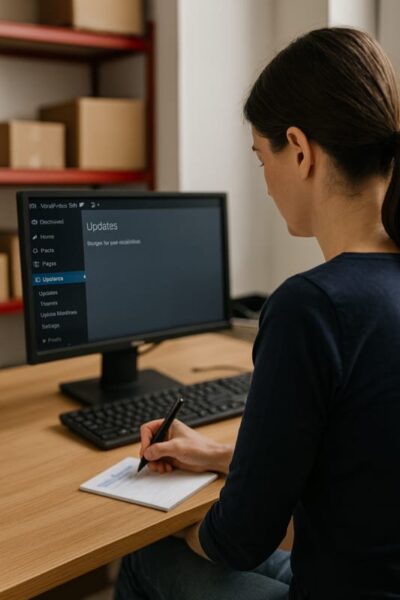
The good news is that none of this is irreversible.
A few intentional minutes now can save you hours later. Start by simply taking stock. Open the updates panel and skim through what is waiting. You do not need to understand every technical note. Just notice what is there. Notice which plugins you use every day and which ones have been passengers for months. Notice if your theme still receives updates. This single moment of attention usually reveals your next move.
If the list feels manageable, take a breath and work through your updates one at a time. Start with the tools you trust. Make a small update, refresh the site, check a key page or two, and keep going. Within minutes the red bubble begins to shrink, and the whole thing feels less intimidating.
If the list feels too big, if the site is overdue for more than a few small tweaks, or if the idea of updating PHP makes you hesitate, that is your sign to bring in a safe pair of hands. Avoid turning this into an emergency. Let someone who does this every day make sure everything stays compatible, stable and secure while you focus on running the business.
Asking for help is not a weakness. It is a sign that you value your website and your time.
A well cared for site feels predictable. You stop wondering what might go wrong at the wrong moment because you know the groundwork has already been handled.
When your website feels steady, you feel steady.
That little red bubble next to Updates is not a warning, it’s an invitation. A reminder that your website is alive, evolving and worth a few minutes of care now so it can keep doing the heavy lifting later.
If you want the whole update process handled calmly and correctly, Asporea Digital can take it off your shoulders. And if you prefer doing it yourself, a little consistency will turn this from a chore into your professional advantage.
If you would like something simple to follow the next time your site needs attention, you can download our step by step WordPress Update Guide. It walks you through the safest way to update plugins, themes and the WordPress core, starting with a full backup and ending with the final checks that keep your site running smoothly. It is written for busy business owners, not developers, and helps you feel more in control of your website maintenance.
Before you begin, please read the disclaimer below.
Disclaimer
This guide provides general information to help WordPress users safely update plugins, themes and core software. It is not tailored to any specific website configuration, hosting environment or business requirement. While every effort has been made to ensure accuracy, Asporea Digital Pty Ltd cannot guarantee that following this guide will prevent issues or that all updates will work smoothly on every website.
Always take a full backup before making changes. If you are unsure, or if your website is complex, customised or business critical, seek professional support before proceeding. Asporea Digital Pty Ltd is not liable for any loss, damage or downtime arising from the use of this document.

What happens if Meta cuts off your Facebook or Instagram tomorrow? Why your website should be the centre of your business, not social media.
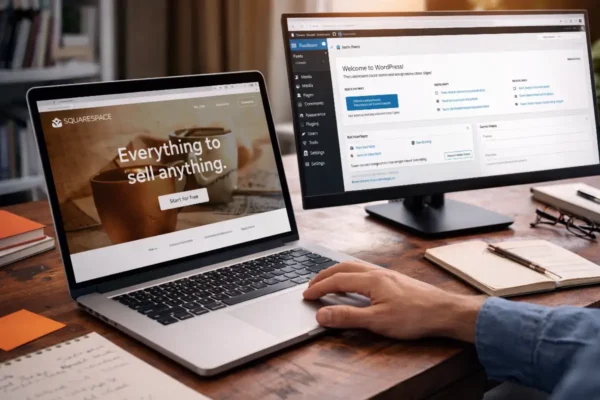
Outgrowing Squarespace? Learn why starting on the right platform can save you from a rebuild later and support long-term growth.

If your site leaves strangers unsure, they leave. Learn the simple tweaks that make enquiries feel easy and natural.
